
pmafjeghchhihekeniifdnagkiagijbn
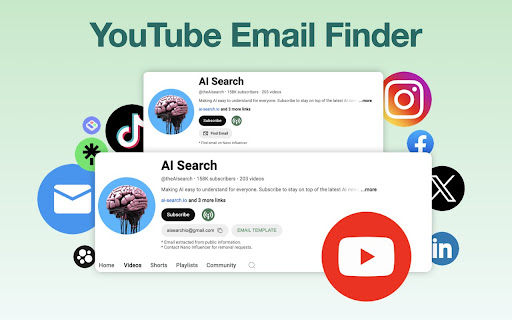


Boost YouTube Influencer Marketing with AI Find YouTube channel emails in 10 seconds. Get a FREE quota every month. Powered by an AI bot, we collect useful metrics and email addresses from related social media websites and publicly available information. FOR MARKETING: Our Email Finder helps you discover influencers and boost your social media campaigns. FOR SALES: Our Email Finder lets you collect leads and grow your sales on the go.

YouTube Email Finder
Extract emails from YouTube, Instagram, and TikTok instantly. Search in bulk, access a verified email database, and restore YouTube’s “View Email Address” button when hidden. Build targeted outreach lists quickly and stay compliant with platform policies. Ideal for marketers, agencies, and creators who need fast influencer outreach and lead generation. Find and extract contact emails from YouTube, Instagram, and TikTok instantly. Perfect for marketers, agencies, and creators who need fast outreach. What It Does: • Extract verified emails from channels and profiles • Run bulk email searches across multiple accounts • Access a verified email database for outreach • Stay compliant with YouTube and platform policies • Quickly build lead lists and influencer contacts Extra Feature: • Restores the “View Email Address” button on YouTube when it’s hidden (If it doesn’t work for some channels, use the red button on the channel homepage to search for the email.) Boost your lead generation and influencer outreach with reliable email discovery across top social platforms.

Email Extractor
Powerful Extension To Extract E-Mail ID's Automatically From Web Pages. NEW FEATURES: AutoVisit websites and AutoSave Email IDs. Email Extractor is a powerful email extraction extension for Chrome. Extension automatically fetches valid email IDs from the web page, you can copy paste particular email ids you need or export all of them to a text or CSV file. NEW FEATURE 1 : the new automation tool can discovers all email addresses for a specific domain name. Example: if you want to discover email IDs of people working at Email Hunter, you can step the tool to search for any email address ending with hunter.io or emailhunter.io , this job can be done for any website. NEW FEATURE 2 : you can add a 5 seconds delay when visiting web pages automatically, so you make sure all pages are loaded and all email ID’s are collected, even when JavaScript are delaying the display of the emails ID's. AUTOMATION with AutoVisit and AutoSave. How it works: ** Automation: allows you to build a queue of up to 1.000 URL that you want to visit. The tool will launch a robot that will visit the requested pages and extract all email addresses found on those webpages. ** AutoSave: this feature will store, in the cloud, all the email IDs found on all the pages you are visiting. This plugin fetches email ids from the Source Code and has no relevance to what you see on the front, so for example, if you see 3 email ids on the website, plugin may fetch more if it finds hidden email ids in the source. Features: - AutoVisit: build a queue of URL that you want to visit automatically - Automation: discover all email ID's ending with a specific domain name - Extract Email Address from Web Pages Automatically - Auto-save all Email Address in the cloud while you browse any website (cloud storage starting at $9.99/month) - share your Premium subscription with your colleagues - Download stored Email IDs - Extracts Emails on Ajax Pages as well, for example Google Search - Extracts Cloaked Emails - Filters for Duplicate Email ID, so you get only Unique ones - Local Storage - Export Option to export list of your extracted emails to a text file - Offline Support (Added as of v1.6 Beta) Needs permission - Extract Emails from Local HTML Documents - Extract Emails from Text Files - Fast, Light(Only 51KB) - removes duplicate email addresses - See instructions at: https://www.email-extractor.io/assets/pdf/Email_Extractor-FAQ.pdf Pricing: this extension is an inexpensive alternative to Email Hunter , voila norbert , Clearbit Connect or FTL ( find that lead ). On the other hand, you will need a bit of technical knowledge to configure. TIP: use our recommended "recipes" Note that the extracted ids will be overwritten if you open a new tab and browse to a new page, for this particular situation, switch to the previous tab, plugin will fetch the ids, and you can export them. Though this plugin accesses your web page information, the only thing which will be extracted is the email ids and that too are stored in your local storage. Extension is thoroughly tested, if incase anyone encounters any bug, you can get my contact details when you click the "Gear" button on the plugin and I'll make sure its fixed ASAP. Informal Disclaimer : This extension is not developed with an intention to spam people with your marketing mails, so use it for your personal stuff only. Change Log : -v5.0 --- Redesigned for Manifest Version 3 --- Made it easier to copy emails IDs to clipboard with Ctrl+Shift+1 (Cmd+Shift+1 on Mac) - v3.6 --- Auto-save all Email Address in the cloud (unlimited storage for $9.99/month) --- Download stored Email IDs --- Clean-up clunky emails from the list - v3.4.2 -- Rolled back to old version 2.1 (for stable release) Please reinstall if you still find the plugin not working, will upload the new version asap - v3.4.1 -- Rolled back to old version (for stable release) - v3.4 -- Fixed minor bugs, users were not able to see the emails in popup so fixed (Please reinstall plugin if you see the count but don't see email in your popup window) - v3 -- Added Storage support. All email ids will be stored on the Storage page -- Added On Install and On Update messages - v2.0 (Major Release, consider updating if you haven't) -- No more issues with Ajax Calls -- Updates Email Counts on Tab Swapping -- No more Beta :) - v1.6 Beta -- Added Offline Support -- Extract Email IDs from local HTML and Text documents - v1.5 Beta -- Non Persistent Processing For Better Performance -- Better Ajax Handling -- Revoked "All Tab" Access Permission

YouTube Email Scraper
YouTube Email Scraper Chrome Extension: A Powerful Tool for Professional Outreach The YouTube Email Scraper Chrome Extension is an advanced, efficient tool designed to help professionals, marketers, and businesses discover and collect email addresses from YouTube channel profiles. This powerful extension streamlines the process of finding contact information for YouTube content creators, making outreach and networking significantly more efficient. ### Intelligent Search and Extraction The extension employs sophisticated search algorithms to locate YouTube channels based on user-specified keywords and email domains. It automatically processes Google search results to find YouTube channels that match your criteria, then systematically extracts email addresses and associated metadata from these channels. ### Smart Filtering System - **Keyword-Based Search**: Users can input specific keywords (e.g., "influencer," "tech reviewer," "gaming") to target relevant YouTube channels in their niche. - **Domain Filtering**: The extension allows users to specify email domains (default: gmail.com, yahoo.com, outlook.com) to focus the search on particular email providers. - **Customizable Results**: Users can adjust the number of results per page (up to 100) to control the scope of their search. ### Comprehensive Data Collection The extension captures essential information for each discovered channel: - Email addresses - Channel titles - Channel URLs - Contextual text snippets This comprehensive data collection ensures users have all the necessary information for effective outreach. ### 1. Automated Extraction Process - One-click activation through the extension icon - Automatic navigation through search results - Real-time progress tracking - Background processing capability ### 2. Advanced Export Options - CSV Export: Generate clean, organized spreadsheets containing unique email addresses - HTML Export: Create detailed reports with full channel information - Automatic deduplication of email addresses - Date-stamped export files for easy organization ### 3. User-Friendly Interface - Clean, intuitive popup interface - Real-time progress indicators - Clear status updates - Simple form fields for search parameters ## Benefits for Users ### 3. Professional Organization - Structured data collection - Clean, formatted exports - Easy integration with CRM systems - Professional-grade contact management ### Browser Compatibility - Built for Google Chrome - Uses Manifest V3 for enhanced security - Modern browser API integration - Optimized performance ### System Requirements - Google Chrome browser - Developer mode enabled - Minimal system resources - Fast and lightweight operation The installation process is straightforward and user-friendly: 1. Download the extension files 2. Access Chrome's extension management page 3. Enable Developer Mode 4. Load the unpacked extension 5. Begin using immediately ### 1. Marketing and Outreach - Influencer marketing campaigns - Brand collaboration opportunities - Content creator partnerships - Network building ### 1. Initial Setup - Click the extension icon - Enter relevant keywords - Specify email domains - Set desired results per page ### 2. Extraction Process - Click "Start Extract" - Monitor progress in real-time - Wait for completion - Export results as needed ## Best Practices for Usage The YouTube Email Scraper Chrome Extension offers significant value through: - Time savings in contact discovery - Enhanced outreach capabilities - Professional data organization - Streamlined workflow processes - Improved networking opportunities - Efficient market research - Systematic contact management - Professional-grade exports This tool transforms the typically time-consuming process of finding YouTube creator contact information into an efficient, automated system. It enables users to focus on building relationships and creating opportunities rather than spending hours on manual search and data collection. The extension's professional-grade features, combined with its user-friendly interface and efficient operation, make it an invaluable tool for anyone seeking to connect with YouTube content creators. Whether for marketing, networking, or business development, this extension provides the functionality needed to succeed in professional YouTube outreach efforts.

FREE YouTube Analytics - Auto Influencer Stats & Contact Info Card
Discover YouTube influencer data insights instantly with smart analytics and visualized info cards including key contact details. Influencer marketing success hinges on data-backed decisions. Knowing which influencer aligns with your brand, who engages authentically, and which posts perform best saves you from costly mistakes. Analytics help you understand not just the numbers but the story behind those numbers, turning guesswork into strategy. --- Key Features of the Influencer Analytics Dashboard 📊 Data Summary Card on Profile Pages Right when you visit an influencer’s profile, the extension displays a summary card with essential metrics like median views of their last 10 posts, engagement rates, and median likes count. This snapshot helps you quickly assess whether an influencer fits your campaign goals. 👁️🗨️ Post-Level Data Visibility Want to see how each post is performing? No problem! The detailed stats is displayed directly on the profile page, so you don’t have to dig through each post or switch between analytics tools. 🔍 Multi-Profile Search Many influencers operate across platforms — Instagram, TikTok, YouTube, and more. The multi-profile search feature lets you switch seamlessly between their linked accounts, consolidating data for a holistic view. 📧 Public Email Finder Need to reach out fast? The extension finds publicly available email addresses associated with the influencer, making outreach smoother and more efficient. 🎯 Audience Insights Knowing an influencer’s followers is just as important as knowing the influencer. This tool provides demographics and interest data about the audience, so you can ensure your product or service resonates with the right crowd. #️⃣ Hashtag & Collaboration Analysis Discover the hashtags influencers use most often and see who they’ve collaborated with before. This feature helps you uncover trends and potential partnership opportunities. --- How Influencer Analytics Dashboard Works Using this extension couldn’t be simpler: 1. Install the extension from the Chrome Web Store. 2. Visit the influencer’s profile page on supported platforms. 3. Watch as the data summary card and detailed analytics automatically populate. 4. Use the email finder and multi-profile tools as needed. 5. Export or save the data for your campaigns. The extension is designed to work across multiple social media sites, maintaining consistent data presentation while respecting each platform’s unique metrics. --- Benefits of Using the Influencer Analytics Dashboard Boosting Influencer Marketing Campaigns With instant access to accurate analytics, you can choose the right influencers who genuinely engage their audience, resulting in better campaign outcomes. Saving Time and Improving Accuracy No more juggling multiple tools or guessing engagement quality. Everything you need is right there on the profile page, saving hours of research. Enhancing Outreach with Email and Profile Search The public email finder and multi-profile search streamline contacting influencers and expanding your network. --- Who Should Use This Extension? This tool is perfect for: - Digital marketers looking to optimize influencer partnerships. - Social media managers who monitor multiple influencers. - Influencer agencies managing campaigns for clients. - Content strategists aiming for data-driven content creation. --- How This Tool Compares to Other Influencer Analytics Solutions Unlike bulky standalone software, this extension is lightweight, integrates directly with social media platforms, and requires no extra setup. --- Privacy and Data Compliance The extension only uses publicly available data from influencer profiles, fully complying with platform policies and privacy regulations. No private or hidden information is accessed or stored. --- FAQs Q1: What social platforms does the extension support? At present, this extension supports YouTube. We also offer additional plugins for TikTok and Instagram, which you can find by searching for our product series in the Chrome Web Store. Q2: Is the extension free to use? Yes, it offers a free version with core features; premium tiers may be available for advanced analytics. Q3: Does it store my personal data? No, the extension does not collect or store your personal information. Q4: Can it find emails from private profiles? No, it only detects publicly available email addresses. Q5: How accurate are the engagement metrics? Metrics are based on publicly available data and platform standards, offering reliable but not absolute insights. Q6: Why do some platforms not support displaying the median number of likes or median E.R? The data available varies across different platforms, so the analytics shown will differ accordingly depending on the platform.
