
plhjggaeodelnhjmnpackhgdidmpekhn
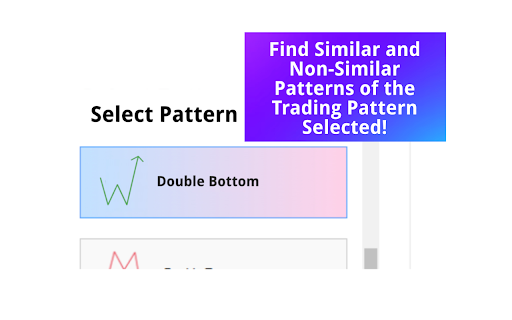


A powerful browser extension tailored to supercharge traders' skills in analyzing and mastering chart patterns. Supercharge Your Trading Skills and Maximize Profitability with Mom Trader - a browser extension designed for traders, by traders. Similar Pattern Finder Highlight any market data that has a popular trading pattern in it supported by Mom Trader on TradingView, and Mom Trader will find and display multiple instances of the pattern selected that closely resemble the one you highlighted– all within the same asset and timeframe. These highly similar patterns allow you to analyze what market conditions led to their success, giving you valuable insights to refine your strategy and recognize profitable setups faster. Non-Similar Pattern Finder Mom Trader locates every instance of the selected pattern for the chosen asset and timeframe. This comprehensive view allows you to detect recurring signals in the market data that causes a pattern to succeed, giving you a clearer understanding of pattern consistency. Pattern Success Rate Tool View the exact percentage success rate of a selected pattern for the asset and timeframe you are analyzing. This insight enables you to make informed trading decisions by focusing on patterns with higher probabilities of success and steering away from lower-performing ones. Surrounding Market Data Access market data that appears before and after a pattern to see how earlier price action may contribute to the outcome. This feature allows you to evaluate if preceding trends or signals play a role in the pattern’s overall performance, helping refine entry and exit points. Failed Patterns Finder Mom Trader identifies every failed instance of the selected pattern for the asset and timeframe, providing you with a detailed look at where patterns break down. By analyzing failed patterns alongside success rates and surrounding market data, you can better understand why certain patterns do not work. This allows you to adjust your strategy, avoid common pitfalls, and even trade against patterns with consistently low success rates if that becomes your strategy. Instant Pattern Delivery with TradingView Charts Mom Trader delivers every occurrence of the pattern you select directly through TradingView-powered charts in our browser extension. This fast and seamless process provides hundreds of patterns in seconds, making it easy to analyze and compare market data effortlessly. Turn Data into Smarter Trades Mom Trader equips you with the tools to analyze patterns from every angle, offering detailed insights that lead to more strategic and profitable trades. By understanding both successful and failed patterns, you gain a deeper perspective on market behavior and improve your trading outcomes.

Crypto SignAI - TradingView Analysis
One-click AI trading: A Chrome extension that turns TradingView charts into instant long-short signals using Gemini and ChatGPT. CryptoSignAI makes TradingView trading incredibly simple. With one click, it analyzes the chart you’re looking at using Google Gemini or OpenAI ChatGPT, then instantly gives you a clear LONG or SHORT signal with entry, TP, SL and probability. You don’t need complex tools, indicators or dashboards — everything happens right on the chart. Your past analyses are saved automatically with screenshots, so you can revisit and compare them anytime. Just paste your Gemini or ChatGPT API key, open any TradingView pair, and hit Analyze. Fast, clean, and built for traders who want AI support without the hassle.

TradeGPT
Use TradeGPT AI trading app for smart market analysis. Advanced trade GPT algorithms provide real-time market insights. 🚀 Smarter Technical Analysis Right in Your Browser Meet TradeGPT, your intelligent Chrome extension designed to analyze any stock, currency, or crypto asset in seconds. With the power of artificial intelligence, tradegpt turns raw charts into actionable insights. No more guessing. No more manual drawing. Just open the extension, type a symbol, and let trade gpt show you a complete breakdown of the market 🔍 What is TradeGPT? This app is not just another browser plugin. It’s a smart stock analysis tool built on real-time pattern recognition, chart reading, and algorithmic processing. Whether you're trading equities, forex pairs, or cryptocurrencies, the tradegpt app engine gives you clarity in a chaotic market. Think of it as your personal gpt trader whispering market signals. 💡 Who is it for? Whether you're: 1️⃣ A beginner learning technical analysis of stocks 2️⃣ A crypto investor tracking the next big bitcoin forecast 3️⃣ A swing trader relying on market signals 4️⃣ A day trader looking for fast crypto technical analysis 5️⃣ Or an investor using long-term strategies with our stock analysis tools Trade gpt ai gives you the insights and confidence to act. 🎯 Key Features of the our Chrome Extension ➤ Lightning-fast tradegpt ai scanning engine ➤ Accurate stock technical analysis with trend detection ➤ Built-in crypto technical analysis tools ➤ Support for all major exchanges and assets ➤ AI-generated suggestions with probabilities The tradegpt crypto module makes it a favorite among digital asset traders. 📊 How It Works Here’s how trader gpt simplifies trading: 1. Enter the stock or crypto ticker 2. The trade gpt app runs pattern recognition. It combines indicators like RSI, MACD, EMAs 3. You receive clear visual analysis directly in your browser All this powered by the smartest artificial intelligence stock trading engine. 📈 Why Use TradeGPT Over Other Tools? ▸ No need for complicated charting software ▸ Built into Chrome – no download required ▸ Zero learning curve for technical analysis of stocks ▸Works on both live charts and historical data ▸ Optimized for ease-of-use The best part? Tradegpt app works in seconds and saves hours of research. 🌍 Markets Supported ♦️ US Stock Market (NYSE, NASDAQ) ♦️ Cryptocurrency markets (Bitcoin, Ethereum, altcoins) ♦️ Forex pairs (USD, EUR, GBP, JPY and more) Thanks to advanced ai trading software logic, you get fast insights across all assets. 🧠 Built with Powerful Artificial Intelligence The our engine learns and adapts to market conditions using: 🌐 Neural pattern recognition 🌐 Historical backtesting 🌐 Multi-asset correlation 🛠️ TradeGPT is Not Just Another Extension Unlike other basic plugins, tradegpt ai is: ❗️ A full-blown ai software ❗️ A professional-grade artificial intelligence trading app ❗️ A Chrome-native gpt trader assistant ❗️ Your new edge in crowded markets The tradegpt app was made to eliminate over-complication and save hours. 🔥 Why Chrome Users Love TradeGPT ◆ Lightweight & instant install ◆ No registration or sign-up ◆ Compatible with all major trading websites ◆ Simple UX designed for traders ◆ Accurate stock analysis tools in 1-click Just click, analyze, and decide. 🌐 Global Reach with Local Focus Whether you're in New York, Berlin, or Tokyo – the tradegpt crypto and stock technical analysis tools are tailored for every timezone and every trader. From penny stocks to BTC, it delivers fast, AI-powered insights. 📌 Conclusion: One Extension – Many Advantages With trade gpt, you’re not guessing. You're making smarter, faster, data-driven decisions using elite ai trade logic. ✅ Real artificial intelligence stock trading ✅ Get trusted stock technical analysis ✅ Trusted by thousands worldwide ✅ Analyze any asset instantly 🔗 How Install TradeGPT Click Add to Chrome to experience the smartest app and finally make sense of the markets using the power of trade ai technology. 👉 Transform how you result — with our extension, the only assistant you’ll ever need.

The Optimiser - TradingView Strategies
Optimise TradingView Strategies An assistant for optimising (Optimize) & backtesting trading strategies in Tradingview Optimise TradingView Strategies An assistant for optimising & backtesting trading strategies in Tradingview. An optimizing assistant for backtesting trading strategies and showing external signals in Tradingview An assistant for backtesting trading strategies and checking (showing) external signals in Tradingview. Functionality 1. Backtesting trading strategies, optimisation of the strategy's parameters: * automatic getting a list of parameters and their types (numeric, lists and checkboxes are supported) * generation of the testing range according to the rule: the beginning value is 2 times less than the current one, the end is 2 times more than the current one. * saving the generated parameters of testing a trading strategy for their correction as a template in a file in CSV format * Loading adjusted parameter ranges from a CSV file * Configuring the optimisation model: * Choosing the type of optimisation: searching for the maximum or minimum values * Selecting an optimised value from the entire list of strategy results in Tradingview (Net Profit, Ratio Avg Win / Avg Loss, Sharpe Ratio, Sortino Ratio, etc.) * Choosing a search strategy in the parameter space(random, sequential, annealing method) * Filtering of unsuitable results. For example, the number of tradings is less than necessary * Setting the number of cycles to search for parameters. * Performing automatic selection of parameters with storing all the results in the browser storage and the ability to save them as CSV files after testing, including in case of an error or page reloading * Showing backtesting results on 3d chartto analyze the effect of various parameters on the result. The sequential improvements optimization method is implement adjusting the best value already found. It does not perform a complete search of the entire parameter space. The logic of it work is as follows. The current best state (parameters for max results) is taken. The first parameter is taken and all its values in the range are checked sequentially. If the best result is found, then further verification is carried out from this state. Then the next parameter is taken and all its values in the range are checked and etc. The brute force optimization method implement backtesting all values in strategy space of parameters. The annealing method is an optimization method in which the search for the maximum possible result is carried out in fewer steps https://en.wikipedia.org/wiki/Simulated_annealing The method works this way: first, the best state and its parameters are determined. One parameter is randomly determined, then its value from range of possible values is randomly selected. The status in this value is checked. If it is better, then it is remembered and further parameter changes are made from it. As the number of tests increases, the spread of parameter values decreases around those already found. That is, if at the beginning of testing the values are randomly selected from the entire range of possible parameter values, then as optimization is carried out, this spread decreases ("cools down") near current values. So in first phase of test - this method is search the most possible state around all space on the finish stage this method trying to improve found best state. So that the system does not get stuck in one parameter area, as it happens with the sequential method, not one random parameter changes periodically, but all at once. The random improvements method is the simplest. One parameter is randomly determined and then a value is randomly selected for it from the entire range of possible values. If the condition is better, then it is remembered. And then the parameters from this state are randomly changed. The random method - always selects random values for all parameters at once (default) This extension is open source and aims to reduce the manual operations of users when working with the Tradingview by implementing the technology of emulation of user actions. At the same time, parsing of the data displayed by the Tradingview's UI is used to obtain data. Extension do not interact with the Tradingview servers. If the interface changes, the extension may stop working and give errors. The developer is not responsible for any possible violation by the user of the extension of the rules for using Tradingview. We are committed to transparency and responsible marketing. Our extension uses affiliate programs to support its development and provide enhanced features. Before installation and in our user interface, we want to inform you that we have partnerships with several affiliate platforms. These include ByBit, OKX, BingX, and BitGet. Participation in these programs helps us continue improving our service for you. For more details, please visit our Chrome Web Store page. 1.4.1 * Added in & out of sample testing. Only for users with deep testing on TradingView. 1.4.6 * fixed a few updates * added in and out of sample testing 1.5.6 * Updates for the placeholders on TradingView 1.5.8 * Removed the uploads of CSV feature. Fixed all errors for the Tradingview UI update. Fixed all errors for the Tradingview UI update. Fixed all updates for TV UI updates. Added X sentiment.

ChartSutra – AI Stock & Crypto Chart Analyzer
Instant AI-powered technical analysis for any charts 𝗖𝗵𝗮𝗿𝘁 𝗦𝘂𝘁𝗿𝗮 𝗯𝗿𝗶𝗻𝗴𝘀 𝗽𝗿𝗼𝗳𝗲𝘀𝘀𝗶𝗼𝗻𝗮𝗹-𝗹𝗲𝘃𝗲𝗹 𝘁𝗲𝗰𝗵𝗻𝗶𝗰𝗮𝗹 𝗮𝗻𝗮𝗹𝘆𝘀𝗶𝘀 𝘁𝗼 𝗲𝘃𝗲𝗿𝘆𝗼𝗻𝗲! Instantly analyze any stock chart, crypto chart, or forex chart from ANY website with world's best AI models. ✨ 𝗞𝗲𝘆 𝗙𝗲𝗮𝘁𝘂𝗿𝗲𝘀 📊 Universal Chart Analysis: Works on TradingView, Crypto exchanges, Zerodha, and ANY trading platform 🔍 Multi-Timeframe Analysis: Compare short-term and long-term trends for better decisions 💡 Trading Signals: Get clear buy/sell signals with entry points and stop-loss levels 📈 Chart Patterns: AI recognizes 100+ technical patterns and indicators 📱 One-Click Analysis: Capture, analyze, and trade in under 5 seconds 🔒 Privacy-First: Minimal permissions, maximum security 🚀 𝗛𝗼𝘄 𝗜𝘁 𝗪𝗼𝗿𝗸𝘀 1. Capture: Screenshot any chart from any trading platform 2. Analyze: AI processes multiple timeframes instantly 3. Trade: Get actionable insights with clear entry/exit points ✅ 𝗣𝗲𝗿𝗳𝗲𝗰𝘁 𝗙𝗼𝗿 - Day Trading: Quick scalping decisions with real-time analysis - Swing Trading: Multi-day trend analysis and position sizing - Stock Analysis: Fundamental + technical insights for any stock - Crypto Trading: Bitcoin, Ethereum, and altcoin chart analysis - Forex Analysis: Currency pair technical analysis - Options Trading: Support/resistance for options strategies 🎯 𝗦𝘂𝗽𝗽𝗼𝗿𝘁𝗲𝗱 𝗣𝗹𝗮𝘁𝗳𝗼𝗿𝗺𝘀 Chart Sutra works with any platform like TradingView, Binance, Coinmarketcap, etc - literally any website with charts. No Financial Advice - ChartSutra provides AI-powered technical analysis for **educational purposes only**. We do NOT provide financial advice, investment recommendations, or trading guidance. All analysis, signals, and insights are for informational use only. Please read our full terms at https://chartsutra.com/terms-of-service before using this extension. If you do not agree with these terms, please do not use the extension.
