
pkklhocebkkoglfnghnfnpokjanbbcfo
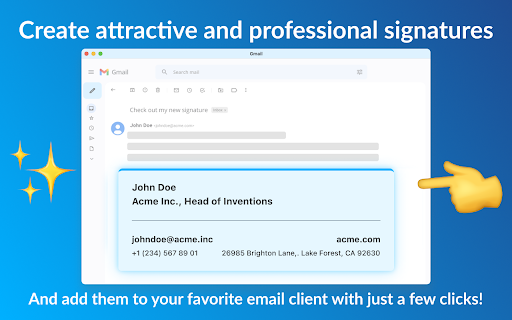
Create professional email signature with our email signature generator, the best tool to make footers for gmail, outlook, and more! 1️⃣ Open the email signature generator extension; 2️⃣ Fill in your personal information that you want to include in your footer, such as name and contact info; 3️⃣ Select visual style of your custom email footer; 4️⃣ Copy the generated HTML and paste it into your mail client — we have detailed instructions for all popular clients. Our Email Signature Generator is the perfect tool for creating personalized and professional email footer that speak volumes about your identity and leave a lasting impression with every mail you send. With a user-friendly interface and a range of customizable features, elevating your mail communication has never been easier. 🎯 How to generate your email signature in a few simple steps: ➤ Access the Generator: open the extension using the pinned button or the extensions menu in the top right corner to launch the Email Signature Generator tool. ➤ Personalize your details: input your name, job title, contact information, and any other details you want to include in your signature. ➤ Design customization: choose from a variety of templates and customize the design to match your personal or business branding. ➤ Add social media links: enhance your email signature by incorporating links to your social media profiles, allowing recipients to connect with you seamlessly. ➤ Preview the result: before finalizing, take advantage of the preview feature to ensure your footer looks just the way you want it. ➤ Install: once satisfied, click the Copy button and follow the instructions to install your new signature in your preferred mail client. ✨ Key features that set our Outlook, Gmail and hubspot signature maker apart from other tools: ❇️ A lot of personalization options You can enter your name, job title or education degree, contact information, social media links and any additional data that’s important for you. Thus, you can create email signature for college students or for a professional field and make sure you have all the important info in place. ❇️ Professional look and feel, sleek and modern design Choose from several professionally crafted email signature template to build a footer that reflects your individuality and professionalism. Your mails will truly exude professionalism and catch the recipient's eye. ❇️ Instant preview Preview your sign to ensure it aligns with your expectations. Make any necessary adjustments until you achieve the perfect balance of style and professionalism of your hubspot email signature. ❇️ Mobile responsiveness Our email signatures are optimized for mobile devices, guaranteeing a flawless display on smartphones and tablets for recipients on the go. ❇️ Install to a range of popular mail clients Once satisfied, copy the generated code of your html email signature template and follow the easy installation instructions for your preferred client – whether it's Hubspot, Outlook, Gmail, or some other one. Now you have a consistent and polished professional image across all platforms. ❇️ HTML Compatibility: For those who prefer to use plain HTML code, our tool fully supports the creation of HTML email signatures, offering advanced customization options. ❇️ Ease of Use: With an intuitive interface, our email signature generator is user-friendly, making the process of creating and implementing your sign a breeze. In today's fast-paced digital world, cool email signatures are the key to leaving a lasting impression. Our online signature generator empowers you to effortlessly create personal email signatures that are eye-catching and tailored to your unique style and professional identity. ❓ Frequently Asked Questions: ❔ Is the gmail signature generator free to use? ✔️ Yes, our tool is completely free to use, providing you with the means to create professional and good looking mail footers without any cost. ❔ Can I update my footer later? ✔️ Absolutely! You can open our email signature maker at any time to make updates and modifications to your cool custom email signature. ❔ Can I create an email signature for multiple mail accounts? ✔️ Yes, because it doesn’t matter how many accounts you have. You can just create an unlimited number of signs and paste them into various mail accounts as easy as a pie. 📧 For any questions or suggestions, please feel free to contact us at email.signature.gen@gmail.com. Enhance your mail communication today with our email signature generator – where professionalism meets simplicity!

Email Signature & Email Tracker. MySignature
Free email tracker for Gmail. Use a single tool for branding email signatures and tracking your emails ✅ Free email signature with customizable templates that would make your email even more professional. Create and update email signatures for yourself or your team without manual work, stress, and creativity limits by using an email signature extension. ✅ Unlimited email tracking. Know who opens your emails and clicks your links. Activate email tracking for yourself or your team to know what happens with your email after you click send. Our mail tracker is simple and easy to use in your Gmail. 🤩 Why should you use MySignature: One extension for email signature and email tracking Over 5 000 active extension users in a month Over 6 000 paying customers 🚀 How our signature and tracking extension works: Install the MySignature extension and activate signatures and email tracking Click compose to see your signature and send an email with tracking Tracking icons appear in the “sent email” folder, in the threads, in the email Email tracker statuses you’ll see: 🟢 Green opened envelop if an email was opened 🔵 Blue envelop if an email has not been opened yet 🟡 To see clicks hover over the icon to get the full history Email tracking adds an invisible pixel that loads when your recipient opens the email and notifies you about the action. To track link clicks, all your URLs will be replaced with special tracking URLs ❤️ Reasons to choose MySignature for your signature: ✅ Enjoy a simple step-by-step signature-making process and the friendly interface of our email signature generator: - Predefined signature templates to make your start easier - Import your contact details from Facebook or LinkedIn - List of over 100 social icons ✅ Make your email signature unique with advanced design options: - Fully customizable signature templates - Color choices - Font styles and sizes - Social icons and buttons style - Call-to-action buttons with different design options - Upload logo or headshot and edit shapes ✅ Power up your signature with addons: - Disclaimer - Custom call-to-action buttons - Video conferences - Call-to-action buttons - Event and calendar - Marketplaces - Green messages - Handwritten sign-off ✅ Turn your signature into a marketing channel with banners: - Gallery of creative banners - Upload your own banner - Banner design integration with Canva ✅ Update your email signature from our dashboard without reinstalling your signature manually in Gmail ✅ Update your teams signature without their involvement to keep them on brand ✅ Chat with our amazing support team Important: We don’t store, read or transfer your email content when using our extension for signatures or mail tracker. To enjoy all features, go MySignature Professional.

HTML Email Signature Generator
Use HTML Email Signature Generator to build professional signatures easily with this email signature builder. Perfect for branding! 1️⃣ Easy-to-use interface: No tech skills required! 2️⃣ Customization options: Tailor every aspect. 3️⃣ Instant preview: See changes in real time. 4️⃣ Compatibility: Works seamlessly with Gmail, Outlook, and other clients. 5️⃣ Multiple templates: Choose from a wide range of email signature templates. Looking to elevate your communication? Our Google Chrome extension offers the ultimate HTML email signature generator for a professional touch. Here’s why you should give it a try: Our HTML email signature generator takes the hassle out of designing. You don’t need any coding skills or design experience. With just a few clicks, you can create custom, polished that reflect your personal or brand identity. Enjoy the convenience of our HTML email signature generator free version. It provides all the essential tools to make your it stand out. You can customize it to include: - Your name and title - Contact information - Social media icons - Company logo - Custom colors and fonts This online application ensures you get a professional-looking without any hidden costs. 📧 How to create it in Outlook and Gmail Not sure how to create it in Outlook or Gmail? Our online html email signature generator guides you step by step. Here’s how it works: 1. Open our Chrome extension and select your preferred template. 2. Customize the details, colors, and layout to match your branding. 3. Copy the generated HTML code. 4. Paste it into your Outlook or Gmail settings. Need something unique? Our custom html email signature generator allows you to personalize every aspect. Customize elements like: ➤ Fonts and colors ➤ Social media icons and links ➤ Logo and photo placement ➤ Call-to-action banners 📑 Choose from templates and samples Not sure where to start? Our extension offers a variety of html email signature templates. They are designed by experts, ensuring that every option looks polished and professional. 🏢 Make for Business Our html email signature generator Outlook version is perfect for companies looking to standarts across their teams. • Centralized management • Easy updates and modifications • Multiple user access for team members • Customizable templates for different departments 🌟 Great for Personal Branding Our html email signature maker simplifies the process, making it easy to create a polished and professional look. ▸ Your name and position ▸ Company logo and branding ▸ Social media icons ▸ Contact information ▸ Website link or call-to-action ⚡️ Builder with Real-Time Preview Our html email signature builder provides a real-time preview, so you can see preview of how it will look as you customize it. Adjust the layout, fonts, colors, and spacing until it’s just right. The live preview helps you make quick adjustments without any guesswork. With our extension, you can: 📍 Save time with pre-made templates 📍 Make changes on the go 📍 Copy HTML code directly into your client 💬 Why you should use our extension? An HTML email signature generator is a must-have for anyone looking to leave a lasting impression. Here’s why: 💡 Professional appearance: Create a consistent and polished look. 💡 Branding: Reinforce your brand. 💡 Convenience: Easy to use and update. 💡 Compatibility: Works with all major clients like Gmail and Outlook. With our simple html email signature generator, you can set up a professional-looking in minutes, boosting your communication instantly. 📩 Optimization for Outlook and Gmail Our html email signature generator Outlook and Gmail versions are optimized for these popular platforms. We ensure that it looks great on both desktop and mobile devices. 1. Open the extension. 2. Customize it to fit your style or company branding. 3. Copy the generated HTML code. 4. Paste it into your client settings. ✅ Promote your brand ✅ Provide essential contact information ✅ Make a strong, lasting impression ✅ Our html email signature generator helps you easily create custom, professional that stand out from the rest. Use our chrome extension to generate design dynamically.

email signature generator
Helps you quickly create a personalized, professional email signature. You can add pictures, banners, calendars and other elements. Create personalized email signatures in seconds with our Email Signature Generator. Easily add company information, images, calendar links, confidentiality clauses, and more. Supports Gmail, Outlook, Yahoo Mail, and other major email clients—make your emails more professional right away. Want to enhance your email image and make every email look more professional and personalized? Our Email Signature Generator offers you a simple, fast way to design an email signature that matches your brand or personal style. No coding experience or complicated setup required—we help you create a perfect email signature in seconds. Product Features: ● Create Professional Signatures in One Click:With our tool, you can easily customize your personal or company email signature, adding company details, profile pictures, social media links, meeting schedules, and more. Make your emails look professional and engaging in no time. ● Highly Customizable:Whether it’s fonts, colors, layout, or unique elements, we offer a wide range of customization options. You can freely adjust font sizes, colors, layouts, and other features to make your signature exactly how you want it. ● Supports Major Email Clients:Our generator supports Gmail, Outlook, Yahoo Mail, AOL Mail, and other major email clients. Simply install via a Chrome extension and quickly activate your signature without any complicated steps. ● HTML Signature Support:If you have your own HTML signature code, you can easily paste and apply it. Whether it’s simple text or complex HTML formatting, we support it all. ● Automatic Updates:With our service, you can ensure your signature is always up-to-date. Any changes made to your signature will automatically update across all devices and platforms, ensuring consistency and timeliness. Product Advantages: ● Simplified Workflow:No more complex code editing or manual adjustments. Simply select your email client, paste your signature code, and save—your signature is live immediately. ● Professional Design to Boost Brand Image:A well-designed email signature makes your emails more attractive and demonstrates professionalism, helping to build trust with your clients and enhance your brand image. ● Save Time and Increase Efficiency:Whether you're an individual user or a business, automatic updates and bulk management features save you time, ensuring that every email you send looks perfect. ● Environmental Awareness and Social Responsibility:We encourage users to reduce paper waste by adding an eco-friendly reminder to the signature, encouraging recipients to avoid printing emails and care for the environment. ● Live Preview:Before finalizing your signature, you can use the "Live Preview" feature to see how it will look in your actual email, ensuring it's perfect every time. Why Choose Us? Our Email Signature Generator is more than just a tool—it’s an asset to boost your work efficiency, professional image, and brand influence. From individual users to large enterprises, we provide a one-stop solution for all needs. Whether you’re an individual or a business admin, you can easily create and manage email signatures, elevating the professionalism and appeal of your emails. Experience the Email Signature Generator today and make your emails stand out!

Signature Generator
Signature Generator is a powerful Chrome extension that allows you to quickly create professional-looking digital signatures for signing documents electronically. Whether you prefer drawing with your mouse or typing, this extension provides a seamless way to capture your unique signature. - Draw Your Signature: Use your mouse or touchscreen to draw your signature in a natural and intuitive manner, mimicking the experience of signing on paper. - Type Your Signature: If you prefer a typed approach, simply enter your name, and the extension will convert it into an elegant digital signature. - Preview and Customize: Before finalizing your signature, preview it and make adjustments to factors like size, color, and opacity to ensure it meets your preferences. - Download and Use: Once you're satisfied with your digital signature, download it as an image file (PNG or JPG) and use it to sign documents, contracts, forms, and more with a single click. - Secure and Legally Binding: Digital signatures generated by this extension are legally binding and accepted by most institutions, eliminating the need for printing, scanning, and faxing. Streamline your document workflow and embrace the convenience of electronic signatures with Signature Generator. Say goodbye to the hassle of printing and scanning, and sign your important documents effortlessly from any device with this user-friendly Chrome extension.
