
pkimhjnhalcimiegkknnidjmmoiedhon
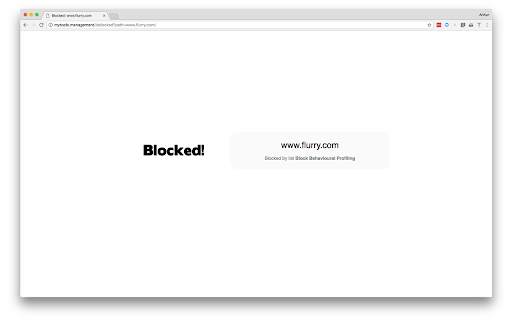
If using DNS based web filtering, this extension will improve the user experience for block pages when using HTTPS. When using a web filtering product that also filters HTTPS but does not intercept the connections, the block page is generally the browser saying it cannot connect. This extension resolves that issue for customers of DNS-based web filtering solutions by forwarding the user to a gateway hosted block page. Enhances the user experience for those using a DNS-based Internet filter that runs mytools.management by redirecting blocked HTTPS connections to a clear block page.

Privacy Guard & Manager
Easily control settings in your browser to improve your privacy. Privacy Guard & Manager is a browser extension that helps you increase your privacy by adjusting a few privacy settings in your browser. Please open the toolbar popup UI to see the list of available settings (around 15 items in total depending on your browser version). Each set has a drop-down list; click on the list to choose the desired value for that item. Once an item is changed, it will be saved to the memory automatically. Moreover, when you hover on any item within the toolbar popup, a description is shown at the bottom of the UI. Please read this description before changing any option. Note: you may see less/more than 15 items in the popup. This is due to the browser or OS version. Some items may become available or be removed in the future updates of your browser. Note: To report bugs, please fill the bug report form on the addon's homepage (https://mybrowseraddon.com/privacy-guard.html).

Privacy Protector Plus
Removes all forms of tracking including web-bugs, tracking-scripts and information-collectors, and protects your data. Privacy Protector Plus is a browser extension that removes all forms of tracking including web bugs, tracking scripts, and information collectors, and protects your data. Some features: a. protects your privacy by removing all forms of tracking from web pages. b. whitelist a website by adding it to the trusted list from the options page. c. clicking on the toolbar icon will enable or disable the extension. d. badge icon text shows you the number of blocked items on the current page. Note: to report bugs, please visit the addon's homepage (https://mybrowseraddon.com/privacy-plus.html) and fill out the bug report form.

Rule AdBlocker
Removes all ads and banners with simple regular expression rules. Rule AdBlocker is a lite extension that let you easily block ads, and all unwanted contents with regular expression matching. Simply write a desired blocking rule and then reload the page to see blocked ads in the browser console. By default, there are 28 rules available in toolbar popup. You can add, edit or remove these rules at any time. Moreover, you can easily specify which resource type needs to be blocked by regular expression rules. There are 13 resource types that are constantly monitored with this addon. By default, 10 types are marked in toolbar popup. There is also an ON|OFF switch in the popup (top left corner) to enable you activate or deactivate this addon. Note 1: when you first install the addon, it is turn OFF. Please open toolbar popup UI, make desired changes and then turn the addon ON. Note 2: please write blocking rules in regular expression format. If you are not familiar with regular expressions, please visit this (https://en.wikipedia.org/wiki/Regular_expression) page to get more info about regular expressions.

Block Site
Blocks access to distracting websites to improve your productivity. Block Site is a simple Chrome extension that improves your productivity by blocking access to distracting websites as you specify. To configure, click on the B icon in the toolbar.
