
pkijkmidgjanbkpfbpdoibadpdkpcchk


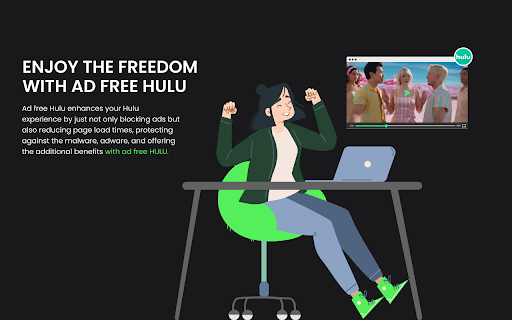
Eliminate interruptions, enjoy hulu movies and shows ad-free Hulu adblocker enhances the streaming experience on Hulu by seamlessly fast-forwarding through ads, saving users valuable time during their content consumption. Additionally, it provides an ad-free browsing experience by effectively blocking annoying popup ads on various websites, allowing users to enjoy uninterrupted browsing sessions. Say goodbye to ad interruptions and enjoy seamless content streaming and web browsing with this all-in-one extension.

Ad Blocker: Stands AdBlocker
Stands AdBlocker – it's a free ad blocker for YouTube, Twitch, Pop-Ups, Video Ads, and websites. Block ads everywhere with Stands! Stands is the best free adblocker for Chrome that eliminates ads on YouTube, Twitch, pop-ups, video ads, and banners. Download the top-rated adblock Chrome extension and enjoy faster, interruption-free browsing today! 🚀 Why Choose Stands adblocker for Chrome? ✅ Block ads – pop-ups, video ads, banners, and auto-playing videos disappear from every site you visit. ✅ Watch YouTube and Twitch without interruption – no pre-roll, mid-roll, or live stream ads ever again. Skip ads automatically with our built-in ad skipper. ✅ Faster page loading – blocking ads reduces data usage and makes sites load up to 50% faster. ✅ Protection from malicious ads – Stands blocks dangerous ads carrying viruses, malware, and phishing attempts that could harm your device. ✅ Auto-hide cookie banners – say goodbye to annoying pop-ups asking you to accept cookies on every site. ✅ Customize your blocking preferences – you decide which sites can show ads to support your favorites, and which can't. 🎯 What does Stands AdBlocker block? 🎥 YouTube ads – removes all video ads instantly 🎮 Twitch ads – watch streams without interruptions 🍪 Cookie banners – automatic blocking of cookie notification pop-ups 📱 Social media ads – block ads on Facebook, Instagram, Twitter, and LinkedIn 🌍 Pop-ups – a true website blocker for pop-ups across every site 📥 How to remove ads? Install in 3 steps: 1. Download Stands from the Chrome Web Store 2. Install with one click 3. Done! Your Google Chrome ad blocker activates automatically – block ads for free from the very first second Also available for Microsoft Edge, and Opera. ⭐ Why is Stands the best adblocker for Chrome? Stands starts blocking the moment it's installed, letting you browse free from annoying interruptions. As a trusted adblock Chrome extension, it stands out for stability, effectiveness, and fast performance: 🔹 Lightweight – won't slow down your browser 🔹 Regular updates – always up-to-date protection against new ad formats 🔹 All-in-one protection – one extension instead of multiple add-ons 🔹 No hidden costs – completely free, forever Stands delivers superior performance compared to alternatives like Adblock Plus, AdGuard, and uBlock Origin. ❓ Frequently Asked Questions What is the best adblocker for Chrome? Stands AdBlocker is the superior choice when considering top add blockers like Adblock Plus, AdGuard, AdBlocker Ultimate, uBlock Origin, and the Pie Adblock extension. Stands effectively blocks ads and speeds up page loading times. How to enable ad blocking? To enable Stands, simply install it from your browser’s extension store. Once installed, access the settings through your browser’s menu to customize your preferences. Can I choose which ads to block? Absolutely! You can customize your settings and add exceptions for specific sites you want to support. 🔐 Your Privacy What personal information do we collect on our users, and how do we collect it? We will collect information about the websites visited by our users, search engine results pages, click stream data, and information about the content that you viewed in order to ensure the ad-blocking, and anti-malware protection are all working properly. We also provide Browsing Data to third parties for their own use, such as for market analytics purposes. All Browsing Data is filtered to remove any personal data before it is processed and provided to third parties. For detailed policies on privacy and user terms, please refer to the Privacy Policy and End User License Agreement available on the website. PRIVACY POLICY: https://www.standsapp.org/privacy-policy/ END USER LICENSE AGREEMENT: https://www.standsapp.org/end-user-license-agreement/ These documents ensure transparency and trust by choosing Stands, demonstrating our commitment to efficiency and protecting your online privacy. 📧 Support For additional support or feedback, users are encouraged to visit the Support Center or contact via email at support@standsapp.org. Get started with Stands and join millions of users worldwide!

Ad-Blocking - YouTube & Websites
Ditch annoying ads and enjoy uninterrupted, ad-free browsing and YouTube videos. 🌐 Ad-Blocking – YouTube & Websites Smart, Customizable Adblock for a Clean Browsing Experience Ad-Blocking – YouTube & Websites is a modern browser extension built to help users reduce distractions, improve page loading speed, and enjoy a cleaner web experience across websites and video platforms. Designed for flexibility and control, it combines effective ad filtering, privacy-focused features, and an advanced dashboard suitable for both everyday users and power users. ✔ Website and video ad filtering Reduce banners, pop-ups, overlays, tracking elements, and unwanted content on websites and media platforms. ✔ Per-site control Enable or disable protection for individual websites with a single click. ✔ Industry-standard filter lists Support for widely used rule lists such as EasyList, EasyPrivacy, regional lists, and security-focused blocklists. ✔ Profiles and presets Create custom profiles (for example: work, browsing, gaming) and switch instantly. ✔ Quick settings panel Control behavior such as auto-reloading tabs, rule application, and visual indicators. ✔ Diagnostics and logging tools Optional tools for troubleshooting and understanding how filtering rules are applied. This extension is designed with privacy in mind: All filtering happens locally in your browser. It does not act as a proxy or VPN, but it can be used alongside privacy tools, password managers, and security extensions. By reducing unnecessary network requests and visual clutter: CPU and memory usage can be reduced Focus and productivity improve 🧠 Built for Modern Browsers Ad-Blocking – YouTube & Websites is suitable for: everyday browsing, streaming, work, and study Ad-Blocking – YouTube & Websites puts control back in your hands — without misleading claims or unnecessary complexity.

AdBlocker for Twitch
Twitch Ad Blocker for Chrome — block or reduce Twitch ads and enjoy smoother streams. Also helps reduce popups, banners, redirects AdBlocker for Twitch is a lightweight Twitch ad blocker for Chrome made for one simple goal: help you watch streams with fewer ad interruptions. If you’re searching for a reliable adblocker for Twitch, this extension is built to target the ad patterns Twitch viewers run into most often — including Stream Display Ads (SDA), which are 15-second video ads that can appear before or during a live stream. (Ad delivery on Twitch changes over time, so ad blocking is always best-effort — but the focus here is Twitch.) What this Twitch AdBlocker helps with - Block or reduce Twitch ads (best effort) - Reduce common video ad interruptions on streaming pages - Cut down typical popups, banner-style ads, and overlay elements - Limit annoying redirect chains, popunders, and new-tab redirects While Twitch is the main focus, the extension may also help reduce banner-style ads on: - Facebook - X (Twitter) Effectiveness can vary by site and layout. Lightweight, simple, and fast No complicated settings — install, open Twitch, refresh the page if needed, and keep watching.

Adblock for YouTube Block Ads Skip Video Sponsored
YouTube ad blocker – blocks banners and pop-ups. Enjoy ad-free, faster browsing and protect your privacy effortlessly! Annoying ads interrupting your favorite YouTube videos? Block them with Adblock for YouTube — a fast and lightweight Chrome extension designed to give you back your viewing time. Block All Types of YouTube Ads: Instantly remove video ads, banners, pop-ups, and overlays. Enjoy Faster Browsing: Reduce data usage and load videos faster by preventing heavy ad scripts from running. Protect Your Privacy: Block trackers and malicious scripts to safeguard your information. Lightweight and Efficient: Works in the background without slowing down your browser. Customizable Settings: Adjust blocking preferences easily via the extension popup. Why Choose Adblock for YouTube: Seamless Experience: Save bandwidth and enjoy smooth, uninterrupted streaming. How It Works: The extension detects and filters ad-related requests and cleans the page layout using optimized CSS rules. It is designed to be a "set and forget" solution, ensuring a clean interface every time you open a video. Affiliate Program Disclosure: To support the ongoing development and maintenance of this extension, Adblock for YouTube uses affiliate programs. This means that some links on the websites you visit may be automatically replaced with affiliate links. This process does not collect or share any of your personal data. It does not add any extra cost to your purchases. You can easily disable all affiliate redirects at any time using the ON/OFF switch in the extension's popup menu. We aim to offer a premium ad-free experience while providing a transparent way to support the project.
