
pjomkoghmkhnipjjlcgoncjlonoleckj


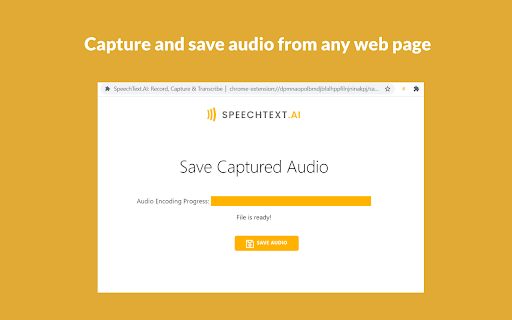

Record voice and capture audio from any web page. Automatically transcribe audio and video files into text with human accuracy. Tired of spending all those hours transcribing audio files? Meet SpeechText.AI! SpeechText.AI is the best way to record and automatically transcribe data from audio and video. Just upload a file in the app to convert your content into text and subtitles in seconds. Our speech recognition technology can automatically transcribe audio and video with human level of accuracy. Voice Recorder Online voice recorder helps you to record audio from the microphone. The audio recordings can be played back and saved to your device. The recorder complies with GDPR regulations. It works offline and doesn't transfer your data over the Internet. Audio Capture The extension allows you to capture and save audio from an active tab within the browser. You can use it for anything from recording your voice conversations, meetings, lectures, interviews, and more. Automatic Transcription AI-powered transcription service helps you to transform recorded audio and video files into text and subtitles in seconds. Upload Upload audio or video files. AI transcription software supports various file formats and transcribes from speech to text in any language. Select Domain Select industry domain and audio type from predefined categories to improve the recognition accuracy of domain-specific words. Transcribe Our speech transcription engine uses state-of-the-art deep neural network models to convert from audio to text with close to human accuracy. Edit & Export Search, modify and verify audio transcriptions using interactive editing tools. Export your content in different formats. Multi Language Audio to text converter supports more than 30 languages and non-native speaker accents Domain Models Speech text software provides multiple domain-optimized models for increased recognition accuracy Automatic Punctuation Audio and video transcriptions include commas, full stops, question marks, periods, etc. Online Editor Proofreading interface helps users to edit and verify speech recognition results Advanced Export Export audio transcription results in the format of your choice (txt, pdf, docx, etc.)

Meta Automation - Auto Meta on Meta.ai
Auto Meta your prompts at scale. Batch generate and auto-download videos and images on meta.ai. Meta Automation is a tool for Meta.ai that automates your workflow on meta.ai. No more typing prompts one by one — let Meta run automatically. This extension turns Meta.ai into a batch-processing engine, so you can auto-submit prompts, auto-generate content, and auto-download results at scale. 🔥 What Meta Automation does Auto-run Meta.ai prompts continuously without manual interaction Batch generate AI videos and images Automatically download results when generation completes Safely handle long prompt queues with smart delays 🚀 Key Features 🤖 Auto Meta.ai batch processing Queue dozens or hundreds of prompts and let Meta Automation automatically: Submit prompts Wait for generation Move to the next prompt No clicks. No babysitting. 📊 Real-time queue monitoring Visual progress bar Live prompt status in the Side Panel ✅ Great for Content creators AI video/image producers Automation and productivity users Anyone who wants to use Meta.ai at scale

Video To Text
Easily transcribe video to text. Convert video and audio to text effortlessly for quick access to AI transcription. 🎥 Unlock the power of your videos with the video to text Chrome extension, your ultimate tool for transforming video content into easily accessible text. Whether you’re a student, professional, or content creator, this extension simplifies the process of transcribing video to text, saving you time and effort. ⏱️ With just a few clicks, you can convert video to text and gain instant access to the information contained within your videos. No more tedious manual transcription! The video to text converter is designed to help you efficiently extract key insights from your video files. ✨ Here are some of the amazing features that make our video to text extension a must-have: 1. Effortless transcription: Transcribe video to text in seconds. 2. Multi-format support: Upload file to transcribe from various video formats. 3. AI-powered accuracy: Enjoy high-quality results with our advanced AI transcription technology. 4. User-friendly interface: Navigate easily and quickly get your transcripts. 5. Versatile applications: Perfect for students, professionals, and content creators alike. 🎤 The video to text extension also allows you to transcribe audio to text seamlessly. This means you can use our audio to text converter to handle not just videos but also audio files. Whether you need audio transcription for interviews, podcasts, or lectures, our tool has you covered! 💡 Imagine being able to translate video to text in a matter of moments. With our extension, you can easily generate YouTube subtitles or create a comprehensive YouTube transcription for your channel. This not only enhances accessibility but also boosts your SEO efforts by providing search engines with valuable text data. 🌟 Why choose video to text? Here are some compelling reasons: • High accuracy rates thanks to AI transcription. • Fast processing times that keep you productive. • Support for multiple languages, making it a global solution. • Ability to edit transcripts directly within the extension. • Shareable transcripts that facilitate collaboration. 🚀 The process is incredibly simple. Just install the video to text extension, select your video or audio file, and let our powerful technology handle the rest. You’ll receive a polished transcript video to text that you can use for various purposes, from creating engaging blog posts to enhancing your online courses. 📹 If you’re looking for a reliable YouTube video converter, look no further! The video to text extension allows you to easily convert any YouTube video into text format. This is perfect for creating content summaries or extracting quotes for your articles. 🔊 But it doesn’t stop there! You can also utilize our audio to text transcription capabilities for any audio files you have. Simply upload your file to transcribe, and in no time, you’ll have an accurate representation of your audio content in written form. 🛠️ In addition to its core features, video to text also offers: 1️⃣ Customizable settings for personalized transcription. 2️⃣ Batch processing for multiple files at once. 3️⃣ Integration with popular platforms for seamless workflow. 4️⃣ Regular updates that enhance functionality. 5️⃣ Responsive customer support ready to assist you. 👩🏫 Whether you're an educator needing lecture transcripts or a marketer looking to create engaging content from your video campaigns, the video to text extension is your go-to solution. It streamlines the process of converting video to text, allowing you to focus on what truly matters—creating and sharing valuable content. 🌈 Don’t miss out on the opportunity to enhance your productivity with the video to text extension. Start transcribing your videos and audio files today, and experience the ease of having all your content in text format at your fingertips! 🙌 Join countless satisfied users who have discovered the benefits of this incredible tool. With video to text, you can effortlessly transcribe video to text and unlock new possibilities for sharing and utilizing your content. Download now and transform the way you interact with video and audio forever! Frequently Asked Questions ❓ What types of files can I transcribe using this extension? You can transcribe various formats including YouTube videos, MP4 files, and audio formats like MP3. ❓ Is there a limit on the length of the videos I can transcribe? While there may be practical limits based on performance, most users can transcribe videos of significant length without issues. ❓ How to convert video and audio to text? Open the extension page, choose the file and click the "Transcribe" button. ❓ How accurate is the transcription? Our AI-powered technology provides high accuracy rates; however, accuracy may vary based on audio quality and accents. ❓ Is there a cost associated with using the video to text extension? The basic features are free. ❓ How do I report issues or provide feedback? You can reach out through our support page linked in the extension for any issues or feedback regarding your experience.

Speech to Text
Convert speech to text instantly with this voice dictation extension. Transcribe audio,voice memos files to text with high accuracy 🎙️ Turn Your Voice into Text Instantly with the Speech to Text Chrome Extension 🧾🖱️ Need to transcribe audio to text quickly and accurately? This powerful speech to text Chrome extension is your ultimate tool for effortless voice to text conversion, voice typing, and dictation. Whether it's a quick voice memo, a podcast, or a meeting — we've got you covered 🔥 🚀 Key Benefits of Our Speech to Text Tool 1️⃣ Fast and accurate voice to text transcription 2️⃣ Real-time speech recognition with just one click 3️⃣ Upload audio files for instant audio to text conversion 4️⃣ Full integration with google docs voice typing 5️⃣ Lightweight, fast, and secure — no sign-up needed 🔐 Use your voice to write faster, smarter, and without distractions 🎯 🎧 How It Works – Simple & Efficient ➤ Click the mic icon to start speaking 🎙️ ➤ Watch your words turn into text in real-time 📝 ➤ Upload an audio file to text converter for longer recordings ➤ Copy, export, or edit your content on the spot ➤ Use voice typing in Google Docs like a pro 💼 It’s that simple. No clutter, no confusion — just powerful speech to text software 💪 💡 Use Cases That Make Life Easier • Take hands-free notes with speech to text • Record interviews and transcribe audio recording to text • Create blogs, emails, or books using only your voice 🧠 • Use as a dictation app while multitasking • Turn audio into text for reports, captions, and study notes Whether you’re a student, a journalist, or a busy entrepreneur, this tool saves hours every week ⏳ 🌐 Supported File Formats for Upload You can easily upload and transcribe speech to text using: The audio to text converter processes your files with incredible accuracy using automatic speech recognition 🤖 🗣️ Multiple Languages & Accents Speak your native language with confidence! This speech to text tool supports: ▸ English 🇺🇸 ▸ Spanish 🇪🇸 ▸ French 🇫🇷 ▸ German 🇩🇪 ▸ Portuguese 🇧🇷 ▸ Italian 🇮🇹 ▸ And more 🌍 Perfect for multilingual teams, global meetings, and international content creators 🌐 📓 Compatible With Google Docs and More Unlock the power of google docs voice typing with a single click 🖱️ Just open a doc, activate the mic, and enjoy smooth voice typing ✍️ Great for writing essays, reports, or planning your next big project 📑 📱 Who Is This Extension For? 1️⃣ Content creators needing fast transcribe audio to text 2️⃣ Students who want to transcribe audio to text from lectures 📚 3️⃣ Professionals using dictation software during work 💼 4️⃣ Podcasters and YouTubers who need quick captions 🎙️ 5️⃣ Anyone who wants to save time and boost productivity 🧠 🛠️ Tools All in One: Record, Dictate, Transcribe This isn’t just a voice to text app — it's a complete transcription app: Record with your mic 🎤 Use it as a voice recorder with transcription Store your drafts safely Copy and paste anywhere 📋 🔒 Private, Secure, Reliable We care about your privacy. All data and voice transcription are handled locally or through encrypted channels 🔐 No data is stored or shared — your content stays yours 🛡️ 💼 Perfect for Business, Study, and Everyday Life Whether you’re creating a to-do list, responding to emails, or writing chapters of a book — voice to text software gives you full control, faster than typing ⌨️ ➤ Draft ideas with transcribe audio to text ➤ Create transcripts for meetings ➤ Generate searchable content from audio files to text ⚙️ Why You’ll Love This Extension ✅ 100% Free ✅ Easy to use ✅ High-accuracy speech recognition voice ✅ Full support for audio to text converter needs ✅ Ideal for dictation, transcription, and note-taking ✅ Functions as a reliable text to speech converter if needed 🔥 Start Using Voice to Text Now Don't let your ideas fade — capture them instantly using your voice 🔥 Install our speech to text today and turn your microphone into a productivity superpower ⚡ 📌 Speak. Convert. Save. Repeat. 📌 Your go-to tool for audio into text, anywhere, anytime 📌 Join thousands of users loving this smart voice to text app 🎯 Ready to boost your productivity and eliminate typing fatigue? Install the ultimate speech to text software now and take control of your time ⏱️

Transkriptor Transcribe Audio to Text
Convert audio to text. Automatically record and transcribe your meetings, and other conversations with Transkriptor. Transkriptor: AI-Powered Chrome Extension that Converts Speech to Text Transkriptor provides the best automatic transcription experience for your meetings. Transkriptor takes automatic notes for you in more than 100 languages and dialects, including English, French, German, Spanish, Chinese, and Portuguese. Transkriptor Chrome extension is easy to use. Press record before any virtual meeting, and let Transkriptor work its magic. You can use Transkriptor for any meeting in Google Meet, Microsoft Teams, and Cisco Webex. Transkriptor is also available across Web, iOS, and Android. How to Use Transkriptor? 1. 📥 Download the Transkriptor Chrome Extension 2. 🔕 Turn off all other sounds and notifications on your computer 3. 🎧 Use a headset with a boom to speak directly into the mic and avoid sound echo 4. 🎙️ Test your microphone by talking and ensuring it picks up sound 5. ▶️ Press the record screen button in the extension 6. 📑 After the meeting, press "Transcribe" and get your transcript 7. ✍️ Edit your transcription by fixing punctuation and grammar mistakes Use Transkriptor For: ★ 📄 Taking Automatic Notes for Remote Meetings ★ 🎓 Online Classes/Lectures ★ 📜 Transcribing Video Calls into Google Docs ★ 📊 Summarizing a Speech File ★ ⚡ Running Effective Scrum Meetings Transkriptor is a transcription service that provides secure transcriptions. All transcriptions are securely stored in your browser or Google Drive. Transkriptor is the best transcription software and also offers a subtitle generator and voice-to-text online. 🎥 Transkriptor Extension Transcribes Your Audio and Video Recordings Transkriptor is an AI-powered Chrome extension that converts speech to text files. It's a free online tool developed to make transcription faster and more efficient. The goal was to create something easy-to-use, affordable, reliable, and, most importantly - quick. Transkriptor does not require additional software or hardware for audio conversion; it can be used as soon as you install the extension in your browser. 📝 How to Record Meetings and Transcribe with Transkriptor Chrome Extension? 1. Download and install the Transkriptor Chrome Extension 2. Press the record button before starting your meeting 3. After the meeting ends, press “Transcribe” 4. Edit the transcription for punctuation and grammar 5. Export your transcription in your preferred format ❓ Why Should You Transcribe Your Recordings? Transcriptions are often required by those who are deaf or have difficulty hearing. Manual transcription can be time-consuming, especially for lengthy recordings. Transkriptor simplifies the process by providing an automated solution that requires no human effort, making it faster and more efficient. Transkriptor saves you time by providing an automatic solution that generates transcripts instantly. It eliminates the need to wait for a human transcriptionist and reduces the manual effort required to convert speech into text. It's a cost-effective option for individuals and businesses. 💼 Best Features of Transkriptor ★ 99% transcription accuracy ★ Supports all file formats (.mp3, .wav, .aiff) ★ Voice commands and keyboard shortcuts for faster editing ★ Works with any microphone; no additional hardware needed ★ Online transcription, no installation required 🧠 How to Make the Most of Transkriptor’s Intelligent Features Make sure your recordings are clear and crisp for the best transcription accuracy. Transkriptor’s intelligent word detection automatically detects pauses and breaks in the recording, making the transcription easier to edit. Transkriptor is ideal for students, meeting participants, journalists, and anyone who needs an accurate and fast way to transcribe audio to text. It helps users convert their presentations, interviews, and lectures into text effortlessly. Transkriptor allows you to transcribe audio or video files, making it an invaluable tool for content creators. It offers a highly accurate solution for generating written content from spoken words, even for users with different accents or speaking speeds. 📋 The Full List of Features of Transkriptor ★ Speech-to-text transcription for meetings, classes, and interviews ★ Supports over 100 languages ★ Convert audio and video files to text ★ 99% transcription accuracy ★ Integrated note-taking and in-line commenting ★ Subtitle generation and export options ★ Zapier integration for automated workflows ★ Secure storage in-browser or in the cloud ★ Available across Web, iOS, and Android ★ Collaborative editing for team projects ★ Free trial with 90 minutes of transcription ★ Export to TXT, SRT, and Word formats
