
pjdbofhiijhapnmpgilkeammkanglfdj


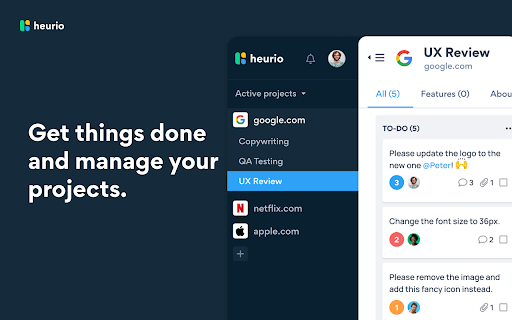

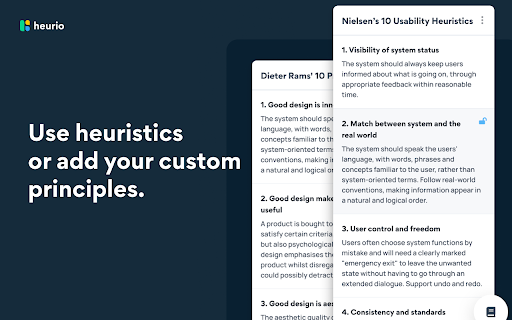
Fastest website review, bug report and heuristic evaluation tool for designers and devs. Make comments and collaborate with your team directly on any live website or web application. 1. Turn on the Heurio extension on the website. 2. Make comments. Pin your ideas. Report bugs. Do a heuristic evaluation. 3. Invite others to the project for seamless collaboration, or just share the project link with them. 1. For UX Researchers Do heuristic evaluations, UX audits, and remote user testing. 2. For UX/UI Designers Create UX reviews, track changes, and boost cross-team collaboration. 3. For Frontend Developers Track development feedback, report bugs, and communicate with designers. 4. For WordPress Developers Improve communication and fasten the website approval process. 5. For Copywriters & Marketers Suggest copy changes and track content ideas directly on live websites. 6. For Creative Minds Manage real-time website reviews during brainstorming or a workshop. Empower your team with an interactive visual feedback tool Heurio gives the power of real-time visual communication directly on your site. Analyze and prioritize comments to provide clear and actionable feedback without complexity. The heatmap of priorities Simple & straightforward color-coding to visually group comments for your team. Seamless heuristic evaluations Conducting heuristic evaluations has never been easier! No matter which website you are on, starting a review is always just one click away. Your favourite heuristics are integrated into Heurio - from Nielsen's 10 Usability Heuristics to Dieter Rams' 10 Principles. Communicate efficiently with live, embedded commenting Keep up with your team and clients directly on live websites to unlock pain points & deliver research results.

SiteSee | Web Design Inspiration
SiteSee will replace your default tab, turning your homepage into a wallpaper-like gallery of beautiful websites. With this extension, you'll never miss an update. Each screenshot is clickable and will take you directly to your desired destination.

Muzli - Design inspiration hub
Your daily dose of design with industry news, tools, and inspiration - all in one place. Muzli takes the center stage as it replaces your default tab and becomes your simple and beautiful design oriented home page. Loved by hundreds of thousands designers worldwide, Muzli is the leading go-to browser extension for creative professionals. Once installed, Muzli becomes your visual hub for the latest and most cutting-edge Design, UI, UX, and interactive content. It serves daily content from all major design and inspiration sources that ensures you will never miss the next big thing. Plus, our hand-picked, professionally curated "Muzli Picks" journal ensures you're treated to the crème de la crème of design inspiration. You can always make Muzli personalised, by choosing from over 160+ creative design sources that cater to your unique interests, so you can always find the content that resonates with you the most. We always try to deliver a design-centric browsing experience that ensures you will always keep up with the creative realm and make your exportations feel seamless.

Colour Contrast Checker
Check the contrast between different colour combinations against WCAG standards Compare the contrast ratio of 2 colours, background and foreground, within a webpage against level 2 of the Web Content Accessibility Guidelines (WCAG). - Use the text fields to compare colours using Hex codes or colour names - Use the colour picker tool to compare colours on a webpage - Store up to 20 colour combinations you have compared (uses local storage) to refer back to later - Reverse background and foreground colours - Generate a share link of colours compared Once you have installed the extension you may need to reload the webpage you are currently on to begin using the extension.

Savee
Savee is where over a million designers and creatives find and save inspiration. Our Chrome extension is the fastest way to bring anything you love on the web into your feed. Four ways to save: -Open Savee on any site. We scan the page so you can save any image or video in one click. -Hover over any image or video. A Savee button appears. Click it and it lands in your feed. -Right-click any image or video and choose "Add to Savee" from the menu. -Use the screenshot tool to capture any part of a page straight to your profile. Every save can go to the board you choose: client work, moodboards, private collections, whatever you're building. Prefer a quieter browse? Every save method can be toggled on or off in settings, so the extension works the way you want.
