
phfkifnjcmdcmljnnablahicoabkokbg


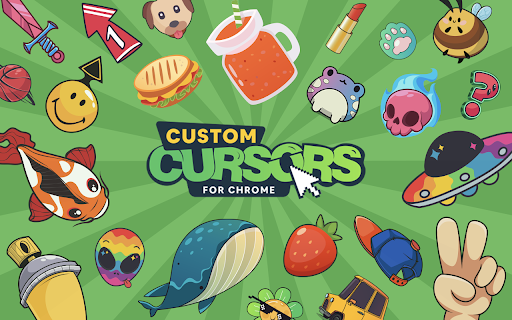
Enhance your Chrome experience with custom cursor. Give your mouse cursor a unique touch by replacing it with a custom cursor. It's such a cute custom cursors for Chrome. Show your individuality with the bright and gorgeous mouse pointer on every webpage. Forget about the boring and simple cursor that has many years to appear on the display. Now you are able to change your mouse pointer to something pink and cute ;) Forget the boring default mouse pointer, because now it can be something more! Something to inspire you, cheer you up and just make you happy. We're the Cute Cursors crew and we've made it our mission to pimp your cursor! We have breathed even more life into our mouse cursors. And so much so that now they have become alive. They shimmer in colors, move, spin, dance, and most importantly give even more expression and positive emotions. Custom cute cursors is a great extension for Chrome that lets you change your browsing experience by creating your own mouse pointers. With the library of this extension, you can find anything to suit your style, whether it's a set of animal symbols or something else entirely. Change your cursor now and get ready for an awesome experience! 5 reasons why you should install the Custom Cursors for Chrome extension: 1. Personalization - extension Custom Cursors for Chrome allows you to personalize your browsing experience by giving your mouse pointer a unique look. 2. Aesthetics - If you're someone who likes to pay attention to the little details, then this extension is perfect for you. Customized cursors can add a touch of aesthetic appeal to your browsing experience. 3. Easy to use - extension Custom Cursors for Chrome is incredibly easy to use. Simply install the extension and select your preferred cursor design. There's no technical knowledge required to use the extension. 4. Fun - Custom Cursors for Chrome can add a fun element to your browsing experience. With a variety of creative cursor designs available, you can swap out your mouse pointer design whenever you like to keep things interesting. 5. Improved visibility - If you struggle to see the default mouse cursor on your screen, then changing it to a customized design could improve your visibility. The increased visibility of a custom cursor can help you keep track of your mouse movements more easily. Attention! Make sure you use the Cute Cursors extension on any web page other than the Chrome Web Store, Google internal pages, and the Chrome home page, as Google policy prohibits the use of custom cursors on these pages.

Cute Tab - Custom Dashboard
Perfect New tab to organize bookmarks with lots of features. Give a clean and modern look to your default Chrome homepage. Allow custom cursors in a new tab page. With our Cute Tab - Custom Dashboard you can use cute cursors on a homepage in a browser. Cute Tab offers a new start page with additional features for your browser experience. 1. Cute background will pleased you every time you start internet surfing. 2. Manage bookmarks easily by using a search bar that makes New Tab experience unique and oriented exactly for your preferences. All bookmarks are gathered into close reach on the Homepage and have such a useful search bar. Any scrolling across the long list. Just start entering the name of the website and it will appear at the top of the list. 3. Pretty clock is added directly to the new tab in a nice design in regards to a whole Cute cursors universe.

Fun Cursors
Have fun browsing the web with a new mouse cursor. Spice up your browsing on Chrome by changing your cursor for a fun one. This extension gives you new cursors for your mouse / trackpad on Chrome. You can always get back your default cursor by clicking cancel. Please note cursor cannot work on the Chrome store pages and new tab.

Meow, The Cat Pet
Meow is a virtual Cat pet who walks on your screen while you're browsing the web. Please notice ------------- - Due to restrictions related to Google Chrome, the pet won't show on pages such as the "New Tab". It will work on any other standard website. - The permissions we request when installing the extension are required in order to "draw" the pet on the pages you visit. We absolutely do not collect or monitor any personal information from your browser. - You can remove the extension by right-clicking the paw icon added to your browser and clicking "Remove from Chrome" ------------ Introduction ------------ Meet your new virtual friend, Meow the Cat Pet. This game is about a pet named Meow, a lovely cat that will keep you company while you're using your Google Chrome browser. The sweet cat will walk on your screen, talk to you, and will wait for you to feed, play with, and pet him. He will also remind you to drink, blink, and correct your posture. You can also add your own reminders. And if you need a break from work, or if you're just bored, you can join the Playground. The Playground is a playroom with games and a multiplayer chat room with other Meows from all over the world. Meow is more than just a virtual cat pet - Meow is a friend. If you adore cats and dream about kittens ^^, you must check Meow out. He's already waiting for you to adopt him! Key Features ------------ - A cute pet (or multiple pets) walk on your screen. - Choose between different skins and animals! You can choose between a dog or different cat types. - You take care of your new furry friend. - It has moods - it can be tired, sad, hungry, or happy. - Chat and Play with other pets online at the Playground. - It's Free!

Custom Progress Bar for YouTube™
Change Youtube™ progress bar to custom from fun collection. Make your Youtube™ player awesome! Transform your YouTube watching experience with Custom Progress Bar for YouTube. This fun and innovative Chrome extension allow you to replace the standard progress bar on YouTube with a wide range of custom options. With our collection of colorful and animated progress bars, you can add a touch of personality and excitement to your favorite videos. Custom Progress Bar for YouTube gives you a selection of 30 🍭 colorful progress bars inside the extension and about 1000 custom progress bars 🤩 are available on our website for you to download and enjoy. - Customization Galore: Choose from a vast selection of custom progress bars from our library. Whether you're into cute, funny, gaming, or meme-themed progress bars, we have something for everyone. With new additions regularly, there's always something fresh to explore. - Fun Animations and Colors: Make your YouTube player come alive with engaging animations and vibrant colors. From adorable bongo cats to popular memes and iconic characters, our custom progress bars will bring a smile to your face as you watch your favorite videos. - Easy Installation: Installing Custom Progress Bar for YouTube is quick and hassle-free. Simply add the extension to your Chrome browser, and you're ready to customize your YouTube progress bar with a few clicks. - Seamless Integration: Once installed, our custom progress bars will automatically appear on all YouTube videos and websites with embedded YouTube players. Enjoy a consistent and personalized viewing experience across platforms. - Regular Updates: We're committed to keeping our collection of custom progress bars fresh and exciting. Our team adds new designs regularly, ensuring you have a vast array of options to choose from. - User-Friendly Interface: Customizing your progress bar is a breeze with our intuitive and user-friendly interface. Easily navigate through different themes and animations, preview them in real-time, and apply your favorite choice with a single click. Use an awesome custom YouTube player and make your days more colorful!
