
pgogpmjdfnolmgihjemjakelopockkgo
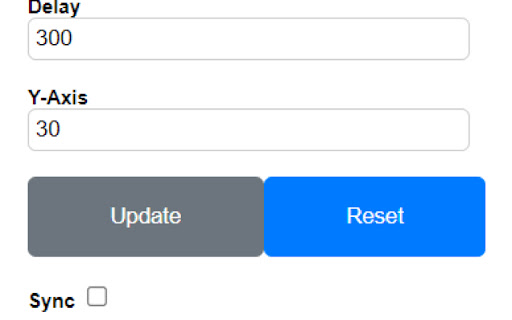
Extension for lazy ppl This chrome extension is for scrolling automatically. Can be very helpful for readers and loading pages that have items.

Auto Scroll
Auto Scroll tool. Works with all websites! Improve your scrolling! Use "Auto" or "Drag & Drop" Scrolling. Open Source! 🎈 Check out Auto Scroll's source code and contribute here: • https://github.com/victor-savinov/auto-scroll

Auto Scroll Extension
Auto Scroller for Chrome to help user scroll automatically Auto Scroller for Chrome for automation This Extension helps user to use scroller as automation form. for example, if you are using a two monitors at once and want one monitor to scroll down automatically, this extension will do! And in addition, extension remembers your last option for scrolling, and will remain as that option.

Auto Scroll: Effortless Page Navigation Chrome Extension
Enhance browsing by automating page scrolling. Customizable speeds & loop options. Streamline content consumption effortlessly. Auto Scroll is a convenient Chrome extension designed to enhance the browsing experience by automating page scrolling. By using this plugin, users can effortlessly navigate through web pages without the need for manual scrolling. Auto Scroll offers customizable scrolling speeds and options to loop the scrolling behavior, providing flexibility to cater to individual preferences. Whether for reading lengthy articles, browsing image galleries, or navigating through long webpages, Auto Scroll streamlines the process by automating scrolling, allowing users to focus on content consumption without the hassle of constant manual scrolling

Simple Autoscroll
An extension that adds the ability to automatically scroll through long pages. Ever want to read through an article without even touching a mouse or keyboard? Simple Autoscroll will help you with just that! With Simple Autoscroll, you simply set how many pixels to scroll at set intervals, press "Go", and start reading! To stop the scrolling, simply click on the extension icon and the scrolling will cease. Tips: - Want to scroll from the bottom to the top? Simply add a negative value into the "Scroll X Pixels" field. - For a smooth scrolling experience, simple input lower values for both pixels and milliseconds. For example scrolling 1 pixel every 30 milliseconds provides a nice, smooth scrolling experience. increasing the millisecond count makes it slower. Simple Autoscroll has not and never will never read any of your data and will only modify a page as needed to make autoscrolling work properly. Simple Autoscroll also does not make any network requests. Simple Autoscroll is an open-source extension. The source code is available on our GitHub page: https://github.com/danman113/simple-autoscrollv2 UPDATE Version 2.0: Simple Autoscroll V2 is now released! * Extension Manifest V3 is now supported * Your default settings are now synced to all of your devices! * When selected, the new "Loop" option will make the page scroll back to the top once it reaches the bottom. Version 2.2: * Fixed an issue where many sites would not autoscroll Version 2.3: * Added a hotkey (Alt+J) to pause/resume scrolling. You can configure the hotkey on chrome://extensions/shortcuts
