
pghpdcenggobpabcpbbgigfcndopcmko
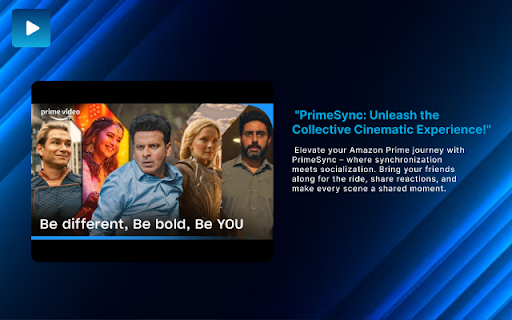


Watch Amazon Prime Video in sync with your friends using Amazon Prime Watch Party Transform your Prime Party viewing into a shared experience with our Chrome extension. Watch Prime Party content simultaneously with friends and family, chat in real-time, and even video chat while you enjoy your favorite shows and movies. Our user-friendly extension is free to use and ensures a secure, synchronized, and immersive watching experience, making it easier than ever to connect with loved ones over your favorite content.

Flickcall: Netflix Party with Video Call
Flickcall is a watch party extension to watch movie & TV shows on popular streaming services together with friends & family. Once a watch party is started, Flickcall’s cutting-edge technology will synchronize everyone’s video players. On top of that, participants can video call and group chat to make the virtual movie experience more fun. Update 11.1.0 - Added support for JioHotstar Update 8.4.1 - Support for 3rd party shows with ads on Amazon Prime Video. - Support for ad based plan on HBO Max. Flickcall now offers free and a premium plan. The free plan supports watch party on all 10 streaming platforms. It offers unlimited text chat and 30 minutes of video chat every week. View list of all supported streaming platforms here https://www.flickcall.com . Premium plan offers everything in free with unlimited video chat. How to start watch party? 1. Start playing the movie or TV show. Once the video starts playing, click the Flickcall logo on the top right. That’s it. If the logo, doesn’t show, hover over the top right corner of the video. You can also click the Flickcall browser icon from the extension menu to start the party. 2. Share the Invite link to add more participants. Flickcall VS other watch party extensions. What makes Flickcall stands out? -Cutting-edge technology to keep video playback in sync. -Video call support in addition to group chat. Flickcall is like Netflix party with video call. -Setup and join the watch party without any hassle. No need to pass instructions to friends to join the party. Just share the invite link, we will handle the rest. -Flickcall is privacy friendly. Your personal chats and video streams are transmitted directly to your friends without passing them to our servers. However, if direct connection is not supported due to a firewall, personal messages and streams are routed via our servers with industry-level encryption (our servers can’t decrypt). - Keep video players in sync to support seek, skip credits, skip intro or even ads playing in one of the participants. It just works - Flickcall remote watch parties work flawlessly even with TV series to binge multiple episodes together making it the best extension to watch with friends. - Watch party on Youtube supports synchronization for multiple videos in the same watch party. Eg. if one user starts playing a new video from recommendations or by searching, playback for everyone will be synchronized. So you can watch tons of unrelated video in sync in a single party. - Supports watching live matches together. So get ready to cheer for your favorite teams together. - Supports Indian OTT platforms. Check full list https://www.flickcall.com. Either you are planning to stream movies with friends or want to go on a virtual movie date or just want to binge together - Flickcall is the best extension to watch movies together.

Prime Video Enhancer
Enhance your Amazon Prime Video experience Prime Video, without the distractions. Hide X-Ray, stop autoplay, fix your subtitles — all with a single key press, no account, no data collection. X-Ray spoiling the cast reveal before you're ready. Autoplay jumping to the next episode before the credits end. Subtitles the wrong size, the wrong colour, impossible to read. Prime Video Enhancer turns every one of those frustrations off. Changes apply instantly. Nothing leaves your device. YOUR FIRST 60 SECONDS Install, refresh Prime Video, and press: 1 — Hide the title overlay 2 — Hide episode and season info 3 — Hide X-Ray 4 — Hide the control overlay Four key presses. A completely clean Amazon Prime Video player. Every other feature works the same way: instant, reversible, no page refresh needed. • Hide X-Ray — Prevent cast names, trivia, and scene information from appearing on hover before you are ready to see them • Hide Title Overlay — Remove the video title bar that covers the picture during playback • Hide Episode Info — Remove episode descriptions that reveal upcoming plot points before you have watched them • Hide Control Overlay — Remove the playback controls for immersive, cinema-style viewing • Hide Play/Pause Buttons — Conceal the large center play, pause, and skip buttons • Hide Settings Menu — Remove the top-right configuration menu so nothing competes with the picture • Hide Progress Bar — Remove the scrub bar and time indicators for a completely clean screen • Hide Next Episode — Remove the Next Episode button and auto-advance card so series never jump ahead without you • Hide Next Up — Block Next Up overlays during end credits so you decide when the next episode starts • Manage episode transitions and credit interruptions independently for full control over your watch session • Custom colours — presets, colour picker, and hex input • Font size — increase or decrease with live preview • Font family — multiple options for legibility and personal preference • All subtitle settings persist automatically across viewing sessions • Eight speed options from 0.25x to 2.0x with smooth transitions • Fine-tune with +/- buttons and on-screen feedback for every change • Enable or disable the speed feature from the Speed tab — your preference persists across videos • Hold / during playback to see every available shortcut • Press ? for a persistent shortcuts panel that stays visible • Number keys 1-9 toggle features without opening the popup • Ctrl+Shift+Up/Down adjusts subtitle size; Ctrl+Shift+Left/Right cycles subtitle colours • All shortcuts can be disabled if you prefer mouse-only control • No personal data collected or transmitted • No access to your Amazon account or viewing history • All settings stored locally on your device only • No external analytics, tracking pixels, or third-party services • Network activity limited to Chrome Web Store update checks Compatible with all Prime Video regions worldwide. Runs on Chrome, Edge, Brave, and every Chromium-based browser across Windows, Mac, Linux, and Chrome OS. BUILT WITH COMMUNITY FEEDBACK • Hugo Lobato — Settings menu and progress bar toggles • Taketo Yanaka — International region support including Prime Video Japan • Suleman & John — Overlay display fixes after Prime Video updates • Seti KirhenNeiNar — Subtitle visibility improvements • Lloyd M — Hide Next Episode overlay control • Teodoro Cesar — Subtitle translucency fix Your feedback shapes what gets built next. Visit pvenhancer.com to suggest features or report issues. Install in seconds. Open the player, press a number key — changes apply instantly. Restore defaults anytime with one click. PVE is free and supported by users who choose to contribute. An optional "♥ Support" link in the popup opens pvenhancer.com/support — voluntary, never required. The extension itself collects no payment or personal data; payments are handled by Lemon Squeezy as a separate Merchant of Record. Prime Video Enhancer is an independent tool and is not affiliated with Amazon. Prime Video is a trademark of Amazon.com, Inc. This extension enhances your viewing experience through interface customisation and does not modify Amazon's service.

Watch Party
Watch Netflix, Youtube, Disney Plus, Hulu, HBO, and Amazon Prime Video in sync with friends Introducing "WatchOTTParty: Movie & TV Series Companion" - a powerful Chrome extension that revolutionizes the way you watch movies and TV series with your loved ones. SyncWatch allows synchronized viewing experiences, where you can enjoy content simultaneously with family and friends, no matter where they are. Stay connected through real-time chat, engaging in lively discussions while watching your favorite content. The extension seamlessly integrates with popular streaming OTT platforms, ensuring compatibility with a wide range of movies and TV series. The user-friendly interface enables easy navigation and control, allowing you to pause, play, rewind, or fast-forward together. Privacy and security are prioritized, with all communication encrypted for a safe environment. Install WatchOTTParty now and create unforgettable shared moments, whether it's a movie night with friends or a binge-watching session with family members. Embark on a synchronized viewing journey like never before with SyncWatch, designed for Manifest V3 and compatible with the latest version of Google Chrome.

Amazon Prime Video Fast History
This extension adds viewing history links to Amazon prime videos. I want to see the movie on my PC on the smartphone, but I added it to the watch list and forgot it, it's a bothersome looking! I do not remember the title of the movie I was watching a while ago! I'd like to encourage my friends to watch the movie I'm watching but soon this one! This extension adds "viewing history" to the header Now, It is convenient for sobriety that shortens the time to reach the viewing history.
