
pfhdgjmedglopmonnfcjlpghhgkkholg
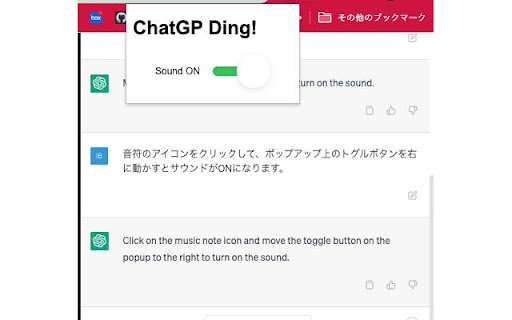
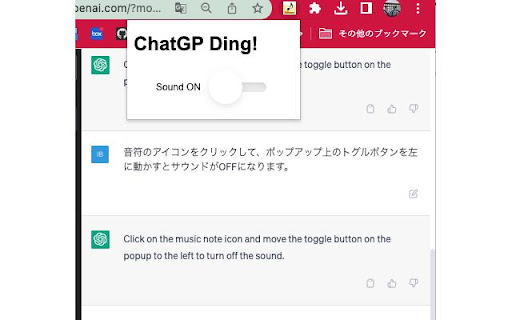
An extension that notifies with a sound when ChatGPT's generation is complete. Have you ever wished to be notified when the answer is generated? It can be frustrating to wait without knowing when it will be ready. This extension is designed to solve that problem. Simply turn your computer sound on and wait for the notification. You can also choose to turn off the sound if you prefer. [Change log] 06/09/2024 Updated to play sound with new UI.

ChatGPT Bulk Delete
A Chrome extension to bulk delete ChatGPT conversations This Chrome extension is designed to help users quickly and efficiently delete conversations in the ChatGPT’s left sidebar. With the extension installed, users can add checkboxes to each conversation in the sidebar, select multiple conversations to delete or archive, and accomplish this with just a few clicks. Hold Shift and click to select multiple conversations for efficient bulk actions. This extension is particularly useful for users who frequently use ChatGPT and need to manage their conversations efficiently. Instead of deleting conversations one by one, users can remove multiple conversations at once, saving both time and effort. Additionally, this extension now offers a “bulk archive” feature for a one-time fee of $0.99 USD. This paid feature allows users to archive multiple conversations simultaneously, further enhancing the tool’s utility and convenience. The extension popup includes a small advertisement labeled “Ad” in the footer, linking to TubeVocab (https://www.tubevocab.com/), a third-party language-learning product. This ad helps support the continued development and free distribution of ChatGPT Bulk Delete. Clicking it is entirely optional and does not affect any of the extension’s core functionality.

Concentration
An ChatGPT-powered extension designed to improve your concentration level Concentration is designed to improve users' concentration levels during their study/work time by blocking distracting websites. It employs natural language processing (NLP) and ChatGPT to optimize performance and accuracy. Concentration is free for all. You do not need to pay for ChatGPT to use it. It's easy to get started with Concentration. 1) Enable the extension and open the popup page. 2) Enter any keyword(s) that represent categories of websites you would like to block (e.g., gaming, movie). 3) Click *Submit* for each keyword you entered, or *Remove All* to remove all existing keywords. You can also click on the ✗ mark next to each keyword to remove them individually. 4) If you want, you may switch from Strict Mode (NLP-based, faster but less accurate) to GPT Mode (ChatGPT-based, slower but more accurate) or vice versa. 5) From now on, Concentration will try to block websites you visit that are relevant to the keywords you entered throughout your online experience.

ChatGPT to Markdown
A Chrome extension that exports ChatGPT chat history as Markdown text 📢Notice It is recommended to use the newer and more complete export plug-in ExportGPT, for details: https://chatopenai.pro/exportgpt/ ⚒️ Tips for use 1. Open the ChatGPT chat page and chat with ChatGPT https://chat.openai.com/chat/ 2. Click the Markdown icon in the upper right corner of the page to open the `ChatGPT to Markdown` operation panel 3. Click the button at the bottom of the panel to copy the text or download the Markdown text 4. You can edit the Markdown text as needed, and then copy or download 5. The popup window supports setting whether to automatically close the sidebar after export, and whether to insert metadata

Audio Player for ChatGPT
Adds an audio player for ChatGPT's Read Aloud feature ChatGPT's "Read Aloud" is great, but the lack of basic controls can be frustrating. This extension solves that by adding a simple audio player with play/pause, a seek bar, and duration display. It leverages the browser's built-in audio controls, fulfilling a long-requested feature. This extension is open source at https://github.com/ian-speckart/chatgpt-audio-player
