
pfckicghmjgghmoeolegcbccjekhejji

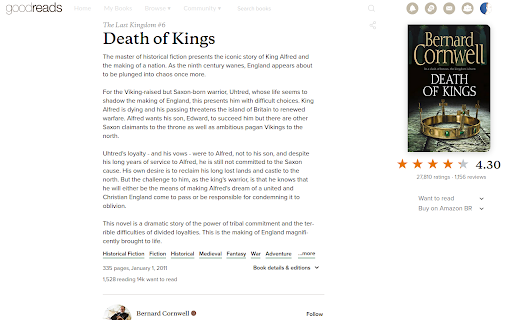

Muting and moving some UI elements in favor of text. Nothing changed, just rearranged. CHANGES ⚠️ NEW IN V1.4.0: OPTION BUTTON NOW IN THE TOP RIGHT CORNER COG ⚙ button; • SIDEBAR to the right, don't know if it helps much • TOPBAR to the sidebar, that orange/purple strip on the top (cut from screenshot, but it's there) • NAVBAR nearly invisible and hidden on scroll • DUPLICATED ELEMENTS removed, like user stars, author info • BOOK DESCRIPTION always expanded • SOCIAL INFO and buttons with less emphasis • REVIEWS centralized on page, user info moved to the left • REVIEWS with less characters per row • OPTIONS • show cover on the left • make text wider • hide elements from front page • move About Author and Readers Also Enjoyed to the sidebar CHANGELOG • v1.4.0 • option button now in the top right corner cog ⚙ button • a lot of the code changed, please let me know if I broke something • fix category underlines cross out the category names • fix Readers also enjoyed not actually moving to the sidebar

Amazon to Goodreads Navigator
Why? When I come across a book that I like on Amazon, I immediately want to head over to its Goodreads page and save it to my 'Want to read' list. However, this process is tedious as I have to manually open up Goodreads and search for the book before I can actually click that button. This Chrome extension removes the need for multiple steps. Just click on the 'View in Goodreads' button to directly open up that book's Goodreads page. Easy as!

Customize Goodreads Design
Changes the layout of Goodreads, including restoring the old book page layout. Restore the old Goodreads book page layout, or choose a layout where reviews are higher up on the page - the "reviews-first layout".

Goodreads Compare Books
You will get easy access to other users' stats about your book similarity.

Review Consensus for Goodreads
Immediately get a sense of what readers think about a book on Goodreads.com. Generates a review consensus on Goodreads book pages using Gemini AI and puts it right onto the page.
