
pepjmbpgjbcaebkpgabpdpgbjebnjbdc


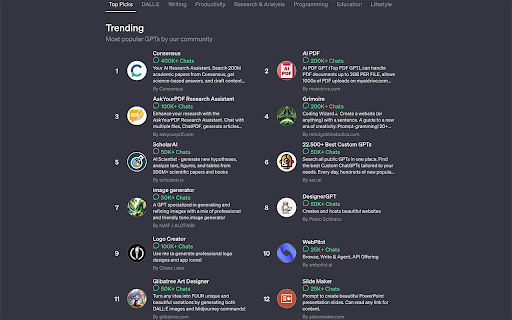
Show GPT’s chats and more info while exploring GPTs In GPTs store Show GPT’s chats and more info while exploring GPTs In GPTs store

Sales-plant-Trees Leaderboard for Hubspot
Win more deals with the Sales Leaderboard that plants trees for you! This extension integrates the Sales-plant-Trees Leaderboard right into HubSpot. ✔️ You get direct access to the Leaderboard anywhere within HubSpot. ✔️ By clicking on the icon the app opens in a popup. If you have not yet integrated the app with your HubSpot account: Just install this Extension, click on the icon and associate the app with your HubSpot account. 🌲 Test the app during the first 3 months. You win one deal per month and we plant 5 trees per month! As soon as you want to plant trees yourself, just upgrade and decide how many trees you want to sponsor each time you win a deal in HubSpot. The Sales-plant-Trees Leaderboard 🔍 increases your focus on winning deals. 🤩 is accessible from within anywhere in HubSpot. 🏆 engages your sales team into a healthy competition. 🌳 plants trees each month for you. 💪 increases your team's motivation by planting additional trees yourself as soon as you upgrade. To see which data we are getting from you when you install the Sales Leaderboard with your HubSpot account, please click on the "Privacy Policy" link.

Breakdown, for Mint and Personal Capital
Breakdown slices and dices transactions downloaded from Mint and Personal Capital. First, briefly check out the Breakdown demo for Olympic Medals: The interface works on all kinds of multidimensional data. Applied to personal financial data, it can answer questions like: Breakdown works by loading your Mint or Personal Capital data into Lovefield, the browser-based local database written in javascript by a team at Google. Your data stays on your machine. Install the Chrome Extension. In Empower (formerly Personal Capital), go to Overview/Transactions, select All, and click the CSV button. Save the csv file to your hard drive. A new tab will appear for Breakdown, thanks to the extension. Click the big Import button. Select the csv file you just downloaded. Breakdown relies on you to download data yourself and pass it on manually to Breakdown, which passes it on to Lovefield. That sounds painful but it's only a few button clicks whenever you want the latest transactions. There are no user accounts or logins because there is no interaction with any server. All data is local. The Lovefield database can be seen in the Chrome Developer Tools under the Applications tab, in IndexedDB and Local Storage.

Semiant
Your Virtual Quality Assistant NEW: Major version 5 of Semiant makes team use even easier! Share glossaries with your team, your organization or even external collaborators while maintaining privacy. Generate and manage your product glossary with Semiant. The AI scan works with Polarion, Jira, Confluence, DOORS Next, Jama Connect and many other web applications. You can try it for free. Semiant has many more skills. Contact us to find out how Semiant can make your product development teams more efficient and effective. Like Semiant? Then please rate it. Not so much? Then contact us for suggestions: support@formalmind.com Want to stay informed? Sign up for our newsletter: https://www.semiant.com/get-started/

ChatGPT Soliloquy
ChatGPT-Soliloquy is a Chrome extension that allows ChatGPT to engage in a conversation with itself. ChatGPT-Soliloquy is a Chrome extension that allows ChatGPT to engage in a conversation with itself.
