
pemhgklkefakciniebenbfclihhmmfcd
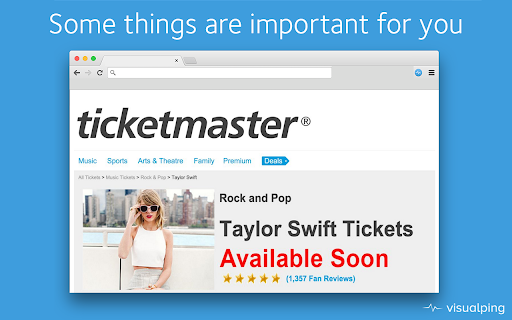
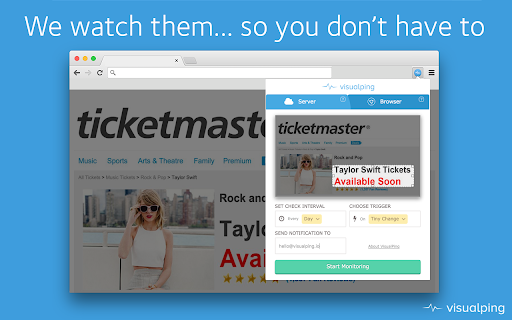


Visualping Chrome Extension Visualping is a simple service for monitoring websites for changes. You'll receive an email notification when it detects any change in the content of the page. Use the service for competition monitoring, price checks, ticket availability tracking and more using the server service and email alerts or browser tab (free as your computer does the job) You can either choose to monitor the whole website or just an area of a website. To select the area, just drag a selection on the screenshot shown within the extension. New element selector allows to track changes on a specific element of the webpage. The app also allows to compare changes in text in addition to visual changes.

Changedetection.io Website Monitor
Helps you to easily add web pages to your changedetection.io web page change detection dashboard. Changedetection.io web page change detection browser extension, makes it SUPER easy to add new web pages to monitor for changes. Simply connect it to your existing changedetection.io tool, then click "WATCH THIS WEB PAGE" to make your changedetection.io tool monitor that web page for changes. - Features easy setting of "Restock Detection" mode when you just want to know if a product comes Back-In-Stock rather than any irrelevant content changes (automatically monitors any price data) - Hover and select specific elements - Assign a new web-page watch to an existing group, so you can configure and manage notifications and other actions easily for many different watches

Refresh Monkey
Advanced tab refresh scheduling and page change monitoring 🔄 Advanced tab refresh scheduling and page change monitoring — completely rebuilt for Manifest V3. ⚡ QUICK REFRESH • One-click preset intervals: 5s, 10s, 15s, 30s, 1m, 2m, 5m, 10m • Custom interval with sub-second precision (e.g. 0.5 seconds) • Random interval between a configurable range • Refresh specific tab, URL pattern, or all tabs at once 📋 SCHEDULE MANAGEMENT • Create, edit, and delete named refresh schedules • Set start and end times for scheduled refresh windows • "Refresh URL" mode (stops if URL changes) vs "Refresh Tab" mode • Option to only refresh when the tab is focused • Schedules persist across browser restarts 🔍 PAGE CHANGE MONITORING • Monitor any page for content changes • Target specific elements with CSS selectors or XPath • Get desktop notifications when changes are detected • View change history log with timestamps • Configurable debounce to avoid false positives on dynamic pages ⏱️ LIVE BADGE COUNTDOWN • Real-time per-second countdown displayed on the toolbar icon • Works even when the popup is closed 🎨 CUSTOMIZATION • 7 built-in icon styles + upload your own custom icon • Global pause toggle to suspend all schedules at once 🛡️ PRIVACY FOCUSED • No personal data collected • All data stays in your browser v1.4 - enabled compliance to Chrome Web Store policy by narrowing focus of extension to regular refresh of page v1.3 - fixed bugs related to monitoring page changes & scroll position v1.2 - upgraded to manifest 2 v1.1 - Resolved the link issue

Chromium browser automation
Extension for automating chromium browser, Create project -> Record -> Edit Automation -> Manage -> Play (MV3) 1. CBA gives ability to setup step-by-step code injections from the Extensions popup interface. 2. Record user interactions while navigating web pages (filling forms, clicking buttons, hyperlinks and smart algorithms for DOM element path calculations). 3. Save Projects in your browser's local storage. 4. Step by step code injection. 5. Import, export and share projects with collaborators. 6. Extensions ready functions now available. 7. Implement useful Extension placeholders. 8. Write your own code to access the web page's DOM. 9. And much much more... Github: https://github.com/browser-automation/cba Issues and feature requests: https://github.com/browser-automation/cba/issues Privacy Policy: https://chrome-automation.com/privacy Contact email: saroyanm@gmail.com

Feedly Mini
Easily add content to your Feedly while browsing Feedly users rely on the Mini extension to quickly add new RSS sources to their feeds and save essential articles to their boards. This extension is the official extension from Feedly. It is created and maintained by the Feedly dev team. In version 50, if you have access to the annotation features, you will be able to add a note to the article you are saving to your boards. If you are part of the enterprise plan and have connected your account with Slack, you will be able to mention a teammate or a Slack channel directly in this extension and quickly notify your teammates. Privacy by default: We believe that you should own and control all your personal information. Feedly is a secure space where you can privately organize and research the topics and trends that matter to you. This extension is only activated when you click on the button to follow an RSS feed or save an article to a board. It does not have access to any other activity or personal information. This extension and the Feedly Web App share an authentication cookie so that they sync with the same account. You can learn more about privacy and personal information here: https://feedly.com/i/legal/privacy https://feedly.com/i/account/privacy If you need help using this extension, please contact care@feedly.com if you are a free user and pro@feedly.com if you are a Pro, Pro+ or Business user
