
pdpcaajpbemllmagmijafgcnpmlbhhjd


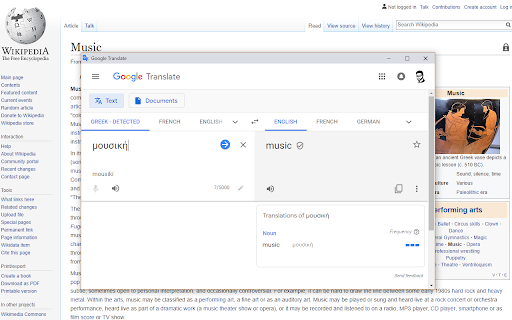
This extension adds configurable lookup options for the context menu of selected text. Quickly search information as you browse. Just select the text you want to look up, bring up the right-click/long-press context menu, and select the configured lookup option that you want. Need to quickly check the definition of "bi-weekly" when someone emails you about a meeting? Curious about the literal meaning of "je ne sais quoi" when it comes up in an article? Want to know who exactly "Robert Walpole" is when someone mentions them in a comment? Context Lookups has you covered! Get up to speed or satisfy your curiosity in no time at all, then be on your merry way. You can set the results to appear as regular webpages, or make things extra convenient with simplified popup windows. This much can already be done with just the default lookups, but the possibilities go far beyond that. Copy the search query URL base of whatever website you want to use, and create a context menu item for it in the extension popup, it's that simple. Just remember to save your changes! Unit Conversion - Use "https://www.google.com/search?q=convert+" as the URL base. Synonyms/Antonyms - Use "https://www.thesaurus.com/browse/" as the URL base. Rhymes - Use "https://www.rhymezone.com/r/rhyme.cgi?typeofrhyme=perfect&Word=" as the URL base. Note that ampersand characters (&) in context menu labels are used to assign shortcut keys. To make a letter within the label the shortcut key for the option (while it's shown), simply put an ampersand in front of it. For example, set the label as "Rh&ymes" to make a context menu option "Rhymes" with the shortcut key 'y'. To put an ampersand in the actual label, simply include it twice, as in "Synonyms && Antonyms" to get a label of "Synonyms & Antonyms". This is my first extension, so any feedback is appreciated. NOTE: Due to browser limitations, results displayed in a popup are unfortunately restricted to the primary display. If using multiple displays, try to keep the browser window using the extension on the primary display. Alternatively, you can set the results to display as normal pages instead. Version 3: Updated to use Manifest version 3. Apologies for any resultant issues I might have missed. After a couple revisions, I think I've got it working with pre-existing saved data, but if you still encounter issues, I recommend saving your loaded configurations from the extension popup to update the saved data. Opening as a regular window popup is now supported, by simply selecting the center of the slider. Changed the default definition lookup to a simple Google search query, as this has better fallback behavior when a definition isn't found in the primary source. Version 4: New features and quality of life improvements: - Import and Export from/to a file (remember to save after importing!). - A much larger number of menu items are supported than before (working around browser limitations). - Internal scrolling, for retaining easy access to button controls. - Now indicates when you have unsaved changes. - Encountered errors now get displayed, though hopefully this won't be needed. :) Added a link to my portfolio site with my other projects. Version 5: - Now available for multiple browsers! - Various updates and improvements. - Better accessibility support. - Dark mode, applied in accordance with the browser theme. - Updated the default translation lookup to work with the latest Google Translate URL structure. - You can now do configurations in an options page rather than the extension popup.

Context Search
An enhanced context menu search. Add and customize multiple search engines to your right-click pop-up menu. Select text, then right-click to access a fully customizable list of search engines in the pop-up context menu. Modify your search engine list at any time in the options menu. 【Features】 • Drag and drop to reorder your search engines. • Add multiple search engines with a single click. • All settings are synced with your Google Account. • Option to hover right-click instead of highlighting text first. 【Known Issues】 • The hover right-click feature may not work on some webpages. • The absence of favicons for your search engines has not been overlooked. Chrome currently does not support adding custom icons to the context menu.

Yandex Image Search
This extension adds a context menu option for selected image in order to find it on Yandex. Add an option to the context menu "Search for an image in Yandex" Search for an image with a right click in Yandex. You can choose between Ru and Com!

Find on YouTube (Context Menu)
This extension adds a context menu option for selected text in order to find video related to the text This simple extension adds context menu for selected text to search in youtube.com. Developer is not affiliated with Google!

wscaduniverse GO
Add a context menu option to selected text and search in wscaduniverse.com by this text. wscaduniverse GO allows you to search for parts in wscaduniverse.com - the world's biggest electrical CAD library - from any page on web, without the need of copy and paste. This extension works by expanding the browser’s context menu with a new entry that allows you to search wscaduniverse.com for any selected text of a part number. Select the text of the desired part number, right click to open its context menu, and just search. That's it - the search results will open in a new tab where they can be easily added to the wscaduniverse cart. Users who aren't logged in will be taken to a login or signup page. After completing the process, they can search for the part again and the results will appear.
