
pdbjikelneighjgjojikkmhiehpcokjm

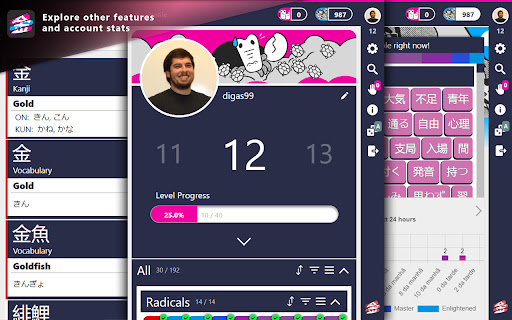
Unofficial kanji highlighter, matching kanji learned with WaniKani. Complement your kanji studying on WaniKani with every kanji you learned so far being highlighted everytime it shows up on any web page. By hovering over any highlighted kanji, you will get a popup with detailed information (provided by WaniKani) about that kanji. Browse through all kanji and vocabulary provided by WaniKani through the SearchBar in the extension Popup. Get information about your lessons, reviews and future reviews! WaniKani Forum: https://community.wanikani.com/t/chrome-extension-wanikani-kanji-highlighter-2021/50455

WaniKani reading ability checker
This extension shows what WaniKani level you need to be to read the page you are currently viewing. This extension shows what WaniKani level you need to be to read the page you are currently viewing. How to use this extension: 1) Go to a webpage that contains Japanese characters (kanji). 2) (Optional) Make a selection of one or more kanji. 3) Click the extension icon. 4) A pop-up will display with a list of characters grouped by WaniKani level.

WaniKani Notifier
Simple Notifier and Launcher for WaniKani Reviews and Lessons. Works with API v2 Notifies you when your reviews are due. There's not much else to it. Made mostly for fun, works with the WaniKani API v2. Features: - A badge shows how many reviews are due (you can tick a box in the settings page to get politely reminded of your lessons as well). - Click on the extension to open a pop-up with links to your lessons and reviews. NEW in version 2.0.1 - Reworked to be compliant with Chrome extensions manifest V3. - Moved from timers to alarms, which limits API calls to one call per minute. - Added support for vacation mode in the settings (hide your reviews count while on vacation). This update was made necessary by the new Google policy for Chrome extensions (more info here if you're interested: https://developer.chrome.com/blog/mv2-transition/). The extension is now MV3-compliant, which it's definitely a good thing as it means is won't be removed from the store, but it also forced some less welcome design changes, especially the one around timers. In short, this means the extension can only refresh once every minute, which is fine most of the time but can be somewhat annoying while you're in the middle of doing reviews. I also finally got around to add support for vacation mode, which will hide your review count and stop making API calls while you're taking a break from WaniKani. Bear in mind this is completely independent from the vacation settings on WK itself, so remember to update your options in both places!

Yomitan Popup Dictionary
Popup dictionary for language learning Powerful and versatile pop-up dictionary for language learning used by 60,000+ language learners. Yomitan helps you to decipher texts in 20+ languages which would be otherwise too difficult tackle. Yomitan provides powerful features not available in other browser-based dictionaries: 💬 Interactive popup window for displaying dictionary definitions. 🔍 Search page for easily looking up words. 🌎 Support for more than 20 languages ranging from Japanese to Spanish to Arabic. 🔊 Play native pronunciation audio from multiple sources with the ability to add your own custom audio sources. 📝 Automatic flashcard creation for the Anki flashcard program via the AnkiConnect plugin. 📚 Add multiple dictionaries from recommended and custom sources. Slang, kanji, and pronunciation dictionaries. There are thousands of available dictionaries online ☁️ Works fully offline. No internet connection needed. 💲 Completely free! We don't track your data and we're completely open-sourced.

Japanese IO
Helps you read Japanese text This Chrome extension works in concert with Japanese IO (https://www.japanese.io) and brings easy access to dictionary lookups, readings, kanji and example sentences to help you read Japanese web pages. Notice that this extension requires a free Japanese IO account, which can be created from the extension after it has been installed. Paid feature upgrades are available. Word lookups are stored in your profile and you can review and study this vocabulary on the Japanese IO website.
