
pcnlpnbjjnkdkainminkocaddlfpcdjb
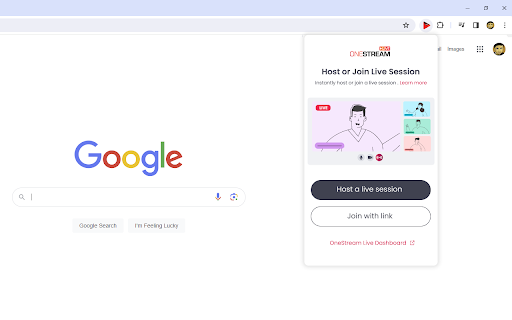
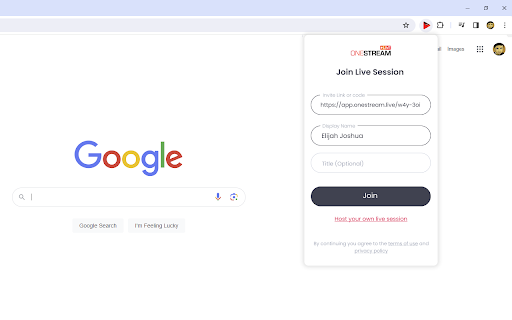
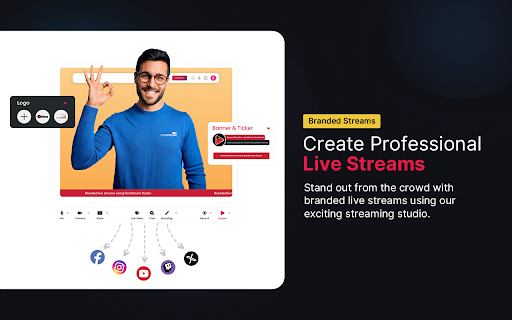
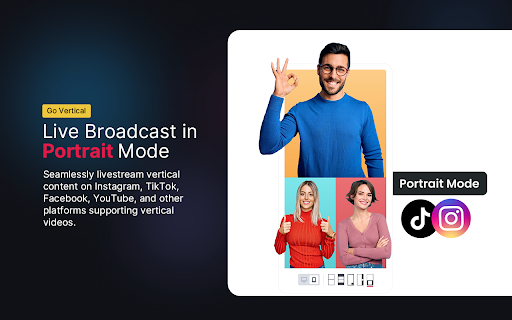
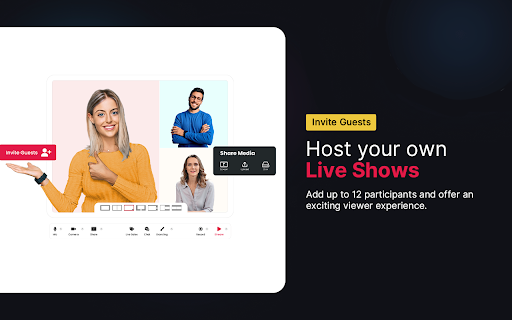
Go live using OneStream Live Studio: Host your own session or join as a guest! The OneStream Live Chrome Extension is designed to enable the streamers to host or join Live Studio sessions with a single click, and broadcast to over 45 platforms and the web directly from their Chrome browser. This extension provides a cohesive environment to control and execute Live Studio streams with a straightforward interface, reducing the need for complex setup or multiple tools. - Simplified multistreaming of Live Studio sessions to a wide range of platforms via browser. - Intuitive interface that minimizes setup time for Live Studio sessions. - Centralized control over Studio live streams to maintain consistency and quality for viewers. OneStream Live is a cloud-based live streaming solution that allows users to multistream real-time and recorded videos on 45+ social media platforms, custom RTMP destinations, and the web simultaneously.

Stream Live — notifications for live streams
Follow your favorite broadcasts on all popular platforms Stream Live is a browser extension for tracking live streams across all major streaming platforms. Get desktop notifications when your favorite streamers go live — no more missed streams. NOTE: PIN THE EXTENSION IN YOUR BROWSER TO SEE THE ICON IN THE TOP BAR KEY FEATURES: - Instant notifications when streams start on any supported platform - All your favorite streamers in one place — no need to check each platform separately - One-click channel pinning for fast access to your most-watched streamers - OAuth login via Twitch or VK Video Live (VK Play) to import your subscriptions automatically - Manual channel addition for YouTube, Kick, Goodgame and other platforms - Customizable notification settings per platform - Dark theme support for comfortable viewing - Lightweight and fast — works quietly in the background HOW TO GET STARTED: 1. Install the extension and pin it to your browser toolbar 2. Log in via Twitch or VK Video Live (VK Play) to import your subscriptions automatically 3. Add YouTube, Kick, Trovo or other channels manually 4. Get notified when your favorite streamers go live Never miss a stream again. Install Stream Live and follow all your favorite streamers from a single extension.

Live Screen Recorder
Effortlessly Record Your Screen with the Live Screen Recorder Browser Extension Are you looking for an easy way to record your screen and create engaging videos? Look no further than the Live Screen Recorder browser extension! With the Live Screen Recorder, you can easily record your desktop screen or a single tab in your browser. You can also add your webcam video and microphone audio to your recordings, making them more personalized and engaging. And if you only need to record your webcam and microphone, the Live Screen Recorder has got you covered! We support both mp4 and webm formats, making it easy for you to share your recordings with others. And the best part? The Live Screen Recorder is available for free, so you can start using it right away without any hassle. Features: * Record a desktop screen or a single tab * Add webcam video and microphone audio * Record just webcam and microphone * Supports mp4 and webm formats * (Beta) Blur sensitive fields while recording For whom: * Teachers: Can easily record online lectures, tutorials, and presentations with the Live Screen Recorder, making it easier to connect with students and provide more engaging learning experiences. * Developers: Can record their screen to create tutorials and share their expertise with other developers, helping to improve the quality of their work and facilitate collaboration with others. * Designers: Can record their screen to showcase their design process and share their ideas with others, making it easier to collaborate with clients and colleagues. * Video professionals: Can use the Live Screen Recorder to create high-quality videos with screen recordings, webcam video, and microphone audio, helping to improve the production value of their work. So why wait? Try the Live Screen Recorder browser extension today and take your content creation to the next level!

Screen Recorder, Webcam Recorder - Dubb Video
Break communication barriers with personalized, trackable video messages sent via Gmail, Outlook, LinkedIn, SMS, and more. The Dubb Chrome Extension lets you create trackable screen recordings to communicate your ideas through video effectively. Professionals in sales, marketing, business development, customer service, and more use Dubb to add video personalization to their communication, increasing client happiness and sales growth. With the Dubb Chrome Extension, you can effortlessly create and share: Here are the key benefits of using Dubb: - Personalize communication using video - Provide trackable video messages to determine what's effective - Increase overall email reply and engagement rates - Increase sales rates - Boost referral rates The Dubb Chrome Extension lets you record, share, and track authentic video messages! With features like an AI writing assistant, teleprompter, annotation tool, customized landing page, and interactions via Gmail, Outlook, and LinkedIn, you can increases your connections, conversations, and conversions by 30-300% today! Install the Dubb Chrome extension to get started. Your clients are waiting.

Social Stream Ninja
Capture live chat from 100+ supported sites and consolidate it into a single dashboard for live production workflows Capture and consolidate live chat from 100+ supported sites into a single dashboard (dock.html) for live production workflows. Use captured chat in overlays, text-to-speech, polls, and other interactive stream tools. You can also reply across supported sites and relay messages between platforms from one place. Social Stream Ninja is free and open source. It is designed to keep user data private by using peer-to-peer connections where applicable and by processing data only for the features the user enables.
