
pcidjibdjjfeigllnfkacaniapjkcejc
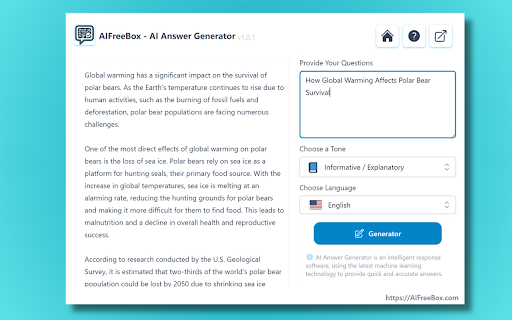
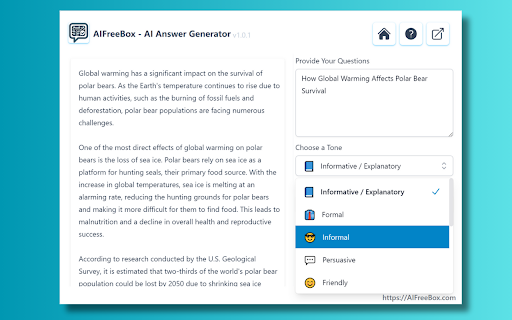

🖋️Are you tired of spending endless hours searching for accurate answers to complex questions? In today's fast-paced digital landscape, students, researchers, business professionals, customer support representatives, content creators, and copywriters constantly grapple with the challenge of efficiently responding to an endless stream of questions.The pressure to provide quick, accurate answers can be overwhelming, often leading to burnout and diminished quality of work 🌟Introducing Our Aifreebox Free AI Answer Generator, is your silent scribe, turning queries into crafted responses effortlessly. 📘 What is AI Answer Generator? The ai answer generator is an ai writer tool designed to streamline and enhance the process of responding to queries. It's a available as a Chrome extension that leverages artificial intelligence to analyze questions and generate precise, contextually relevant answers for Students, Researchers, Business Professionals,Customer Support Representatives,Content Creators and Copywriters, and so on. 🔍How does the AI Answer Generator work? The answer ai generator is a sophisticated tool that discerns the nuances of your questions. It then leverages a vast database to construct responses that are both accurate and original, mirroring the desired tone and style. This ensures each answer is not only tailored to the query but also free from plagiarism. For optimal results, users are advised to fine-tune the AI-generated answers to their specific voice and context. 🌈 Key Features of AIFreeBox Free AI Answer Generator ●Question Analysis: The ai question answerer tool first dissects the question to understand its key themes and underlying context. ●Tailored Responses: Based on the analysis, the ai question answer tool crafts a response that is specifically tailored to the query. ●Tone Adaptation: A unique feature of this tool is its ability to adapt the tone of the response to match the user's specified style. ●Inclusion of Data and Examples: To enhance the clarity and depth of understanding, the tool incorporates relevant data, examples, statistics, or case studies where appropriate. ●Structured and Engaging Content: The responses are structured in a way that first contextualizes the question, providing background or setting the scene, followed by a comprehensive answer. ●Articulate and Comprehensive: Despite its complexity, the answer.ai tool ensures that the explanation is articulate, engaging, and thorough. In essence, the AI Answer Generator is a powerful tool for individuals and professionals who regularly deal with a high volume of queries and require quick, accurate, and well-structured responses. It not only saves time but also enhances the quality of communication. 🔄How does the tool ensure relevance in the answers it generates? The answer ai tool uses advanced language processing to analyze the context and key elements of your question. It then synthesizes information relevant to these elements to create a focused and pertinent answer. 💡Is it possible to adjust the tone and style of the generated answers? Absolutely. The ai answer questions tool offers a range of tone and style options that you can select before generating your answer, ensuring the output aligns with your preferred mode of communication. 💾Are there any constraints on question length or complexity for the AI Answer Generator? The tool is designed to handle a wide range of question lengths and complexities. However, for very long or intricate questions, breaking them down into smaller, more specific queries may yield the best results. 📝How does the AI integrate data and statistics into its responses? The AI has access to a vast repository of data and can pull relevant statistics and case studies to enrich the answers, providing depth and evidence to support its responses. 📚What should I do if the answer from the answer.ai tool isn't fully satisfactory? If the response doesn't quite meet your expectations, you have a couple of options. Firstly, consider refining your question to be more specific or clear, as this often helps the answers AI generate a more targeted answer. Alternatively, you can use the tool to regenerate a new response. Often, a slight adjustment in the input or settings can lead to a significantly improved answer. ChatGPT Er du træt af at bruge endeløse timer på at søge efter præcise svar på komplekse spørgsmål? I dagens hurtigt skiftende digitale landskab kæmper studerende, forskere, forretningsfolk, kundeservicerepræsentanter, indholdsproducenter og tekstforfattere konstant med udfordringen i effektivt at besvare en uendelig strøm af spørgsmål. Presset for at levere hurtige, nøjagtige svar kan være overvældende og ofte føre til udbrændthed og nedsat kvalitet i arbejdet. 📘 Hvad er AI-svarsgenerator? AI-svarsgeneratoren er et AI-forfatterværktøj designet til at strømline og forbedre processen med at reagere på forespørgsler. Det er tilgængeligt som en Chrome-udvidelse, der udnytter kunstig intelligens til at analysere spørgsmål og generere præcise, kontekstuelt relevante svar for studerende, forskere, forretningsfolk, kundeservicerepræsentanter, indholdsproducenter og tekstforfattere og så videre. 🔍Hvordan fungerer AI-svarsgeneratoren? AI-svarsgeneratoren er et sofistikeret værktøj, der opfanger nuancerne i dine spørgsmål. Den anvender derefter en omfattende database til at konstruere svar, der er både præcise og originale, spejler den ønskede tone og stil. Dette sikrer, at hvert svar ikke kun er skræddersyet til forespørgslen, men også fri for plagiat. For optimale resultater anbefales brugere at finjustere de AI-genererede svar til deres specifikke stemme og kontekst. 🌈 Nøglefunktioner i AIFreeBox gratis AI-svarsgenerator ● Spørgsmålsanalyse: AI-spørgsmålsbesvarerværktøjet dissekerer først spørgsmålet for at forstå dets nøgletemaer og underliggende kontekst. ● Skræddersyede svar: Baseret på analysen udarbejder AI-spørgsmålsbesvarerværktøjet et svar, der er specifikt skræddersyet til forespørgslen. ● Tilpasning af tone: En unik funktion af dette værktøj er dets evne til at tilpasse tonen i svaret for at matche brugerens angivne stil. ● Inkludering af data og eksempler: For at forbedre klarheden og forståelsesdybden inkorporerer værktøjet relevante data, eksempler, statistikker eller casestudier, hvor det er passende. ● Struktureret og engagerende indhold: Svarene er struktureret på en måde, der først kontekstualiserer spørgsmålet ved at give baggrund eller sætte scenen, efterfulgt af et omfattende svar. ● Veltalende og omfattende: På trods af dets kompleksitet sikrer answer.ai-værktøjet, at forklaringen er veltalende, engagerende og grundig. I bund og grund er AI-svarsgeneratoren et kraftfuldt værktøj for individer og fagfolk, der regelmæssigt beskæftiger sig med et højt antal forespørgsler og kræver hurtige, nøjagtige og velstrukturerede svar. Det sparer ikke kun tid, men forbedrer også kommunikationskvaliteten. AI-svarsværktøjet bruger avanceret sprogbehandling til at analysere konteksten og nøgleelementerne i dit spørgsmål. Det syntetiserer derefter informationer, der er relevante for disse elementer, for at skabe et fokuseret og relevant svar. 💾Er der nogen begrænsninger på spørgsmålslængde eller kompleksitet for AI-svarsgeneratoren? Værktøjet er designet til at håndtere et bredt spektrum af spørgsmålslængder og -kompleksiteter. For meget lange eller indviklede spørgsmål kan det dog være, at det giver de bedste resultater at opdele dem i mindre, mere specifikke forespørgsler. AI har adgang til et omfattende datarepository og kan trække relevante statistikker og casestudier for at berige svarene og give dybde og beviser til støtte for sine svar. Hvis svaret ikke helt lever op til dine forventninger, har du et par muligheder. Først og fremmest overvej at raffinere dit spørgsmål for at gøre det mere specifikt eller klart, da dette ofte hjælper AI med at generere et mere målrettet svar. Alternativt kan du bruge værktøjet til at generere et nyt svar. Ofte kan en lille justering i inputtet eller indstillingerne føre til et markant forbedret svar.

Ask Gene - AI Assistant
Your Ultimate Web AI Assistant. Answers tough questions. Solves problems. Searches smartly. Use it anywhere. 🆕👉 Try out the new Notes feature! You may save your AI searches now to Gene Notes! Create new notes and save AI responses to a particular note - that way you can always go back to it as a reference! 🚀 Gene is your all-in-one AI assistant powered by GPT-5.5, Claude Sonnet 4.6, and DeepSeek-V3. Hit Ctrl + Q, and you’re ready to go! Gene helps you search, read, write, translate, and much more—all in one place. Key Features: 💬 AI Chat ✨ Chat with the latest ChatGPT model seamlessly across any webpage. 🧵 Doesn't matter the length of that document—just ask away! 🌐 Real-Time Data Access 📡 Get up-to-date information from the web including news, markets, sports, and trending topics in real time. Chat & Summarize 📚 Webpage Summaries: Type "/webpage" to reference page and get concise summaries of long articles without having to read everything. 🖍️ Highlight & Learn: Select any text on a webpage, and Gene will answer your questions right away. 📄 PDF Search: Freely open any PDF—whether online or from your computer—use "/webpage" or "/pdf" to reference the whole doc, or highlight any text, right-click, and ask Gene! (Note: Make sure "Allow access to file URLs" is turned on before use) 📑 Google Docs Search: Freely open any Google Docs and use highlight or "/webpage" or "/docs" feature! ▶️ Youtube Video Search: Freely open any Youtube video and use "/webpage" or "/video" feature and ask anything on that video! [◉°] Screenshot: Click the screenshot button, highlight anything on a webpage, and ask questions on it. This is useful for a picture or chart! It is also great for data analysis! Smart Search 🧠 Search Agent: Ask a question, and Gene will intelligently search the web, review the results, and deliver an accurate answer using multiple keywords. Write with AI 📝 Write Agent: Share a topic, and Gene will create structured outlines with detailed content and references. ✏️ Content Assistant: Provide a prompt, and we’ll turn it into polished, well-written content for you. Problem Solve ➕ Math & Code Solutions: Get step-by-step explanations for math problems and solve coding challenges instantly. 💻 How to Use: 🔹 Add Gene to Chrome and pin it to your toolbar. 🔹 Press Ctrl+Q to wake up Gene. 🔹 Start leveraging the power of AI instantly! 🗣️ Do I need a ChatGPT/OpenAI account? Nope! You don’t need an OpenAI account to use Gene. Get ready to supercharge your productivity with Gene! ⚡

AI Answer Generator
Use AI Answer Generator: Chat instantly, get quick result. Your go-to question AI, answer AI assistant! 🚀 Meet AI Answer Generator, a Chrome extension that turns prompts into polished results in one click. It streamlines your work, study, and daily research. With Answer Generator, you get crisp output fast, ready to copy or export without fuss. Capture any region of your screen with a quick drag Paste a prompt or attach an image for instant context Let the AI answer generator shape tone, language, and length to match your need Tweak creativity to suit formal reports or imaginative drafts Export results to TXT, RTF, or PDF in one step Right-click anywhere to open the Screenshot tool for rapid capture 💬 You know the struggle: tight deadlines, scattered sources, and unclear wording. When you need to ask AI for help, speed and clarity matter. Answer Generator reduces rework and confusion. It also serves as an AI homework helper for learners who need guidance and clean structure. ➤ Create structured content for emails, briefs, and study outlines ➤ Use AI response generator to convert ideas into clear, usable text ➤ Turn rough notes into summaries with AI question answer generator for smoother workflows ➤ Remove friction from research by producing concise explanations on demand 🤖 Generator keeps your flow simple and direct. Add text, drop in visuals, and refine outputs with controls that stay out of the way. When you must phrase a complex prompt or include a figure, AI question support ensures context lands cleanly. ▸ Click the toolbar icon to open a tidy workspace ▸ Type your prompt or add a screenshot; get an AI-generated answer tailored to your settings ▸ Adjust sliders for tone, creativity, and length before you run ▸ Review the draft, then copy to clipboard or save locally ▸ Reuse your favorite settings so the generator stays consistent session after session 🌟 Use it for daily tasks, briefs, and academic work. The answer generator helps turn messy inputs into clear takeaways. It also assists with quick explanations for concepts, giving you a fast path from idea to shareable text with answer AI when speed matters. 1️⃣ Students and educators shaping study guides or rubrics 2️⃣ Professionals preparing proposals, tickets, and handoffs with question AI in the loop 3️⃣ Creators outlining scripts and posts, plus rapid ideation with AI ask for fresh angles 📚 Perfect AI Homework Helper 📘 Quickly find explanations 📘 Get homework answers instantly 📘 Learn efficiently through smart, relevant ai-generated answers 📘 Ask ai for help anytime you're stuck 🧠 Your work stays yours. AI Answer Generator operates with minimal footprint, favoring local actions where possible. It avoids storing personal content beyond what is required for processing. You remain in control of exports, history, and cleanup. Capture any part of the screen without extra tools Paste or upload visuals to add instant context Set tone, language, and length with simple controls Export clean files in TXT, RTF, or PDF formats Keep drafts consistent across projects and teams Reduce editing time through clear, structured output Start fast, then refine with lightweight adjustments using the answer generator 🔒 Secure and Private 🛡️ No data tracking 🛡️ Full compliance with privacy standards 🌈 User-Centric by Design 🎨 Clean interface 🎨 No distractions, just pure functionality 🔍 FAQs ❓ How do I use the Generator? 🔹 Install it, highlight any question, and get instant ai generated answers. ❓ Can I use it for multiple subjects? 🔹 Yes! From science to history, the ai question answer generator works across all fields. ❓ Is the Generator safe to use? 🔹 Absolutely. It’s secure, private, and browser-optimized. ❓ What makes it better than others? 🔹 The answer generator gpt model, speed, and flexibility make it the best in class. ❓ What if I need shorter answers? 🔹 Use the ai short answer generator for quick responses. 📥 Ready to upgrade your daily productivity? Download AI Answer Generator today and unlock the smartest way to generate answers and handle questions with confidence. Perfect for school, work, and curiosity-driven browsing. 🚀

AI Review Reply Response Generator
Create AI Responses to Reviews right from your browser with ease. Use it directly in your browser on every platform: Google, Booking, Yelp, TripAdvisor, App Store... Generate 4 responses at a time to cherry-pick the best one 🍒 Multiple brand voices and personalized instructions 🗣️ Our toolbar integrates easily into your process 🛠️ Bookmark the best responses for quick shortcuts 📌 Introducing our cutting-edge Chrome Extension, a AI Reply tool by TalkbackAI. This incredible tool is designed to help businesses and individuals manage their online communitcation with ease. With Review Response AI, you can now create responses to reviews right from your browser in just a few clicks. Our AI-powered technology ensures that your responses are tailored to each review, providing a personalized touch to your customer engagement. Our extension is the perfect solution for businesses that want to increase their online visibility and build a positive reputation. With the ability to quickly respond to reviews, you can show your customers that you care about their feedback and are committed to providing the best possible experience. The more you engage with your customers, the more likely they are to return to your website and leave positive reviews. We understand the importance of SEO and have implemented the best practices to ensure that your responses are optimized for the right keywords. Our extension is designed to help you rank higher in search results, making it easier for potential customers to find your business online. By using the right keywords and phrases, you can increase your online visibility and attract more traffic to your website.

QuizSolver AI
Solve online quizzes with AI.Capture multiple-choice questions and get correct answers QuizSolver AI is a Google Chrome extension (Manifest V3) designed to help you solve online quizzes and exams using artificial intelligence. It works by visually capturing any multiple-choice question on your screen and sending it to an AI provider of your choice to get the correct answer in seconds. 📸 SMART QUESTION CAPTURE ────────────────────────── • Activate capture mode with one click and drag to select exactly the area containing the question (crosshair drag). • The cursor changes to a crosshair while selecting. • The selection is automatically sent to the configured AI provider. • The answer appears in a floating popup directly over the page. • Option to directly download the capture as a PNG image. 🧠 MULTI-AI PROVIDER ───────────────────── Supports four artificial intelligence providers, each with selectable models: Each provider has its own API Key field and selectable model. Direct links to each provider's console to obtain the key and add credits. 🎯 CUSTOM PROMPTS ────────────────── • Create your own prompts with a title and content for quick reuse. • Full CRUD system: create, edit, duplicate and delete prompts. • Select any saved prompt to send it along with the capture. • Default prompts per provider: configure a different prompt for Gemini, ChatGPT, Venice and Claude independently. 🕵️ BYPASS SYSTEM (Anti-Detection) ─────────────────────────────────── Scripts that neutralize the most common detection and restriction mechanisms on online exam platforms: 🔓 Anti-Focus (Canvas LMS): Neutralizes tab-change or focus-loss detection. • Blocks focus, blur and visibilitychange events. • Spoofs document.visibilityState = 'visible' and document.hidden = false. • Ideal for Canvas LMS that pauses the exam when you leave the tab. 🖱️ Anti-Context Menu (Right Click): Restores the right-click context menu on sites that block it. • Intercepts events in the capturing phase. • Neutralizes preventDefault() for contextmenu, copy, cut, paste, dragstart. • Allows text selection and copying on sites that disable it. 🔧 Anti-DevTools (Developer Console): Neutralizes all DevTools detection methods. • Function.prototype.toString spoofing to hide proxies. • Fakes outerWidth/outerHeight dimensions to conceal the panel. • Smooths timing of Date.now() and performance.now() during debugger pauses. • Removes debugger statements in eval(), Function(), setTimeout, setInterval. • Neutralizes external detection libraries (devtools-detect, Firebug). 🖱️ Anti-MouseLeave (Cursor Always Present): Makes the site believe the cursor never leaves the window. • Blocks mouseleave, mouseout, pointerleave, pointerout events only when the cursor leaves the viewport (does not break menus or tooltips). • document.hasFocus() always returns true. • Compatible with MutationObserver for dynamically added elements. 📋 PDF GENERATOR (Canvas LMS) ────────────────────────────── On Canvas LMS quiz pages (*/courses/*/quizzes/*) a script is automatically activated that generates a complete PDF of the exam with all questions and options for offline review. 📁 CAPTURE HISTORY ─────────────────── • Stores all captures with date and time. • Thumbnails of each capture with preview. • Button to view the full capture in a new tab (dedicated viewer). • Download any individual capture as PNG. • Delete captures individually or clear the entire history. • Unlimited storage using chrome.storage with IndexedDB. 💾 EXPORT / IMPORT CONFIGURATION ────────────────────────────────── • Export all your settings (API keys, prompts, preferences) to a downloadable JSON file as a backup. • Import settings from a JSON file to restore or share configuration between devices. 🌐 BROWSER CONTEXT MENU ──────────────────────── Options accessible by right-clicking on any page to activate extension functions without opening the popup. 🌍 MULTI-LANGUAGE SUPPORT ────────────────────────── The extension is available in 10 languages: Spanish 🇪🇸 · English 🇬🇧 · Portuguese (Brazil) 🇧🇷 · Portuguese (Portugal) 🇵🇹 German 🇩🇪 · French 🇫🇷 · Italian 🇮🇹 · Japanese 🇯🇵 · Norwegian 🇳🇴 · Swedish 🇸🇪 🏠 Main Panel (main) ───────────────────── The popup home screen. From here you can: • Enable/disable each of the 4 bypasses with switches. • Select the active AI provider (Gemini / ChatGPT / Venice / Claude). • Expand each provider panel to enter the API Key, select the desired model and write the session prompt. • Click "Capture Question" to start area selection. • Access all other panels from the header buttons. ✏️ Prompts Panel (prompts) ─────────────────────────── Full custom prompts manager: • Creation form with title field and content textarea. • Table with all saved prompts. • Edit ✏️, duplicate 📋 and delete 🗑️ buttons per row. • Prompts are saved in chrome.storage.local persistently. ⭐ Default Prompts Panel (defaultPrompts) ────────────────────────────────────────── Allows assigning a different base prompt for each AI provider. The default prompt is sent automatically when no session prompt is selected. 🕐 History Panel (historial) ───────────────────────────── Chronological list of all captures with: • Thumbnail of the captured image. • Exact date and time of capture. • View 👁️, download ⬇️ and delete 🗑️ buttons per capture. • Button to clear the entire history at once. • Access to the full Viewer that opens captures in a new tab. 📤 Export/Import Panel (export) ──────────────────────────────── • "Download" button → generates and downloads the config.json file. • "Import" button → opens the file picker to load a JSON file. 1. Download or build the extension (npm run build). 2. Open Chrome and go to: chrome://extensions/ 3. Enable "Developer mode" (top right corner). 4. Click "Load unpacked" and select the /dist folder. 5. The QuizSolver AI icon will appear in the toolbar. 📌 Recommended: pin it by clicking the pin 📌 in the extensions manager. ════════════════════════════════════ STEP 2 — 🔑 Configure your API Key ════════════════════════════════════ 1. Click the extension icon in the Chrome toolbar. ✅ The Main Panel popup opens. 2. Choose your preferred AI provider using the radio buttons: ○ Gemini ○ ChatGPT ○ Venice ○ Claude 3. Click on the provider name to expand its panel. 4. Paste your API Key in the corresponding field. 💡 Use the "Get API KEY" link to go directly to the provider console if you don't have one yet. 5. Select the model you want to use from the dropdown. 6. (Optional) Write a session prompt or select a saved one. 7. Configuration is saved automatically as you type. 1. Navigate to the exam or quiz on any webpage. 2. Open the extension popup. 3. Click the 📷 "Capture Question" button. → The popup closes and the cursor changes to a crosshair ✛ 4. Click and hold on the top-left corner of the question, drag to include all options and release. → A selection rectangle is drawn as you drag. 5. On release, the capture is processed and sent to the AI provider. 6. The answer appears in a floating popup over the page! 🎉 → You can also view the capture in history to review it. From the Main Panel, activate switches as needed: ┌──────────────────────────────────────────────────────────────────────┐ │ 🔓 Anti Focus (Canvas LMS) │ │ Enable if the exam is on Canvas LMS and pauses when switching │ │ tabs. Prevents the site from detecting you left the page. │ │ │ │ 🖱️ Unlock context menu │ │ Enable if the site blocked right-click or text selection. │ │ You can copy, paste and use the menu normally. │ │ │ │ 🔧 Unlock developer console │ │ Enable if the site detects and blocks the browser DevTools. │ │ Neutralizes all known detection methods. │ │ │ │ 👻 Simulate cursor always on site │ │ Enable if the exam pauses or detects when you move the cursor │ │ outside the browser window. │ └──────────────────────────────────────────────────────────────────────┘ ⚠️ Bypasses activate immediately on the current page. Some may require reloading the exam tab (F5). 1. In the popup, click the ✏️ "Manage Prompts" icon. 2. Write a short title (e.g. "Concise multiple choice"). 3. Write the full prompt in the textarea. E.g.: "You are an expert. Analyze the image and respond ONLY with the letter of the correct option. No explanations." 4. Click "Save". 5. The prompt will appear in the table and be available for selection in the Main Panel when making a capture. 6. You can duplicate 📋 existing prompts to modify them easily. 1. Open the popup and click the 🕐 "Capture History" icon. 2. You'll see a list of all captures with thumbnails and dates. 3. Click 👁️ "View" to open the capture in full screen in a new tab. 4. Click ⬇️ to download the capture as a PNG file. 5. Click 🗑️ to delete an individual capture. 6. Use "Clear all" to wipe the entire history. ════════════════════════════════════ STEP 7 — 💾 Export your Configuration ════════════════════════════════════ 1. Open the popup and click ⬇️ "Export / Import". 2. Click "Download" to save all your configuration to a JSON file (API keys, prompts, selected model, etc.). 3. To restore on another device: click "Import" and select the previously downloaded JSON file. 🔒 Keep your backup file in a safe place as it contains your API Keys. 1. Navigate to a Canvas LMS quiz: (URL like: https://university.instructure.com/courses/.../quizzes/...) 2. The extension automatically detects the URL and activates the generator. 3. A "Generate PDF" button will appear on the quiz page. 4. Click it to download a PDF with all exam questions and options for offline review. • activeTab → Capture screenshot of the active tab. • tabs → Create new tabs (capture viewer). • storage → Save settings, prompts and history. • unlimitedStorage → Store capture history without limits. • scripting → Inject bypass scripts into pages. • contextMenus → Add options to the browser context menu. • downloads → Download PNG captures and generated PDFs. • host_permissions → Work on any URL for captures and bypasses. ━━━━━━━━━━━━━━━━━━━━━━━━━━━━━━━━━━━━━━━━━━━━━━━━━━━━━━━━━━━━━━━━━━━━━━━━━━━━━━ 📝 FINAL NOTES ━━━━━━━━━━━━━━━━━━━━━━━━━━━━━━━━━━━━━━━━━━━━━━━━━━━━━━━━━━━━━━━━━━━━━━━━━━━━━━ • The extension requires a valid API Key with credits from the chosen provider to process captures. • Captures are processed directly from the browser to the provider's API. They are not sent to any external server. • The capture history is saved locally in your browser. • Version: 1.1.2 | Chrome name: QuizSolver AI
