
pbnbnoimnbknihpokgjolgbebmhoclod
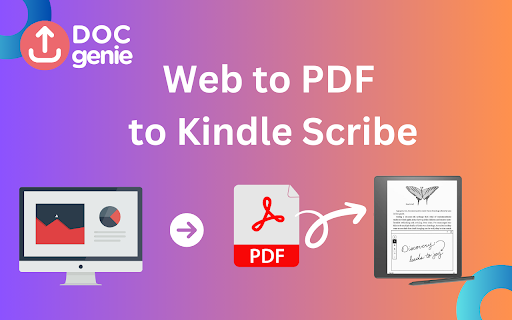


Convert web pages to PDF and send them directly to your Amazon Kindle Scribe. Transform the way you use your Kindle Scribe with Doc Genie! This powerful Chrome extension allows you to: • Convert Webpages to PDF: Easily convert any webpage into a PDF file with just a click. • Send PDFs Directly to Kindle Scribe: Seamlessly send your converted PDFs to your Kindle Scribe for reading, annotation, or saving. •Access Cloud Storage: Connect your Kindle Scribe to Google Drive, OneDrive, and Dropbox. Share files from your Kindle Scribe to your cloud storage and vice versa. With Doc Genie, bridge the gap between your Kindle Scribe and the web, making it simple to save and share your favorite online content. Perfect for students, professionals, or anyone who loves reading on their Kindle Scribe. Try Doc Genie today and supercharge your Kindle Scribe experience!

Web to PDF
Use Web to PDF converter to save a web page as a pdf and download it instantly. Perfect for offline reading and sharing. 📃 Looking for a quick and reliable way to save a web page as pdf? This chrome extension is a web to pdf converter, perfect for anyone who needs to download content for offline access, sharing, or archiving. With just a single click, convert a web page to pdf without hassle: ✅ Preserve Styles and Links: Keeps original styles and clickable links. ✅ Flexible Layouts: Choose page breaks or a single-page format. ✅ High Quality: Uses Chrome’s PDF tool for fast, clear results. ✅ Secure: Saves directly to your device, protecting privacy. If you’re looking to save a web document to pdf, this tool makes it easy with smooth, intuitive functionality. All images, links, and formatting remain intact, giving you a faithful reproduction of the web content in one file. 💡 How to Use Web Page to PDF Converter 1️⃣ Open the web page you want to save. 2️⃣ Click on the Web to PDF extension icon. 3️⃣ Select Format to set the view size. 4️⃣ Choose Layout for page breaks or a single page. 5️⃣ Download your PDF — your file is ready in seconds! 📄 Tips for Best Conversions 1. Ensure the page loads fully before converting. 2. Adjust format and layout settings for optimal page fit. 3. Avoid pop-ups or overlays, as they may appear in the PDF. 4. Refresh the page if the first conversion doesn’t capture everything accurately. 💡 Why Save Internet Page to PDF? ◆ Access files offline anytime ◆ Share content without needing internet access ◆ Archive page for future reference ◆ Print web content easily in a structured format Web to pdf extension is the easiest way to convert web page to pdf quickly, ensuring you don’t lose valuable content or formatting. Almost anyone! This tool is ideal for: 1) Students who need to reference articles and papers 2) Professionals who want to save web data for reports 3) Researchers who need offline access to resources 4) Bloggers and writers who save content inspiration Imagine the convenience of accessing all your important web content as pdf files. You no longer need to bookmark endless links or worry about pages disappearing. Just convert the webpage to pdf and keep everything organized and secure. ❓ How to save a page as a PDF? 👉 Open the page, click the extension icon, choose settings, and save webpage as pdf. ❓ Will the file look like the original webpage? 👉 Yes, we ensure that your document retain the look and feel of the original. ❓ Does this extension work offline? 👉 Once a web document is saved, you can access it offline If you see a notice about the developer console, don’t worry — it’s simply due to Web to PDF using Chrome’s own PDF-printing system. Chrome provides an optimized, high-quality conversion method that outperforms other PDF tools in quality and speed. This message is a standard notification for Chrome extensions that use advanced browser functions. While screenshots capture images, PDFs provide a more functional and versatile way to save web pages. Here’s why this extension is the superior choice: ➤ Selectable Text: Easily select, copy, and highlight text. ➤ Clickable Links: Keep all links active for quick access. ➤ Accurate Layouts: Preserve the page’s original look and feel. ➤ Custom Page Options: Choose page breaks or single-page view. ➤ High Quality: PDFs retain clarity and detail better than screenshots. ✳️ News Articles: Save important news articles before they get archived or moved behind a paywall. ✳️ Legal Documents: Keep copies of terms and conditions, privacy policies, or legal agreements. ✳️ Receipts and Confirmations: Save confirmation pages after online transactions for your records. ✳️ Recipes: Save cooking recipes with all the links and notes intact for your culinary adventures. ✳️ Event Information: Capture details of events, schedules, or tickets for easy access. Whether you need a web page to pdf converter for work, school, or personal use, this extension is here to help. Get started today and discover the easiest way to download a web page as a PDF whenever you need it.

Push to Kindle
Send web articles to your Kindle Improve your reading experience. ★ "Send any webpage you are on (phone or laptop) to your Kindle" - Kevin Kelly, Wired co-founder ★ "Possibly the greatest tab-clearer ever invented" - Louisa Loveluck, Washington Post journalist ★ "It does a superb job of converting webpages so that they’re perfectly formatted" - Alan Jacobs, literary critic Push to Kindle lets you send web articles (news stories, blog posts) to your Kindle or Pocketbook for easy reading. It also offers EPUB, printable PDF, and plain text downloads. Installing this extension will add a button to your Chrome browser. Click the toolbar button to convert the article. Send long web articles to read later. Read anywhere: on your e-reader or the Kindle app on your iPhone, iPad or Android device. Articles are available for offline reading once delivered. ★ Speedy delivery ★ Preview showing you what will get sent ★ Alternative download options: EPUB, MOBI, PDF and TXT ★ PDF support ★ Image support ★ Title editing ★ Free (10 credits a month, with possibility to subscribe for more) Android users: Get the app on the Google Play store at https://play.google.com/store/apps/details?id=org.fivefilters.pushtokindle iPhone and iPad users: Find our app in the App Store: https://apps.apple.com/app/id1642144176 If you want to test the extension, load the article below and use the toolbar button to see a preview: PERMISSIONS AND PRIVACY This extension does not do anything unless you click the toolbar button. We do not monitor or inject any scripts into your pages while you browse. When you click the toolbar icon, this extension sends the contents of the page and its URL to our service. The service then shows you a preview of what it thinks is the content. Content which you process with the service will be cached on the server for a short period. More information on our privacy page: https://www.pushtokindle.com/privacy. Feel free to contact us if you have any questions.

Kindle2PDF - Kindle PDF Converter & Downloader
Convert and backup your Kindle e-book to PDF in one click without need to install any software or a Kindle device Easily convert and backup your Kindle e-book to PDF files in just one click without need to install any software or to own a Kindle device. *Also supports comics and mangas* - Open your e-book at https://read.amazon.com/ - Set the font size and page details the way you like. - Resize your browser window to match how you want the final PDF to look. - Click the extension button and start converting right away!

FullPagePDF - Convert Web Pages to PDF Instantly
Transform any webpage into pixel-perfect, searchable PDFs with one click. Privacy-first design with Google Drive integration. 🎯 Why FullPagePDF Works Better: • Complete page capture - Gets the full webpage, including content below the fold • Professional PDF quality - True documents, not just images • Preserves original formatting - Links, images, and text remain intact • Searchable text - Find information instantly with Ctrl+F • Google Drive integration - Auto-save and organize your captures • Privacy-first design - All processing happens locally in your browser ⚡ Advanced Features: • Handles infinite scroll and dynamic content automatically • Works on complex sites where other extensions fail • Configurable capture settings up to 100,000 x 100,000 pixels • Smart capture history with search and organization • Performance modes for speed vs quality optimization 💼 Perfect For: • Web developers documenting complete page layouts • Researchers archiving full articles and academic papers • Business professionals creating comprehensive reports • Legal professionals collecting digital evidence • Students saving complete course materials 🔧 How It Works: 1. Click the extension icon on any webpage 2. Intelligent scanning detects all important scrollable content 3. Get instant PDF download with preserved formatting 4. Optional auto-save to Google Drive 5. Access organized capture history anytime Transform your web browsing into a powerful documentation tool with FullPagePDF's advanced capture technology.
