
pahlolglkjngadehjofdgcifohkbfhpp
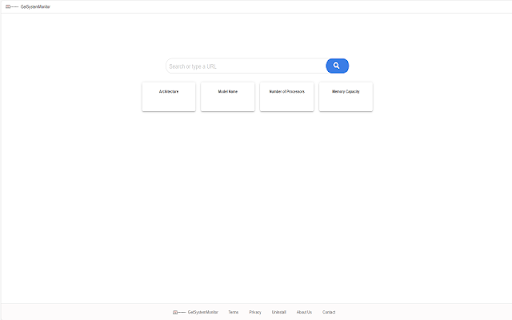
Get to know the system information and monitor it By clicking "Add to Chrome", I accept and agree to installing the GetSystemMonitor extension and setting Chrome New Tab search provider to Microsoft Bing as described by the service in the Terms of Use and Privacy Policy Uninstall Instructions: https://www.getsysmonitor.com/uninstall.html EULA/Terms of Use - https://www.getsysmonitor.com/terms.html Privacy Policy - https://www.getsysmonitor.com/policy.html Contact Us: http://www.getsysmonitor.com/terms.html#terms-contact To remove our extension from Google Chrome: 1) Click on the three horizontal lines icon in the upper right-hand corner of your Chrome browser. 2) Go to "Settings". 3) In the menu that appears click on "Extensions". 4) From the list of installed Extensions, find the name of the toolbar extension you wish to uninstall. 5) Click on the trash can icon to the right of "Enable" (for the toolbar extension you wish to uninstall). 6) Close your browser completely and reopen it. Our toolbar extension should be removed from your Chrome browser.

20Q Text Converter with AI
Enhance text editing: remove accents, filter characters, replace spaces, substitute strings, adjust text case and more. 20Q Text Converter with AI Elevate your text editing experience right within your browser with the 20Q Text Converter! Designed with precision and simplicity in mind, this extension caters to diverse text manipulation needs and now includes translation capabilities: 🖋 Accent Removal: Make your content universally readable by eliminating diacritical marks. 🤖 AI-Powered Text Enhancement: Elevate your content with AI-driven improvements in clarity, tone, and style. 🔒 Special Character Purge: Cleanse your text of distracting or unnecessary symbols with ease. ↔️ Customizable Space Replacements: Personalize spacing by replacing empty gaps with a character of your choice. 🔄 Quick String Substitutions: Instantly replace selected text portions with your desired alternatives. 🎨 Flexible Text Styling: Choose from UPPERCASE, lowercase, or capitalize formats to set the right tone. 🔢 Live Text Analytics: Get immediate feedback with dynamic character and word counts. 📋 Effortless Clipboard Actions: A single click to copy your processed text or to reset your workspace. 🌐 Seamless Translation: Instantly translate text to multiple languages with just a few clicks. Maximize productivity and ensure your content's best version with the 20Q Text Converter. Ideal for content creators, developers, and everyday Chrome users seeking to enhance their text manipulation capabilities.

AuthentiSci
Allows scoring of media articles by the research community AuthentiSci helps you check the science behind the headlines. See expert reviews and scores on online media content directly in your browser. Scientists from around the world contribute through our website and extension, offering their insights on the strength of evidence, clarity of explanation, and potential bias. By connecting readers with researchers, AuthentiSci makes it easier to spot misconceptions and understand what scientific discoveries really mean.

PromptSync
Ask ChatGPT, Bard AI, and Bing Chat with one single prompt! Unlock the power of four dynamic chat platforms with a single prompt! Introducing PromptSync, your all-in-one solution for chatting with ChatGPT, Bard AI, and Bing Chat, through a convenient Chrome extension. Multi-Platform Chat Engage in conversations effortlessly with ChatGPT, Bard AI, and Bing Chat from a single prompt. Get diverse perspectives and responses to your queries. Customizable Experience Tailor your chat experience to your liking! Enable or disable individual chat platforms according to your preferences through the settings menu. Efficient Workflow Streamline your workflow by accessing multiple chat services without switching tabs. Save time and stay productive as you harness the combined intelligence of four powerful chat systems.

Clipp'd efficiently
Clip and drop finishes and furnishings into your design efficiently Catalog Say goodbye to Pinterest boards, spreadsheets, and clunky product management tools, and let us do the busy work instead. Visit any website and easily clip and drop finishes and furnishings into your design .efficiently Catalog in an instant. Include images, descriptions, dimensions, price and SKU details and make your next project easy as 1, 2, 3. Clip your go-to finishes and furnishings and utilize your personalized product Catalog thereafter, always available for you and your team. Make the busy work easy with Clipp’d .efficiently.
