
paalfplfdneilipacibjokgpkmlfbfed
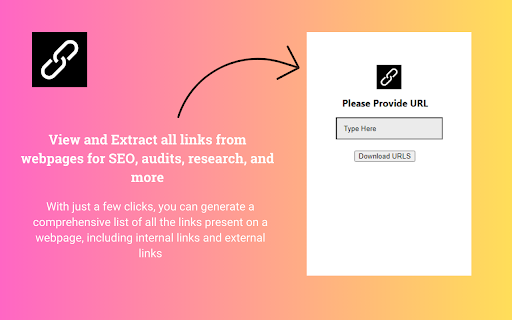
View and Extract all links from webpages for SEO, audits, and research. The Online Link Extractor Chrome extension is a powerful tool designed to help website owners, SEO professionals, content creators, and researchers quickly and efficiently extract all links from a web page. With just a few clicks, you can generate a comprehensive list of all the links present on a webpage, including internal links, external links, links to social media platforms, images, and downloadable files. You can see how many do follow and no-follow links are there on any webpage right away on a single screen. This extension is particularly useful for a wide range of tasks, such as: 1. SEO Analysis: Analyze the inbound and outbound links of a website to understand its link structure, identify link-building opportunities, and detect potentially harmful links that may be negatively impacting your search engine rankings. 2. Website Audits: Conduct thorough website audits by extracting all links from every page, allowing you to identify broken links, redundant links, or links that may be affecting your website's user experience or performance. 3. Content Research: Quickly gather links from competitor websites or industry-related pages to inform your content strategy, find potential sources for backlinks, or uncover new content opportunities. 4. Contact Information Collection: Extract links to email addresses, social media profiles, or contact forms, making it easier to compile contact information for outreach, networking, or marketing purposes. 5. Image and File Management: Identify all linked images and downloadable files on a webpage, enabling better organization, backup, or optimization of these resources. 1. Time-Saving: Instantly extract all links from a webpage, eliminating the need for manual copying and pasting or cumbersome website crawling. 2. Comprehensive Link Analysis: Get a complete overview of a website's link structure, including internal and external links, social media links, and links to multimedia assets. 3. Broken Link Detection: Quickly identify and fix broken links, improving your website's user experience and search engine visibility. 4. Link Auditing: Analyze the quality and relevance of inbound and outbound links, ensuring your website adheres to best practices and avoids potential penalties from search engines. 5. Content Discovery: Uncover new content ideas, sources, and backlink opportunities by analyzing the links on competitor or industry-related websites. 1. SEO Professionals: Utilize the extension for comprehensive link analysis, link audits, and link-building strategies for their clients' websites. 2. Website Owners: Regularly audit your website's links to maintain a healthy link structure, identify broken links, and explore new linking opportunities. 3. Content Creators: Gather relevant links from various sources to enrich your content with credible references, backlinks, and multimedia assets. 4. Researchers: Extract links from academic or industry-specific websites to support your research, gather data, or build citations. 5. Marketing and Sales Teams: Collect contact information from websites for lead generation, outreach, or networking purposes.

Ahrefs SEO Toolbar
Save hours with a complete toolkit in one SEO extension. Insights for on-page, keyword research, and link analysis on any webpage. Ahrefs toolbar is free and gives you detailed SEO insights without leaving your browser. 🌍 Global SEO research (No VPN needed) Switch regions, Google domains, languages, and get new keyword ideas directly in search results. 📃 On-page SEO data in 1 click Check titles, meta descriptions, headers, and technical SEO factors like canonical tags and indexation directives in one click. 🔗 Link analysis made easy Highlight links on the page, trace redirects, filter outgoing links, spot broken links, and export all the data to CSV. 🛠 Detailed SEO research tools Save URLs from open tabs or a SERP, switch user agents to see pages like Googlebot, read HTTP headers, and get performance data for page speed insights. ✨ Paid Ahrefs users unlock Ahrefs metrics: See domain and page-level metrics like keyword counts, traffic estimates, referring domains, and more - directly on every site or result. 📌 Note: Ahrefs subscription is required for access to Ahrefs metrics. The core tools of this SEO extension remain completely free.

Site Inspector
Inspect. Analyze. Understand. All-in-one tool for web developers and SEO professionals. Comprehensive web analysis and insights. Site Inspector streamlines your workflow by providing instant access to essential website insights directly within your browser. This powerful extension runs conveniently in a side panel, ensuring it's always at hand without disrupting your browsing experience. Completely free and with no ads. 🔍 Meta Tag Analyzer Comprehensive analysis of meta tags including title, descriptions, Open Graph, Twitter Cards, and various verification tokens to enhance visibility on social media and search engines. 🧱 Heading Structure Visualization Instantly visualize and assess the structure and counts of all headings and subheadings (H1-H6) on a webpage to optimize content for better readability and SEO rankings. 🧬 Structured Data Inspection Extract and analyze JSON-LD structured data with direct links to schema.org definitions, enhancing your site’s presence with rich snippets in search results. 🖼️ Image Optimization Insights Evaluate and optimize images with detailed attributes like alt texts, titles, and loading types to improve page speed, accessibility, and overall user experience. 🔗 Comprehensive Link Analysis Deep dive into page links with advanced filtering options for texts, titles, follow status, and more, helping you refine your link strategy and enhance site navigation. 🕸️ Indexing & Crawling Tools Ensure your site is properly indexed and crawlable with tools to check canonical URLs, meta robots tags, HTTP headers, sitemaps, and robots.txt directives. 🌐 Favicon Checks Verify and optimize favicon implementations to improve site branding and ensure consistent display across browsers and devices. 📱 PWA Checks Evaluate Progressive Web App (PWA) setups, including Web App Manifests and Microsoft Pinned Sites configurations, to ensure optimal app-like functionality. 🛠️ Essential SEO Tools Access Gain quick access to top SEO tools for keyword research, backlink analysis, rank tracking, and comprehensive site audits directly within your browser. 📐 Responsive Design Testing Simulate different device screen sizes and breakpoints to ensure your site offers a seamless viewing experience across all devices, boosting engagement and conversions. 👤 Who Is It For Tailored for SEO Professionals, Web Developers, and Content Creators seeking detailed on-page SEO audits and optimizations. 🚀 Why Choose Site Inspector? Elevate your SEO efforts with in-depth insights and tools, save valuable time by auditing directly within your browser, and stay ahead of competitors with quick adaptations. 🔐 Permissions Explained "Read and change all your data on the websites you visit": Required to analyze elements on the pages you visit. 🔒 Privacy Policy Site Inspector doesn't collect or store any personal information. All analyses are performed locally on your device. Completely free and with no ads Made with ❤️ by Peta Sittek

ROSSK SEO Extension: Free SEO Checker, Link Analyzer, SEO Toolbar & Audit.
Gain SEO insights on any site you're visiting with just a click. Made by SEO Expert with 15+ years of experience. The simplest way to run an SEO website audit of your current browser window. Click on the extension icon and watch as it pulls on-page insights, including analysis of metadata, indexing, canonical tags, hreflang tags, web vitals, H tags, robots.txt, sitemap.xml, and server status. Additionally, use advanced features like the page rendering analyzer, disabling AI overviews, disabling JavaScript, user agent switcher, schema markup analyzer, Open Graph, and link analyzer with our 5-star, top-rated seo extension. No bloat, no ads, no unnecessary permissions—just a simple way to get an SEO report for any web page in a few clicks. Key Features of ROSSK SEO EXTENSION 💻 1️⃣ On-Page SEO Report ✅Quickly assess crucial on-page SEO elements such as meta tags, word count, heading structure, hreflang tags, X-robots, robots.txt, sitemap and canonical URLs. 2️⃣ Page Rendering Checker ✅This feature will allow you to compare client-side rendering (CSR) versus server-side rendering (SSR) for SEO, you can overlay the two versions of a webpage to visualize where differences occur. 3️⃣ User-Agent Switcher ✅User-Agent Switcher is a tool or browser extension that allows you to change the user agent string that your browser sends to websites. 4️⃣ Disable AI Overviews ✅This feature will allow you to test how search engines & users experience a webpage with or without JavaScript, ensuring that critical content & links are accessible & indexable even when JavaScript is turned off. 5️⃣ Disable JS ✅This feature disables AI-generated overviews from Google search results. Not all users value AI-powered summaries and insights that may clutter search results, this tool delivers a legacy, clean, simplified interface that prioritizes traditional search results. 6️⃣ Open Graph Markup ✅Checks social tags like Open Graph Tags and Twitter Cards, along with image optimizations. 7️⃣ Structured Data Checker ✅ Displays JSON-LD structured data in a concise view, eliminating the need to dig through page code. 8️⃣ Link Checker and Highlighter ✅Identifies and categorizes all outgoing links on a page. ✅ Highlights links based on different attributes such as external, internal, do follow and nofollow and exporting feature. ✅Detects broken links and redirects, providing actionable insights for link optimization. 9️⃣HTTP Header Reader ✅Our SEO toolbar allows users to inspect HTTP response headers for any visited URL. ✅Essential for diagnosing redirect issues and optimizing page load times. 1️⃣ 0️⃣ Additional Information about this extension ✅ User Data Handling: The SEO toolbar respects user privacy by not storing or disclosing browsing details beyond what is necessary to provide the specified functionalities. ✅ Terms and Privacy: ROSSK SEO EXTENSION general terms and conditions and maintains a strict privacy policy to safeguard user data. Extension Policy https://rossk.com/extension-policy

LinkCheck
Scan any webpage for broken and redirected links. Highlights issues in-page and exports results. Ever click a link on your own website and get a "page not found" error? Broken links make you look unprofessional, frustrate your visitors, and hurt your search rankings. They are easy to miss. LinkCheck scans any page you can open in your browser and shows you exactly what is broken. Just open the extension, click Check Links, and watch results stream in live. Broken links are highlighted directly on the page so you can see exactly where they are. What LinkCheck does: ✅ Finds broken links instantly ✅ Highlights broken links directly on the page ✅ Spots links that have moved or redirected ✅ Exports results to a file you can save or share ✅ Skip image links if you only care about content links Free. No account. No setup. Just install and go. LinkCheck is open source under the Apache 2.0 license. You are free to use, modify, and distribute it. For full details visit https://gameshoutout.github.io/linkcheck/ Questions or suggestions? Contact us at support@gameshoutout.com or vist the FAQ at: https://gameshoutout.github.io/linkcheck/ Made with love by GameShoutOut
