
opneahalkhmljmcfblcboonnmbhlnoan

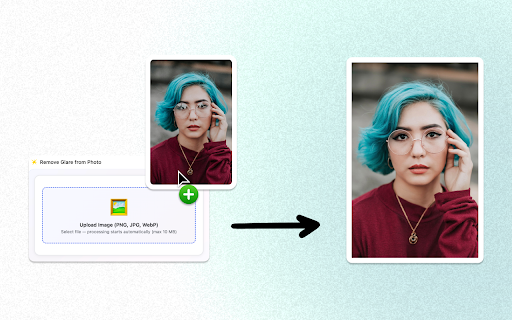

Quickly remove glare from photo with glare remover ai, remove glare from glasses and get rid of shine on face online. 🚀 Great photos lose impact when reflections steal attention. With this Chrome extension, you can remove glare from photo in seconds using precise AI detection. It helps remove glare from glasses in photo and smooth bright spots without complex edits. The result looks natural, clean, and ready to share or publish. ➤ Instantly get rid of reflection from photograph online without design skills ➤ Smart glare remover ai detects reflections on lenses and skin ➤ Tools to remove glasses glare from photo in portraits ➤ Gentle glare removal that keeps texture and color intact 🛠️ Glare happens everywhere. Sunlight, flash, screens, and lenses create harsh highlights that hide details. If you have searched how to remove glare from photo, you know how slow manual tools can be. Now you can Remove Glare from Photo directly in your browser with clear, consistent results. 1. Open your image in Chrome 2. Let the ai to remove glare from photo scan reflections 3. Adjust strength to remove light glare from photo naturally 4. Download a polished version in seconds 📌 This extension is built for speed and clarity. It can remove sun glare from photo taken outdoors and soften hotspots on skin. Many users rely on it to get rid of reflection from photograph ai powered by advanced learning models. It even supports subtle retouching to get rid of shine on face online without plastic blur. 1️⃣ Upload a selfie with reflections on lenses 2️⃣ Apply remove eyeglass glare with one click 3️⃣ Refine edges for precise eyeglass glare removal 4️⃣ Save a sharp, professional-looking image 5️⃣ Share instantly on social platforms 📎 Unlike complex editors, this tool focuses on one job and does it well. You can remove glare from photos taken at events, offices, or home. It works when you need to get rid of flash reflection from photograph caused by direct lighting. Many creators use it as a fast app to remove reflection from photo before posting content. - Portrait photographers fixing glasses reflection removal in batches - Students who need to remove reflection from photo for ID images - Online sellers who want to remove camera reflection from photo of products - Influencers who edit reflection out of photograph before publishing Traditional workflows often involve photoshop remove glare from photo techniques. Layers, cloning, masking, and patience are required. With this extension, Remove glare from Photo tasks take moments instead of minutes. It offers a clean alternative to remove glare from photo photoshop processes. ➡️ No steep learning curve or technical setup ➡️ No heavy desktop software slowing your device ➡️ No complicated brushes to remove flash from photo ➡️ No risk of over-editing natural features The AI engine can detect reflections on curved surfaces. It helps eliminate lens shine from photograph while protecting fine details. You can also eliminate sunlight reflection from picture captured during travel. When you need to remove glare frome photo quickly, the extension keeps edges sharp and tones balanced. ✏︎ Works directly in your Chrome browser ✏︎ Designed to remove glare from glasses accurately ✏︎ Supports quick reflection removal app style workflow ✏︎ Helps take glare out of picture without artifacts ✏︎ Built for smooth, distraction-free results 📁Use cases are wide and practical. Teachers can remove flash glare from photo of whiteboards. Business teams can remove glare from photo online for presentations. Travelers can remove sun glare from photo taken at the beach. Each edit stays subtle and believable. - How to remove glare from photo without losing detail? Use the AI slider for balanced correction. - Can it remove glasses glare from photo automatically? Yes, detection is built in. - Does it help remove light glare from photo on skin? Yes, it softens bright spots naturally. 🔔 Privacy matters. Images are processed with secure handling practices designed for modern browsers. Your files are not stored longer than necessary. You stay in control while you remove glare from photo safely and efficiently. 🔧 When lighting conditions are unpredictable, you can rely on ai remove reflection from photo to correct issues in seconds. The tool helps remove glare from photo for portraits, documents, and product shots alike. It is especially useful to get rid of camera reflection from photograph taken indoors under artificial lamps. With intelligent automation, you keep natural texture while eliminating harsh reflections. 🛠️ If reflections distract from your message, act now. Install the extension and remove glare from photo in one smooth workflow. Whether you need to eliminate sunlight shine from photograph or handle everyday shine, this tool delivers clarity. Add it to Chrome today and remove glare from photo with confidence.

Graphlan Copilot
Help sync your contacts and connections data for Graphlan The official Graphlan contacts / connections extension! Add how you met and notes to connections from across the web, and organize them into lists as well. If you have a Graphlan account, get the most out of it by installing this extension and synchronizing data from across the web.

7 Flow Lite
7 Flow Lite is a free trial version of 7 Flow, a productivity tool built for online school staff. Double-click any 7-digit student ID on any webpage to instantly open their Connexus pages — Gradebook, Planner, Attendance, Logs, and more. Upgrade to 7 Flow for unlimited uses: https://chromewebstore.google.com/detail/7-flow/dhhakgeaohdblhihbkmdiacklmcdakpb Double-click works on: Connexus pages Google Sheets Google Chat and Gmail Most standard web pages with selectable text Note: Double-click detection does not work in Google Docs or PDFs. Use the Open All feature as a workaround — copy the ID first (Ctrl+C) then click a Open All button.

PDF file size reducer
Reduce PDF file size with adjustable cleanup and image quality presets — fast, private, in-browser. PDF file size reducer is a focused Chrome extension that does one job really well: it helps you reduce PDF file size right inside your browser. If you have been searching for a quick PDF size reducer, a tool to shrink scan-heavy reports without uploading them anywhere, or a no-nonsense way to reduce PDF size for everyday work, this extension delivers a clean side panel workflow with real control over the tradeoff between visual quality and final file size. 🚀 PDF files grow for many reasons — oversized scans, embedded thumbnails, redundant metadata, and pages exported with print-grade settings. A useful PDF file size reducer should not just shrink things blindly; it should let you decide how aggressive the optimization gets. This extension combines cleanup-oriented passes with adjustable raster presets, so you can reduce PDF file size predictably across very different documents. - Reduce PDF size with presets that match the document, not one fixed path - Compress scanned PDFs effectively when image-heavy pages drive the weight - Keep processing local in the browser, useful when privacy and speed matter - Tune DPI, JPEG quality, grayscale, and metadata for fine-grained output - Work from a focused side panel built for repeatable PDF size reduction How the PDF file size reducer works 🛠️ 1. Open the side panel and drop in the PDF you want to shrink 2. Pick Cleanup for text-heavy files or a raster preset for scans 3. Tweak image quality and grayscale settings if you need fine control 4. Run the reducer and review the new size before you save 5. Download the optimized PDF straight to your downloads folder 1️⃣ Cleanup — light optimization that preserves searchable text and layout 2️⃣ Balanced — sensible raster downscaling for typical office documents 3️⃣ Strong — meaningful size reduction for scanned and image-heavy PDFs 4️⃣ Extreme — maximum shrink when minimal file size is the top priority 5️⃣ Manual — fine-tune DPI, JPEG quality, grayscale, and metadata yourself ➤ Turning bulky scan exports into smaller, easier-to-share PDF files ➤ Preparing upload-friendly documents for forms, job sites, and portals ➤ Creating lighter attachments for Gmail, Outlook, Slack, and team chats ➤ Shrinking archived PDFs so they download faster and use less storage ➤ Finding a balanced tradeoff between readability and strong compression Because every step runs locally, your documents never leave the device. That matters for contracts, medical paperwork, financial statements, and anything else you would rather not push to a third-party upload form. A PDF size reducer that keeps files local is also simply faster: no round-trip, no queue, and no surprise output from a remote server. 🔒 Before saving, the panel shows the original and new file size side by side, so you can confirm the result before downloading. If the output is too aggressive, switch back to a lighter preset and run the reducer again. This feedback loop is part of why people prefer a dedicated PDF file size reducer over a generic compress-and-pray tool: you keep visibility into what the optimization actually changed. 🎓 Students sending assignments, scanned notes, and research materials 💼 Office teams sharing contracts, reports, and audit records ✍️ Freelancers delivering proposals, invoices, and portfolio PDFs 📨 Recruiters and applicants slimming attachments before upload 🧾 Anyone who regularly needs to compress PDF file size on the fly If you have searched for terms like reduce PDF size, PDF size reduce, PDF file reducer, PDF shrinker, decrease PDF file size, shrink PDF file size, minimize PDF size, or PDF document size reducer, the promise here stays the same regardless of wording: it helps you make PDF size smaller without sending the file anywhere. The result is a leaner PDF ready to upload, attach, or archive. PDF file size reducer is not trying to be an all-in-one editor — and that is the point. It focuses on helping you reduce PDF file size with the right amount of control, in the right place: your browser. Whether the task is to reduce PDF size for a single email or to standardize how your team shrinks scanned reports, the workflow stays direct, the output stays predictable, and your documents stay on your device.

LaterGator
Schedule and manage your tabs for later with LaterGator. LaterGator: Your Browser’s Time Machine. 🧙♂️🧠 Now with Magic Organise - Use AI to return all your tabs when you might need it. Tired of 50 open tabs staring into your soul? Meet LaterGator, your new digital concierge. Instead of hoarding links in a bookmark graveyard you'll definitely forget to visit, LaterGator automates your browsing. It magically pops open the exact pages you need, exactly when you need them. See ya later, tab clutter! 🚀 Fresh Out the Swamp One-Click Snag: Boom. No more copy-paste gymnastics. Grab your active window’s URL and toss it straight into your schedule with a single click. Set It & Forget It: Daily routines, weekly check-ins, or monthly tasks—set your tabs to recur on your vibe. 🛠️ Put Your Browser on Autopilot Stop cramping your calendar's style with messy links and start LaterGatoring them instead. Whether it’s for work, chores, or chilling out, your browser finally has a memory. Money Moves: Have your banking portal open automatically on the 1st of the month. Rent gets paid because the tab is already there waiting for you. Future you says thanks! Morning Vibes: Coffee + News. Schedule your favorite daily reads to pop open at 7:00 AM so you’re in the know before you even yawn. Dinner is Served: Set your digital cookbook to launch at 6:00 PM. Dinner prep is a breeze when the recipe finds you. Pop Culture Priority: Schedule that streaming site to launch the exact second your favorite show drops. No spoilers here! 💎 Why You’ll Love It Lightning Fast: Save those precious minutes spent hunting for that one article you saved last week. Amnesia Proof: Eliminate "tab amnesia." If you scheduled it, it’s opening. Period. Zen Mode Browsing: Go ahead and close those 50 "I swear I'll read this later" tabs. Schedule them for Sunday morning instead, and breathe easier today. Why LaterGator? ✔ Get Time Back — Tabs appear exactly when you need them ✔ Free Up Brain Space — Let the Gator remember your links ✔ Boss-Level Organization — Keep all your web routines in one clean spot ✔ Smooth Sailing — Build reliable digital habits without even trying
