
opfcfblanbkggiclagpppaegfcipejlc
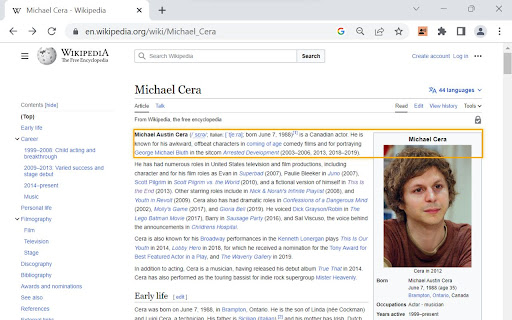

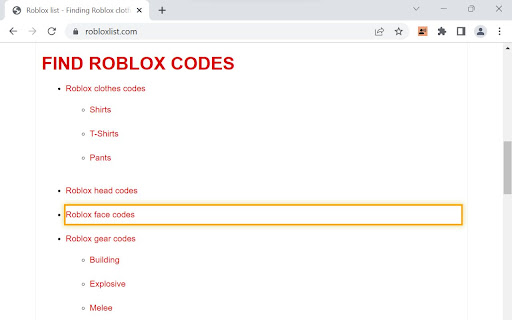
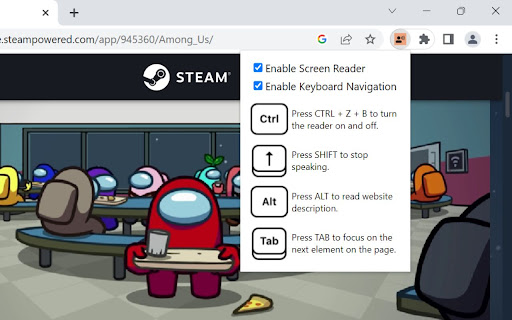
A screen reader you can turn on and off with the click of a button. Make web browsing, web development, or website testing more accessible with the Screen Reader with On/Off Button extension. Designed with developers and users in mind, this frictionless, convenient tool provides a quick and hassle-free way to experience websites through screen reading capabilities. This extension reads ARIA labels, as well as visible elements on the page. Key Features: 1. Convenient On/Off Button: Enable or disable the screen reading functionality with a simple and convenient toggle button that appears. Frictionlessly switch between regular browsing and screen reading, providing full control and flexibility. 2. Effortless Accessibility: Enable screen reading functionality to have web content read aloud, allowing developers to easily identify and verify the accessibility of their websites. 3. Streamlined Navigation with Keyboard Accessibility: Navigate through web pages using intuitive keyboard shortcuts and easily track the currently focused element with a customizable highlight, simplifying the testing process. The extension can also be fully accessed with mouse interactions. 4. Rapid Insights: Retrieve essential information about elements on the page, including tags, text content, links, form controls, and more. Gain quick insights into the structure and content of websites. 5. Meta Description Reading: Instantly access website descriptions provided in meta tags, enabling a quick overview of page content before diving in. 6. User-Friendly Experience: Enjoy a user-friendly interface and intuitive controls, ensuring a seamless and convenient experience while leveraging screen reading capabilities. 7. Designed for Convenience: Tailored specifically for both developers and users looking for a straightforward screen reader solution that’s easy-to-use, and easy to download. Note: The Screen Reader With On/Off Button is not intended as a comprehensive screen reader solution for visually impaired users. It is designed for those looking for a quick, convenient, and simple screen reader tool. Experience the power of frictionless screen reading at your fingertips today!

axe DevTools - Web Accessibility Testing
Accessibility Checker for Developers, Testers, and Designers in Chrome ★Digital accessibility testing right in your browser: The Axe DevTools Extension is an automated accessibility testing tool that helps you find and fix accessibility issues early in web development right in your Chrome browser. It helps ensure your team gets fast, accurate, actionable results so you can save time on costly reworks, and create digital experiences that are compliant and work for everyone. ★Leverage the global standard in automated web accessibility testing: The free version of the Axe DevTools Extension gives you the tools to conduct page-by-page, automated accessibility testing—all run on Axe-core, the global standard in automated web accessibility testing. With the free browser extension, teams get a useful introduction to accessibility and a quick, automated way to catch defects, all while benefiting from the same reliable and consistent results trusted by industry leaders around the world. ★Find and fix even more accessibility issues with AI and automated testing: Upgrade to the pro version of the Axe DevTools Extension to move faster, smarter, and further streamline workflows with AI-enhanced features, intelligent guided testing, component-level checks, the ability to test entire user flows, central administration, deduplicated results, Jira integration, and more. Dev teams can use this pro version of the browser extension to fix a majority of issues before production by combining traditional test automation with AI, reducing remediation costs and saving time. It’s great for teams who want to check specific pages, groups of pages, or workflows for accessibility issues. To learn more about the Axe DevTools Extension visit https://www.deque.com/axe/devtools/extension Use of this extension is governed by this license agreement https://www.deque.com/terms-of-use/axe-ext/ and the privacy policy linked under the developer information Data collection information can be found here: https://docs.deque.com/devtools-server/4.0.0/en/data-collection#axe-devtools-browser-extension-free Upgrading to the Axe DevTools Extension pro plan gives you more control over what data is collected.

Navigate like a screen reader
Finds landmarks, headings, links and form controls on a page and lets you navigate with them, much as a screen reader user can) Finds the following on a page: • Landmarks • Headings • Links • Form Controls Displays them in a dialog and provides a way to navigate using these Similar to tools provided by screen readers and which screen readers use heavily to navigate a page (or to get a summary of what is on the page)

Screen Recording Browser Plugin
Browser Plugin for Observe.AI Screen Recorder This extension helps identify when recording needs to be redacted and automate pause/resume event for agents.

Site Unseen
A screen reader emulator that helps you appreciate how blind people use the web People who are blind browse the web very differently than sighted users. Site Unseen helps you appreciate how blind users interact with web pages by obscuring the page and providing a screen reader emulator to explore its content. Use this browser extension to foster empathy in yourself and your community for those with vision disabilities, build the case for accessible web design, and test for web accessibility issues. * Turn Site Unseen on and off by pressing its logo in the browser toolbar. * Visually obscures page content and displays the role, name, value, and state of the current element in a caption. * Use the Tab, Enter, Spacebar, arrow keys, swipe gestures, and double taps to move to and interact with page elements. * Use keyboard shortcuts to jump to headings, links, lists, form fields, buttons, images, and landmarks on the page. * List all keyboard commands with the "Help" feature. * Temporarily reveal the page content visually with the "Peek" feature.
