
ompendcjjegjkojdkagdoohbbjcaaopb

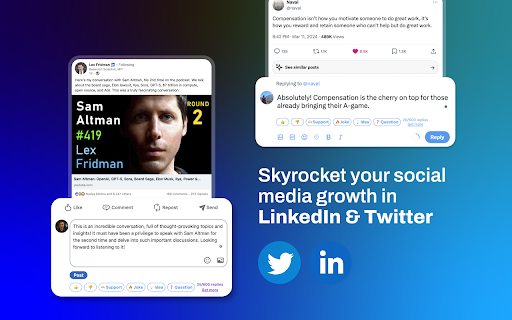
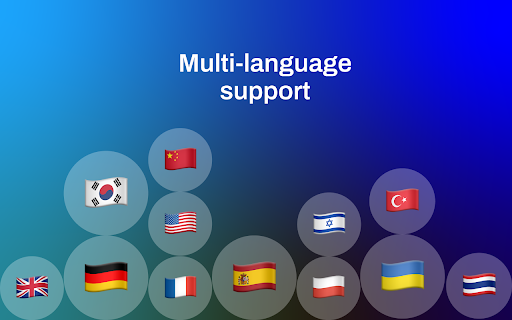
Create meaningful personalzied comments 10x faster with just 1 click, with GPT-4 for LinkedIn/X . 🤯Create meaningful replies 10x faster in 2 minutes with AI Replai.so is the easiest way to connect with the community, look clever, funny, professional on social media, appear smarter and grow your audience with 10x less effort. 📈Unlock your productivity and keep in touch with community: 1. Grow your audience with Replai.so 2. Make custom reactions 3. Connecting with community 4. Finding Icebreaker for tweets 5. Creating viral jokes 6. Increase Interaction 7. Get clean desing and free updates 🙁We know, that getting bigger on Twitter is not a piece of cake: – Fear of a blank page – Growing is difficult – Great replies take a lot of effort 🤩Be clever, be funny, be followed, be loved with 10x less effort with Replai.so – install Chrome extension

BrowserGPT: ChatGPT Anywhere Powered by GPT 4
Write, reword, and translate 8x faster. Reply to emails in a click. Works on Google Docs, Gmail, YouTube, Twitter, Instagram, etc. 🎉 Integrating BrowserGPT, an all-in-one AI copilot powered by ChatGPT. Works across the web. ✍️ Whether generating or rewriting blog posts, brainstorming ideas, translating text, drafting emails & replies, or anything in between – BrowserGPT handles it all as you browse the web – all instantaneously. _______________________________ 🥳 How BrowserGPT Outshines the Competition? ✔️ 120+ AI writing tools to empower your words. ✔️ 10+ proven copywriting formulas, PAS, AIDA, QUEST, etc. ✔️ 50+ languages available. ✔️ 0% plagiarism AI-generated content. ✔️ Backed by 100% up-to-the-minute sources. ✔️ 7 unique tones to cater to different audiences and goals. ✔️ ChatGPT-3.5/4 supported. ✔️ Draft emails & reply in a click. ✔️ Draft social media posts & comments with a click. ✔️ Works on Google Docs. Write like within Notion AI. 🔮 BrowserGPT WORKS DIRECTLY WITHIN 1️⃣ Google Docs - Press "//" to activate our AI-powered toolbar and boost your productivity. - Brainstorm ideas, write AI content, and more–without changing how you work. - Enjoy the Notion AI-like experience right within Google Docs. - ChatGPT for Google Docs 2️⃣ Social media & popular platforms - Support 6+ main social media platforms. - Write engaging posts tailored to your desired tone and messaging. - Generate on-point comments for your posts to fuel interaction. - Get hashtag recommendations to expand your reach. 3️⃣ Search engines - Obtain concise, accurate answers to your questions right within the search engine interfaces you already use. - Find related keywords. - Get additional questions related to your search query. 🧰 A DUAL-SIDED SIDEBAR 1️⃣ Meet Our AI Chatbot - HIX Chat ✔️ Deliver lightning-fast, accurate answers to any of your questions. ✔️ Provide content assistance, suggest ideas, and more. ✔️ A chatbot that remembers your conversations. 2️⃣ ACCESS A TREASURE TROVE OF 120+ WRITING TOOLS ✔️ Paraphrase text, improve flow, and fix grammar and spelling. ✔️ Enhance your work with in-depth insights. ✔️ Simplify language for clear communication. ✔️ Summarize long-form content in seconds. ✔️ Translate text between different languages. ✔️ And so much more. ✍️ Write ANYTHING On Virtually Any Topic And For Any Industry 1️⃣ Social media - Posts; Comments; Hashtag recommendations; Caption suggestions; Video ideas 2️⃣ Marketing - Ad copies; Sales emails; Press releases 3️⃣ Website - Outlines; Blog posts; Home page content; About us pages; Landing pages 4️⃣ E-commerce - Product descriptions; Buying guides; Product reviews; Product comparisons; "Best of" articles 5️⃣ Blog - Blog posts; How-to guides; Tutorials; Listicles; Product Review 6️⃣ News - Up-to-date news articles 7️⃣ Emails - Follow-up; Thank-you; Cold outreach; Replies 1. How To Use BrowserGPT? - Type "//" or highlight text anywhere on browser to display our toolbar. - Simply hit Ctrl + P or Command + P, or click on the extension icon, or simply click the floating BrowserGPT icon at the bottom-right corner of the screen to open our sidebar. 2. Is BrowserGPT free? Yes. BrowserGPT provides users with a limited free usage option. However, for added benefits and expanded usages, you can upgrade. Designed for every workflow - Add the BrowserGPT browser extension for Ultimate AI assistance NOW! 🎉

Socials - Generate Posts in One Click
Create viral posts for X and LinkedIn instantly with AI. Match your unique voice with custom personas. Socials helps you write like yourself—everywhere. Create authentic, personality-driven content across X (Twitter), LinkedIn, Threads, and Instagram without losing your voice. It’s not about posting more. It’s about posting better, faster, and with confidence. HOW IT WORKS Create Your Persona Set your tone, style, and intent once. Click Generate Instantly generate platform-optimized posts for X, LinkedIn and Instagram. KEY FEATURES - Personality-aware AI writing - Write once, adapt across platforms - Keeps your voice consistent - Platform-specific context - Refine without regenerating - Minimal, distraction-free design WHY SOCIALS? Most tools sound generic or require too much manual work. Socials sits in between—AI that understands how *you* write. BUILT THE BRAINROT CREATIONS WAY - Minimal interface - No clutter - Intentional by design You · Your ideas · AI that helps you express them better

ReplyWisely - Grow on X/Twitter by Replying Strategically
Grow on Twitter fast. Score every tweet, highlight your keywords, check your reply impressions, and track your growth on X. Want to know how to grow on Twitter fast? ReplyWisely is a Chrome extension that scores every tweet, highlights your niche keywords, and tracks your reply impressions — so you grow on X by engaging where it actually matters. Stop replying blind and start growing your account. The Problem You spent 45 minutes on X today. You replied to 12 posts. How many of those actually mattered? 👉 Replying blind — You craft a thoughtful reply, then check back to find 0 impressions. The author had 50 followers and posted at 2 AM. There was no way to know. 👉 Double-replying — You start typing a reply, then realize you already replied yesterday. X doesn't mark which posts you've engaged with. 👉 Your niche is invisible — The posts you actually care about scroll past in a sea of random timeline content. No visual signal says "this one's for you." 🎯 Visibility Potential Score (VPS) Every tweet gets a color-coded score badge based on author reach, freshness, engagement velocity, reply competition, and keyword relevance. Green means high potential — gray means skip it. Click any badge to see the full score breakdown: Author Reach, Freshness, Velocity, Opportunity, and Relevance factors. ✨ Keyword Highlighting Add your niche keywords and watch matching tweets glow in your feed. Supports: • Required keywords — At least one must match (hard filter) • Optional keywords — Boost score without filtering • Exclude keywords — Filter out topics you don't want ✓ Reply Tracking Tweets you've replied to show a checkmark. Never double-reply or waste time on posts you've already engaged with. A badge on the extension icon shows your reply count for the day. 📊 Follower Growth Dashboard Track your follower growth over time on replywisely.com. See how your engagement strategy correlates with follower gains. Share your public growth chart with others. 👉 Automatic Engagement Tracking — ReplyWisely remembers every tweet you reply to and its VPS score 👉 Smart Reminders — Get notified when it's time to check how your replies performed 👉 Performance Summary — See average engagement per VPS tier, your best-performing reply, and a multiplier showing how much better high-VPS picks performed Data-driven proof that replying strategically grows your account faster. 🟨 Highlight Mode (Simple & Visual) • Colored dots on tweets matching your keywords • Clean, minimal — perfect if you don't need scoring • Checkmarks on replied tweets ✅ Track Mode (Reply Tracking) • Green checkmarks on every tweet you've replied to — nothing else • Captures reply data and post-reply engagement automatically • Perfect for users who just want clean reply tracking without scoring or keywords 🟢 Score Mode (Advanced VPS Scoring) • Color-coded triangle badges with Visibility Potential Score • Full scoring algorithm with customizable weights • Click badges for detailed breakdown • Checkmarks on replied tweets 🔥 All Mode (Everything Combined) • VPS scoring + keyword highlighting + reply tracking in one view • Keywords highlighted in VPS score colors for unified visual • All features active simultaneously for power users Get started instantly with pre-optimized profiles: Each profile includes optimized keyword lists and scoring weights. Switch between profiles instantly or create your own. ✅ Scoring Weights — Adjust how much reach, timing, velocity, and relevance matter ✅ Relationship Boosts — Fine-tune signals for mutual follows and connections ✅ Smart Filtering — Hard filter or soft boost, your choice ✅ Profile Management — Create unlimited custom profiles 🧠 Lightweight, Private, and Non-Intrusive ✅ No auto-posting or automation — You control every reply ✅ No popups or interruptions — Subtle visual cues only ✅ No backend tracking — Everything runs locally in your browser ✅ Privacy-first — Your data stays on your device ✅ Cached for performance — Fast loading with automatic expiry Perfect for: 📱 Marketers who need a twitter growth service that works 🎨 Content creators figuring out how to grow on Twitter 💼 Entrepreneurs and founders growing their X presence 👨💻 Developers who want their replies to drive real impressions 📊 Product managers tracking engagement with a twitter impressions checker 🚀 Anyone learning how to grow on X fast through strategic replies Disclaimer: ReplyWisely is not affiliated with X Corp. "X" is a trademark of X Corp.

ChatGPT AI for Instagram™ comments and messages
Generate engagements 10 times faster for your Instagram™ posts with personalized AI comments responses Reply to Instagram comments using ChatGPT like AI FREE to use forever and No Ads. 🆓 ✔️ AI can reply to comments on your posts. ✔️ AI can reply to comments on other creators' posts. ✔️ AI can reply to a post's description. ✔️ AI can reply to your direct messages (DMs). ✔️ Train your AI with your FAQ. ✔️ Answer to support questions 10 times faster. ✔️ Use AI to match questions to a specific answers. ✔️ All languages are supported. It is important to answer comments on Instagram because it will generate extra engagements for your posts. However, it is hard to answer 1000 comments on a viral post. The Mail Magic Instagram AI will help you answering your comments 10 times faster. This uses similar AI technology as the Mail Magic email writer. You can find our AI email writer on mailmagic.ai
