
omemdnaphiccifgleodlhhbdgnaahhfa

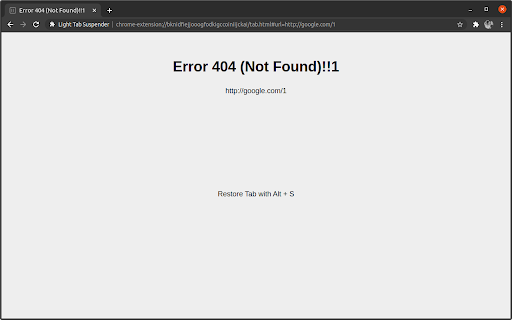
Alternative to the great suspender It saves the tab’s URL and title, replacing the page with a lightweight placeholder, cutting memory usage from ~150MB per tab to ~10MB. When you unsuspend a tab, it instantly restores to its original state. Usage: - Click extension icon to suspend / unsuspend tab. - Use keyboard shortcut to suspend / unsuspend tab: chrome://extensions/shortcuts.

Tab Suspender
Optimize browser performance with Tab Suspender. Tab Suspender - Save Memory and Speed Up Your Browser Stop tabs from slowing down your browser with Tab Suspender Chrome extension. This lightweight extension helps you save memory, improve performance, and increase your productivity by suspending tabs that you aren't actively using. >>Automatically suspends tabs: The Tab Suspender extension automatically suspends tabs after a specified time period, freeing up memory and improving performance. >>Quick suspend option: With just one click, you can quickly suspend any tab >>Whitelist important URLs and domains: The extension provides an option to whitelist important URLs and domains, ensuring that they never get suspended. >>Minimalistic design: Tab Suspender has a minimalistic design, with no distracting features, making it easy to use and efficient. >>Increasing productivity: By suspending tabs that you're not actively using, you can reduce distractions and increase your productivity. >>Saving battery life: Suspending tabs reduces the amount of memory and processing power used by your browser, which can help extend your laptop's battery life. >>Managing tab overload: If you frequently have many tabs open, the extension can help you manage the overload and reduce the amount of memory used by your browser. >>Improving browser performance: The extension can help improve the performance of your browser by freeing up memory and reducing the number of active tabs. Say goodbye to slow and unresponsive tabs, and experience a faster, smoother browsing experience with Tab Suspender.

Suspend tabs
Free up your device's memory and speed up your browsing on Google Chrome by suspend open tabs 🚀 'Suspend tabs' you're not using to save memory and make your computer run faster! By reducing the load on your device, you’ll also help extend your battery life. 🔋 🕒 Automatically suspend inactive tabs, allowing your computer to work faster and smoother. Reducing CPU usage this way makes everything run better, and you can restore tabs whenever you need them in just a click! 💻✨ ⚡ The built-in tabs manager, accessible through hotkeys, provides a dashboard for quick navigation, and the in-house search makes everything even easier. 🔧 New Update v1.1 🔄 - Rebuild the code again and speed up the tool - The ability to choose the wallpaper for suspand tabs - Additional possibility of custom background

Tab Suspender 2.0
Increase browser speed and reduce memory load when you have numerous open tabs. 1. Download and install the extension. 2. That's it. You don’t have to do anything else. 3. The tabs that have been inactive, will sleep. 💤 4. Press the space key to restore an invisible tab. 1. Frees memory and CPU storage on the machine by killing all inactive tabs. 2. Your tabs won't get lost and they can be restored with a single mouse click/space key. 📌 Pin the Tab Suspender 2.0 extension to save you some time from keeping the tabs organized at all times.

Tab Sentinel Tab Suspender (Open Source)
Tab Sentinel – Open-Source Tab Suspension for Chrome Tab Sentinel is a lightweight, privacy-focused extension that automatically suspends inactive tabs to save memory and improve browser performance. To exclude the current tab from suspension, open the Suspender tab and click "Exclude Current Tab". Key features: - Automatically suspends tabs after a custom period of inactivity - Option to exclude selected websites or individual tabs from suspension - Works entirely locally – no external servers, no tracking, no analytics - Fully open-source: github.com/dmk500/TabSentinel - Minimal and fast interface designed for reliability - No account required, no background network connections New (Beta): Cookie Manager - Groups cookies by domain and shows cookie count - Automatically classifies cookies as Essential, Analytics, or Suspicious - Allows quick deletion or whitelisting of cookies - Detects third-party cookies based on embedded domains - Helps reduce tracking while preserving functionality
