
olnbjpaejebpnokblkepbphhembdicik
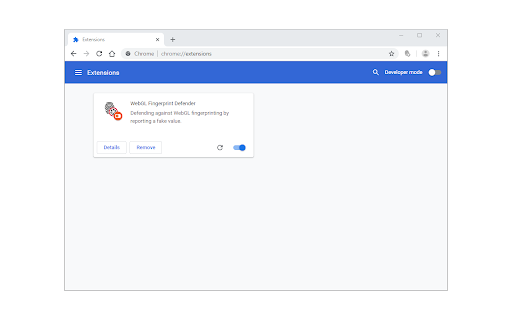
WebGL Fingerprint Defender is a browser extension that let you easily hide your real WebGL fingerprint by reporting a random fake value. According to many tech blogs, completely blocking WebGL API is not a good idea, therefore reporting a fake fingerprint could be the best solution to better protect your privacy. This add-on simply adds a small noise to the actual fingerprint and renews it every time you visit a website or reload a page. With the browser's WebGL API, in general, two types of fingerprints can be generated. One with WebGL constants and the other with an image that is rendered with the WebGL API. This add-on can spoof both values at the same time. To disable this add-on, please visit the extensions page in your browser and then click on the disable button. Please note that this add-on does not have any toolbar icon/button. This extension is made in collaboration with the author of "Canvas Fingerprint Defender": https://chrome.google.com/webstore/detail/canvas-fingerprint-defend/lanfdkkpgfjfdikkncbnojekcppdebfp If you have a feature request or found a bug to report, please fill out the bug report form on the add-on's homepage (https://mybrowseraddon.com/webgl-defender.html).

Canvas Fingerprint Defender
Canvas Fingerprint Defender is a lite extension that lets you easily hide your real canvas fingerprint by reporting a random fake value. According to many tech blogs, completely blocking canvas fingerprints is not a good idea, therefore reporting a "fake" fingerprint could be the best solution to better protect your privacy. This addon simply adds a small noise to the actual fingerprint and "renews" it every time you visit a website or reload a page. It is important to note that, it does not have any settings or options to adjust. Simply add it to your browser and start surfacing the internet. If you want to test this addon, please visit a website that shows your fingerprint (i.e. browserleaks). Every time you reload the page, you will see a new fake fingerprint. To report bugs, please visit the addon's homepage (https://mybrowseraddon.com/canvas-defender.html) and fill out the bug report form.

WebAPI Blocker
Easily block (nullify) undesired Web API(s) and improve your privacy. WebAPI Blocker is a lite addon that lets you easily block and nullify a desired web API. Simply open the toolbar popup UI and choose an API from the drop-down list (top left side). Then, click on the (+) button to add the item to the API list. Once you add an item, you can remove it from the list by clicking on the "remove" button next to each item. Moreover, you can deactivate an item by removing the checkmark from the list. There is also a "reload" button at the top toolbar to reload the active tab. On the right side, you can add desired domains to the whitelist table. Please enter a domain name in the input field and then click on the (+) sign to add it to the table. To remove a domain, please click on the cross sign next to each item. Note: please be careful when you block (nullify) a web API. Because certain API(s) may cause websites to not fully load or even make them unresponsive. Therefore, please do enough research before disabling an API. To report bugs, please fill the bug report form on the addon's homepage (https://mybrowseraddon.com/webapi-blocker.html).

ClientRects Fingerprint Defender
ClientRects Fingerprint Defender is a browser extension that lets you easily hide your real ClientRects fingerprint by reporting a random fake value. The native getClientRects() method in JavaScript returns a collection of rectangles (DOMRect objects) that enclose an element border-box in the viewport. Using the metrics from this method (i.e. x, y, width, height, etc.) one can generate a fingerprint to identify users. This add-on adds a small noise to the actual fingerprint and renews it every time you visit a website or reload a page. To disable this add-on, please visit the extensions page in your browser and then click on the disable button. Please note that this add-on does not have any options page. If you have a feature request or found a bug to report, please fill out the bug report form on the add-on's homepage (https://mybrowseraddon.com/clientrects-defender.html).

Privacy Tweaks
Improve your online privacy with few tweaks via toolbar popup! Privacy Tweaks is an extension that helps you improve your privacy while browsing by using ten different techniques. Simply open toolbar popup UI and mark a desired tweak. Please note that, only few tweaks are selected by default. Also, please keep in mind that, depending on your browser version and platform, this add-on might behave differently. There are few settings (related to timezone, geolocation and proxy) available in toolbar popup to adjust. Currently there are 10 tweaks available for this add-on: 1. Block most common ads. 2. Block canvas fingerprint. 3. Block font fingerprint. 4. Block webgl fingerprint. 5. Block audiocontext fingerprint. 6. Block webrtc IP leakage. 7. Change browser timezone. 8. Change browser geolocation. 9. Set custom socks5 proxy. 10. Block most common trackers. Note 1: I have made this extension with Yubi's collaboration. This add-on is inspired by Speed Tweaks made by Yubi: https://chrome.google.com/webstore/detail/speed-tweaks/afebilemcaepdkmhmibgmnpfppnjimjf Note 2: to report bugs, please fill out the bug report form on the addon's homepage (https://mybrowseraddon.com/privacy-tweaks.html).
