
olmfoedeomcjbogpmadfchdhoafnjggh

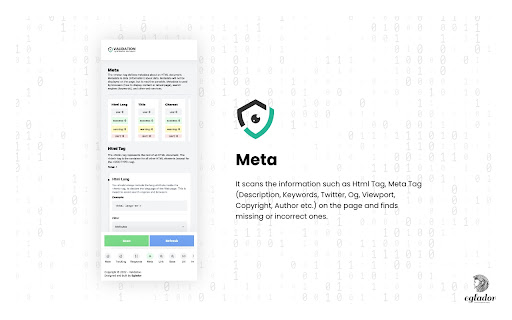
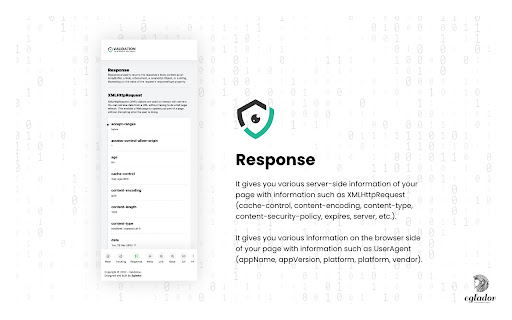
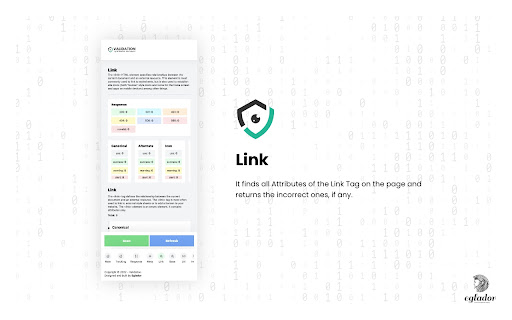

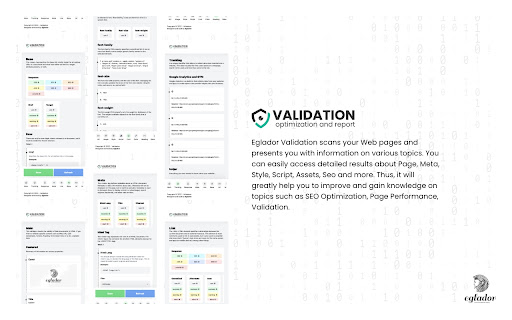
This validator checks the validity of Web documents in HTML. Eglador Validation scans your Web pages and presents you with information on various topics. You can easily access detailed results about Page, Meta, Style, Script, Assets, Seo and more. Thus, it will greatly help you to improve and gain knowledge on topics such as SEO Optimization, Page Performance, Validation. (1) Tracking It checks the tracking codes of platforms such as Google Analytics, Gemius, Hotjar on the page. (2) Response It gives you various server-side information of your page with information such as XMLHttpRequest (cache-control, content-encoding, content-type, content-security-policy, expires, server, etc.). It gives you various information on the browser side of your page with information such as UserAgent (appName, appVersion, platform, platform, vendor). (3) Meta It scans the information such as Html Tag, Meta Tag (Description, Keywords, Twitter, Og, Viewport, Copyright, Author etc.) on the page and finds missing or incorrect ones. (4) Link It finds all Attributes of the Link Tag on the page and returns the incorrect ones, if any. (5) Base It finds all Attributes of the Base Tag on the page and returns the incorrect ones, if any. (6) Url It gives attribute controls and response status by scanning all the URLs on the page and making a request. (7) Image It scans all the images on the page and sends a request, giving attribute controls and response statuses. (8) Style It scans all the Styles on the page and sends the request, giving the attribute controls and response statuses. (9) Scripts It scans all Scripts on the page and sends requests, giving attribute controls and response statuses. (10) Fonts It finds all the Fonts on the page and gives information such as font-family, font-size, font-weight. (11) Color Returns all the colors found on the page. (12) Heading It finds all Heading Tags on the page and shows how many of each are used. (13) Robots Txt Checks the Robots Txt File on the page. (14) Structured Data It scans the data structures on the page and checks the data. You can view the change-log for every version update at https://eglador.github.io/validation

Page Load Visualization
Displays page load time and resource sizes in the toolbar This extension measures page load time and displays it in the toolbar. 🌟If you enjoyed the extension, please leave a review on the extension page! 🌟Please report any bugs or suggestions using the support tab of the extension page!

Brdr.ly - Create Fancy CSS Shapes
A tool that will help you quickly create fancy CSS shapes easily A simple yet functional random radius generator. Create random shapes/blobs using the CSS border radius property. If not satisfied create your own shapes using the editor (kindof)

Query Parameter Editor
Query Parameter Editor is a Chrome extension that simplifies editing and managing query parameters in URLs, streamlining your development experience and productivity.

Subdomain Finder - Find Hidden Subdomains
The best Subdomain Finder tool for bug bounty hunters and security researchers. Find hidden subdomains quickly and easily. 🚀 Subdomain Finder - The Essential Tool for Bug Bounty Hunters Discover hidden subdomains quickly and easily with our powerful Subdomain Finder extension. Perfect for bug bounty hunters, security researchers, and penetration testers. Key Features: ✅ Fast & Efficient Scanning ✅ Clean, Modern Interface ✅ Export Results ✅ Copy Subdomains with One Click ✅ Active Domain Status Check ✅ No API Key Required ✅ Zero Configuration Needed How It Works: 1. Click the extension icon 2. Enter a domain name (or use current tab's domain) 3. Click "Scan" to discover subdomains 4. View, copy, or export results Perfect for: • Bug Bounty Hunters • Security Researchers • Penetration Testers • IT Professionals • Security Enthusiasts
