
olhgbojplnaiejmpfjdkmjajhnckjfpc
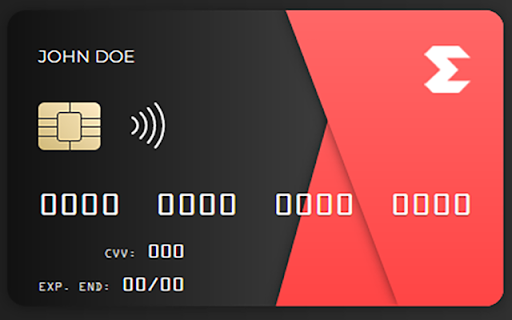
Unlock Trial Subscriptions with Ease SubSaver is a convenient Chrome and Firefox plugin/extension designed to simplify the process of activating trial subscriptions. Say goodbye to the hassle of providing your personal credit card information for free trials. With SubSaver, you can effortlessly access trial subscriptions without compromising your privacy or financial security. How does it work? SubSaver generates virtual credit card details that can be used to activate trial subscriptions. These virtual cards are specifically tailored for trial purposes and are not linked to your actual credit card or personal information. Installing the plugin/extension allows you to generate a unique credit card number, expiration date, and CVV code with a single click, enabling you to complete the trial subscription process quickly and securely. Seamless Integration: SubSaver seamlessly integrates into your Chrome or Firefox browser, providing a user-friendly interface for accessing trial subscriptions. Privacy Protection: By using virtual credit card information, SubSaver safeguards your personal credit card details, ensuring privacy and security. Time-Saving Convenience: Activate trial subscriptions effortlessly, without the need for manual credit card entry or providing sensitive information. Customized Trial Cards: SubSaver generates unique credit card details for each trial, increasing the chances of successful subscription activation. Legal and Ethical Compliance: SubSaver emphasizes adherence to applicable laws and regulations, promoting ethical usage of trial subscriptions. With SubSaver, enjoy the freedom to explore trial subscriptions without the hassle or concern of sharing your personal credit card information. Unlock the full potential of trial offers today! Disclaimer: The names used in the virtual credit card details generated by SubSaver are fictional and not associated with real individuals or the rightful owners of the virtual credit cards. They are solely provided for the purpose of trial activation.

Apiary - Web Highlighter & Annotator
Highlight and take notes directly on what you read online and instantly share them with friends and colleagues. Easily highlight and take notes on what you read online and then easily save them for later and share them with friends and colleagues in one click. Apiary is a free to try chrome extension based product that allows you to easily highlight and take notes on what you read online. After you have annotated something online it will be saved to your Apiary account where you can then organize in any way you like with our folder system. You can than easily share directly from the website where you took the notes or from your Apiary account later on with anyone you want. Just highlight and get a shareable link you can send to anyone with one click. When using Apiary on a website or email online you have two options. You can choose to just highlight some text or you can highlight and add a comment to that highlight. Allowing you to save and share you favorite parts and current thoughts while reading it with others. You can view your annotations live by clicking the chrome extension and having the Apiary sidebar appear showing all the highlights and notes you have made on that page. Or you can view them later in your Apiary account where we save all the contents of what you were reading and the highlights and notes you took. Allowing you to get the full context of whatever you were taking notes on. Annotate, save, and share what you read online instantly today. ----------------------------------------- Key Features: Web and Email Highlighting Take Notes On What You Read Online Apiary Account Access With Organization Systems Quick and Easy Shareable Notes Private Notes That Only You Can See Automatically Saving Notes ------------------------------------------- How To Use: In order to use the Apiary Chrome Extension you will need an account with Apiary. Please visit www.myapiary.io to create an account today. 1) Create An Account On Apiary (www.myapiary.io) 2) Download Chrome Extension 3) Sign Into Chrome Extension w/ Your Apiary Account 4) Select Text (Left Click & Drag) You Wish To Annotate 5) Click On Apiary Popup To Either Highlight Or Take Note On Selected Text 6) Delete An Annotation By Clicking On A Highlight And clicking Delete Icon 7) Share Your Notes For A Page By Clicking The Apiary Share Button On Bottom Left Corner Of Window 8) View A Note By Either Visiting Your Apiary Account Or By Clicking View On A Currently Annotated Web Page ------------------------------------ Pro Tips: 1) Make Sure You Are Logged Into Apiary Chrome Extension If You Are Having Issues Annotating 2) Organize Your Notes Into Folders On Apiary To Easily Find Notes Later 3) Share Your Notes With Friends By Clicking Share Button And Sending Link To Friends. --------------------------- Got Feedback? Please reach out to us at support@myapiary.io If you find bugs please let us know at https://forms.gle/rHvoLZwaXfVcbAMJ7. If you have a feature request please let us know at https://forms.gle/vguFD2Rxi2FCsSQi8. By installing the extension, you agree to Apiary's Terms of Service, Privacy Policy, and Community Guidelines (which can be found here: https://www.myapiary.io/term-services and https://www.myapiary.io/privacy-policy)

Credit Card Validator
Introducing Credit Card Validator, a Chrome extension for secure and efficient credit card number verification. Our Credit Card Validator let's you take your payment system testing and free trial activations to the next level. Created to ensure 100% valid credit card numbers, this powerful tool is your one-stop solution for efficient testing and validation processes. Accurate Card Validation: Validate card numbers with precision and confidence, ensuring their correctness and authenticity. Efficient Testing: Streamline your testing processes by quickly verifying card details, including CVV, expiry date, and cardholder name. Secure and Reliable: Rest assured that your payment system is robust and error-free with thorough credit card validation. Simplified Free Trial Activations: Easily activate free trials using validated card numbers, eliminating the need for real payment information. Experience the ease and confidence of credit card validation with our Credit Card Validator. Upgrade your payment systems today. Visit our website at https://creditcardvalidator.app for more information and to get started.

Create Virtual Cards using Zil Money
Create and manage Zil Money™ virtual cards and gift cards directly from Chrome™. Instant access to your cards and wallets. Create Virtual Cards using Zil Money is the official Google Chrome™ extension for managing your virtual cards and gift cards. Seamlessly integrated with your Zil Money account, this extension provides quick and secure access to your cards directly from your browser. Key Features: • Create Virtual Cards: Generate new virtual cards instantly for online purchases with Zil Money • Create Gift Cards: Send gift cards to recipients via email through Zil Money • View Card Details: Access card numbers, CVV, and expiration dates securely • Search & Filter: Quickly find cards by label, wallet, or amount • Transaction History: View recent transactions for each card • Multiple Wallets: Manage cards across different Zil Money wallets • Secure Authentication: Industry-standard encryption and secure token storage Perfect for: • Online shoppers who want dedicated virtual cards for different subscriptions • Businesses sending gift cards to employees or clients via Zil Money • Anyone looking to organize and control their virtual spending with Zil Money Security & Privacy: • All data transmission is encrypted via HTTPS • Authentication tokens are stored securely in Chrome's local storage • No third-party tracking or analytics • Only communicates with official Zil Money/OnlineCheckWriter servers • Never stores passwords locally How It Works: 1. Install the extension from Chrome™ Web Store 2. Click the extension icon and login with your Zil Money credentials 3. View all your virtual cards and gift cards in one place 4. Create new cards with just a few clicks through Zil Money 5. Access card details securely when needed Support: For questions or issues, contact support@zilmoney.com or visit our Zil Money help center. PRICING Extension is free to install. Pay only creating a virtual card through Zil Money (Pricing details - https://app.zilmoney.com/outside/pricing-plan?from=zm&_gl=1*zewib0*_ga*MTM2Mjg3MDUzMS4xNzU4MzAyMDUy*_ga_7ZNP5W4C0X*czE3NTk3ODA2MTEkbzgkZzEkdDE3NTk3ODA3MDIkajYwJGwwJGgw*_gcl_au*MTQzMjc5NzkwNC4xNzU4MzAyMDUy&pk_vid=ce4a9853584fb6f0175978070354c7c2). Trademarks: Google Chrome™ is a trademark of Google LLC. This extension is officially developed by Zil Money Corporation.

Free Trial Extension!
Free trial extension for test for 0.5 Focus on explaining what the item does and why users should install it
