
oldcjepdfendkmoppkclgkdmknncbbll

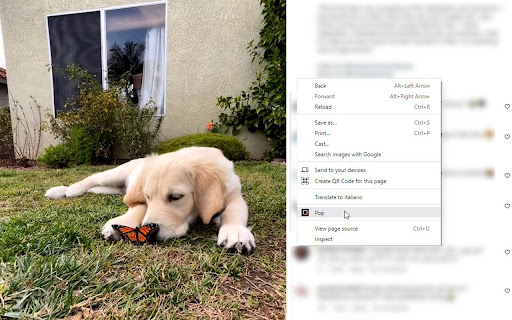
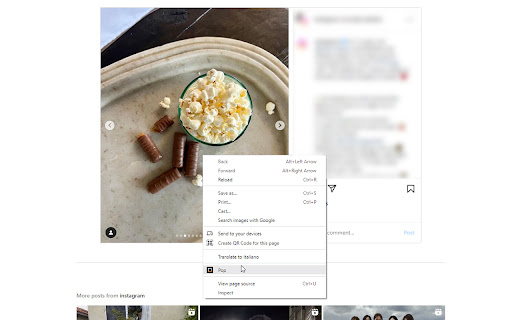
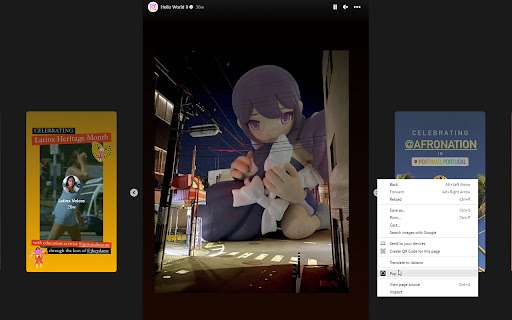
Extension that allows you to easily open Instagram images and videos in a pop-up window for a better browsing experience Currently usable on Instagram, this extension allows you to open images and videos in a new tab with a right-click -> "Pop". It works with: - Images and videos from opened posts - Opened reels - Stories (all highlights and some of the newly posted ones)

IMDownloader | Download story reels highlight image and video
Download original (high resolution) image, video, reels, story and highlight for Instagram™ with one click, free and unlimited. IMDownloader is an extension to help you to download original image, video, reels, story and highlight for Instagram™ with one click, free and unlimited. ▣ You can download by using this extension: ● Image ● Video ● Story ● Highlights ● Reels ▣ The extension adds a download button to a suitable place on instagram interface. You can find the button; ● Under the image/video on homepage page. ● Top-right corner on story/highlight page. ● Hover image/video on profile detail page. ● Under the comments on post/reels detail page. ● Right side of reels page. ▣ Besides; if you right click over any image/video, You will see a menu item "Download | Downloader for Instagram™". You can start downloading by clicking this menu item. To see how you can download, please take a look the extension images and video. ▣ After installing, please reload all tabs for the extension to take effect. For issues/suggestions

InstaSource
This extension makes it easier to share photos on instagram web. The web version of instagram does not let you copy an image to clipboard or open it in a new tab in any practical way. That's why I created this simple extension - to make it more convenient to share an instagram image across the web. This extension works especially well with Discord and slack, where you can copy the image link and paste it into the chat, and it will automatically convert the link to an image. Instagram's default share option is very unreliable. Sometimes it shows a preview, and sometimes it doesn't - making you have to click the link and go to instagram to view it. Currently the functionality is only applied when viewing in feed mode or a single image. Does not support grid view as of yet.

Tweaks for Instagram
View full-size images and videos on Instagram, and download all images in a post with a single click. View full-size images and videos on Instagram by clicking a thumbnail with Ctrl + Left Mouse Button (by default), and download all images in a post with Shift + Left Mouse Button (by default). Available on Posts, Reels, Tagged, and Explore pages. Tweaks for Instagram is an independent project and it is not affiliated with nor endorsed by Instagram. Go to the previous/next media item (or post) - Mouse Wheel Storage - for storing extension settings Downloads - for downloading photos This extension does not collect personal data from users, and it does not send any user data to a remote server. The only data it collects are extension settings, and this is stored locally on your PC.

Better Videos for Instagram: Playback & Volume
Easily control the playback and volume of Instagram videos. Enhances your Instagram experience by allowing easy video playback and volume adjustment. Features: - Playback/seek control - Volume control (remembered) - Autoskip support - Supports all videos on the Instagram Github: https://github.com/emirkabal/better-videos-for-instagram Legal: Instagram is a registered trademark. This extension was developed independently of Instagram, by someone who is not related or affiliated with Instagram, without any help or endorsement from them.
