
okpfiebkkmjcnodegbbbiellepfhoglm
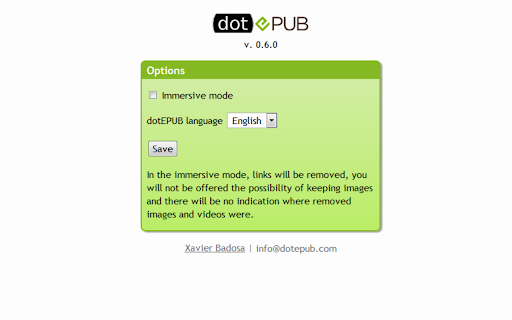

dotEPUB allows you to convert any webpage into an EPUB or Kindle e-book. Save now and immersively read later (even offline) those long and deep articles you didn't have time to read while browsing. Build a personal library of your favorite blog posts, news articles, etc. Warning: This extension can only be run once on the same webpage unless you reload that page.

Just Read
A feature-packed, customizable reader extension. Just Read is a feature-packed and customizable reader view. With one click (or less!), you can remove distractions like: - The page's styling - Ads - Popups - Comments And read the article in a customizable, simplified format - like a read mode but better! Users can: - Summarize the article using AI. - Use the default white and dark themes. - Modify their theme using a graphical editor or CSS. - Use a theme someone else has made (found at https://goo.gl/Z59SM4 ). - Use their very own custom styling. - Auto-run the reader format on specific sites. - Auto-run summarization. - Use a keyboard shortcut to run the reader. - Print the custom-styled version of the article. - Use the selection mode to choose exactly which text they want to select for reading. - Use the deletion mode to remove any unwanted content after selection. - Edit incorrect meta information generated. - Control which options the reader uses. - Go straight to the next chapter from the reader view. Just Read Premium has even more features! - Permanently save the reader version of pages - Share the reader version of pages with others - Link directly to a section of the page within the shared reader view - Highlight and annotate pages - Add comments - Use a custom scrollbar - Auto-scroll the article - Apply domain-specific selectors, which give ultimate control to the content auto-selection Just Read collects zero data from users by default. If you sign up for an account, only your email address is stored. No analytics are sent to anyone else. Any data that is stored is safely secured and private. Just Read is completely open source and can be found on GitHub here https://github.com/ZachSaucier/Just-Read Please read the README in the GitHub link above for more details!

EpubPup - EPUB Reader
Sleek and powerful EPUB reader that lets you read ePub files directly in your browser. FREE and easy to use. EpubPup is packed with tons of powerful features under a carefully designed minimalistic modern interface, so that you can intuitively navigate through any ePub book and totally immerse yourself in your favorite books. EpubPup's design goal is to maximize your enjoyment of the book, and to minimize the frictions and hassles that come with other similar software. Main features: ✔ Open ePub books directly from websites ✔ Enjoy offline reading ✔ Open any document with ".epub" file extension ✔ Read any ePub files, large or small ✔ Download ePub books to your computer with a single click ✔ Choose from the classic color schemes — White, Sepia, Night ✔ Customize your font, font-size, line-spacing ✔ Navigate easily to any chapter with the table of contents sidebar ✔ Pick up where you left off with the bookmark feature ✔ Read in book spread or web scroll format ✔ Enjoy full screen reading ✔ Supports intuitive keyboard and mouse navigation New to ePub books? Try these websites for a large selection of free ePub books: Project Gutenberg (https://www.gutenberg.org), Manybooks (https://manybooks.net), epubBooks (https://www.epubbooks.com).

TagSpaces Web Clipper
Collect and organize web content in plain files. 🧩 TagSpaces Web Clipper — Clip, Tag & Own Your Web Content Capture any webpage and save it directly to your device — no cloud, no account, no tracking. TagSpaces Web Clipper is a privacy-first web scraper that puts you in full control of what you save and how you save it. No sign-up. No servers. No data collection. Everything is saved locally on your computer. Your clippings belong to you. 📝 Save as Markdown or HTML — with embedded images, ready for editing or annotating in TagSpaces, Obsidian, Notion, or any app that supports these open formats. 📄 Save as MHTML — preserve the full page layout and formatting exactly as you see it; open in any browser or compatible reader. ✂️ Clip selected content — save only the parts of a page that matter to you. 📸 Full-page screenshots — capture entire pages as PNG images. 🔖 Visual bookmarks — save a URL with a preview image to build a beautiful collection of favorite sites. 📍 GPS & Plus Code extraction — pull location data from map URLs for use in TagSpaces' Mapique geo-view. 🏷️ Tag on save — add tags when clipping to instantly organize your files for easy retrieval later. All saved files are standard, open formats — no lock-in. Use them with TagSpaces, your favorite text editor, or any tool that supports HTML, Markdown, MHTML, PDF, or PNG. 💻 Part of the TagSpaces Ecosystem TagSpaces Web Clipper works seamlessly with the TagSpaces desktop app — a free, offline-first personal knowledge management tool and file manager. TagSpaces lets you organize any file on your device using tags, colors, and metadata, without ever sending your data to a server. With TagSpaces you can: 🗂️ Tag and color-code any file type — documents, images, notes, web clippings 📝 Create and edit notes in Markdown or rich text, stored as plain files you own 🌍 Visualize geo-tagged content on an interactive map with the built-in Mapique view 🔍 Search and browse your entire local file collection with powerful filters 📁 Work across folders, drives, and connected locations — all offline TagSpaces is open source and available free for Windows, macOS, and Linux, with optional Pro features for power users. 👉 Start clipping — install the extension and take back control of your web content.

EasyReader
EasyReader can customize and improve the readability of long web articles Usage: 1. Click extension button. 2. Select content on the page to read. 3. Enjoy. Features: ★ Table of contents for headings are provided to the left. ★ Color, size, fonts and more are fully customizable. ★ Print, will print selected content only. ★ Code highlighting for code segments without other style. Tips: ☞ Drag right edge of content to change width. ☞ Background can be customized using images, not only colors. Example for background color use: url("http://antonj.se/resources/css/images/paper-texture-warm.gif") ☞ Hovering lables in option page will give you the actual CSS property that is used. Updates: 1.63 - Maintenance update to upgrade to chrome manifest version 3, since that was required. Keyboard shortcut moved from options to standard extension shortcuts 1.62 - Removed tabs permissions, since it was not needed 1.61 - Minor bug fixes (no scrolling in original page) 1.60 - Minor bug fixes 1.50 – Keyboard shortcut to activate/deactivate EasyReader (set in extension options) 1.46-7 – Bugfix: Print width always 100 % 1.45 – Printing with EasyReader activated will only print selected content. 1.44 – Bugfix: Flash content temporary hidden, when ER is activated. Since Chrome7 Flash would otherwise always be above ER content. 1.43 – Bugfix: Google Dictionary (by Google) extension popup will be on top of EasyReader content. 1.40 – Syntax highlight for code segments of articles, using http://code.google.com/p/google-code-prettify/
