
okmipgoegollhjhphbokjdljbbddnbpd


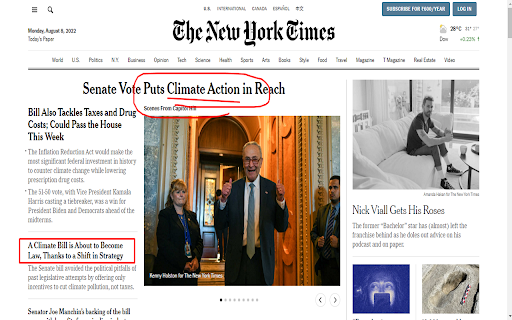


screenshot page,full page, Record screen, window, screen capture, Save as image,PDF / get link. Select area, edit screenshot Capture FULL page screenshots. Edit and save screenshot. Record screencasts - record video from your screen. Record how-to guides. Capture the entire web page or specific parts of it. Edit your screenshots with a very user-friendly interface. Record screencasts - record video from your screen. 🚀 screen capture will help you to: ✔ Capture the entire web page or a required section of it ✔ Capture the entire browser window ✔ Capture HD screenshot ✔ Capture the browser window of other programs ✔ Quickly capture a site fragment ✔ Record video from your screen/tab (Screencasts) ✔ Record video from another active program ✔ Create your own drawing or model from scratch ✔ Paste different patterns and text boxes onto your screenshot ✔ Resize and crop your screenshot ✔ Add arrows and stickers to your screenshot ✔ Highlight text on your screenshot and take screen shot easily ✔ Save screenshots in: JPG and PNG or PDF ✔ Convert , merge or compress PDF easily ✔ GIF recording to show animation ✔ GIF compression so that it can be attached in mail by reducing size ✔ Todo list , bookmark, History of screenshot taken ✔ Capture scrolling screenshot screen capture supports horizontal scrolling. The editor interface allows editing objects even after you add them to the screenshot 📷 There are 3 ways to capture your screen: a) With the button in your address bar; b) With the context menu; c) With a hot key that you assign in the program settings. Sharing tool a) Share screenshot to Whatsapp b) Share screen shot to Gmail in one click Removes some popular ads while taking screenshot App will add icon over youtube player to take screenshot. also customer can take youtube screenshot easily in one click , just click the camera icon over youtube and take screenshot easily. screen recording the easy way. Take bookmarks and add task to do later. Store history of images edited for later use

Screenshot Master: Full Page Capture
Easy, free and full-featured screenshot app to capture, edit and save your screenshots. An easy-to-use, yet functionally powerful screenshot tool! Lets you capture the whole page screenshot with just one click. It works just like the native feature of Google Chrome to capture screen but in a more optimized way. ✍ Advantages: ☑︎ Easy and user-friendly interface ☑︎ No restrictions on use ☑︎ Create full-page screenshot ☑︎ Create visible area screenshot ☑︎ Keyboard Shortcuts ☑︎ Best Quality, High-Resolution screenshots, PNG, JPG, and WEBP formats. Built-in image editor is an added feature of this extension. You can use the simple image editor, which offers a dozen different features. ✍ Screenshot Editor features: ☑︎ Write text ☑︎ Cropping ☑︎ Use arrows ☑︎ Include rectangular boxes or lines ☑︎ Saving in PNG, JPG, and WEBP formats.

Simple Screen Capture: Full Page Screenshot
Simple Screen Capture is a handy Chrome Extension that allows you to effortlessly capture full page screenshots with just a click. Easily capture & save screenshot of a whole web page or a part of it with a single click Have you ever been in a situation where you needed to capture a screenshot of a webpage but ended up with a partial image or missing important information? 😫 It can be frustrating and time-consuming to try and get the perfect shot, especially if you're not familiar with keyboard shortcuts or other methods for capturing screenshots. Fortunately, there is a solution that makes the process quick and easy - Simple Screen Capture! 🙌 This handy extension allows you to capture and save screenshots of entire web pages or specific sections with just one click. One of the biggest advantages of using Simple Screen Capture is that it saves you time and effort. Instead of manually taking multiple screenshots and trying to piece them together, this extension captures the entire page in one go. This means that you can get all the information you need in one shot, without having to worry about missing anything important. ⏰ Another great feature of Simple Screen Capture is its user-friendly interface. With just a few clicks, you can easily crop and edit your screenshots before saving or sharing them. This allows you to customize your images and make them look exactly how you want them to. 🎨 But that's not all - Simple Screen Capture also allows you to add annotations and highlights to your screenshots. This is especially useful if you need to point out specific information or highlight important details for others to see. 📝 Furthermore, Simple Screen Capture is compatible with all major browsers, including Chrome. 🌐 Whether you're a student, researcher, or just someone who loves to share content with friends, Simple Screen Capture is a must-have tool for anyone who wants to streamline their screenshot process and save time. So why wait? Try out Simple Screen Capture today and see how easy it is to capture and save your favorite online content! 🚀

Screen capture and recorder - Screenshot Tool
Record screen and camera, screenshot, edit, and share via Google Drive Unveiling a Comprehensive Screen Capture and Screen Recorder Tool Navigating the world of screenshots and screen recordings just became simpler. This versatile tool is your one-stop solution for all your screen capture and screen recording needs, designed with a vast array of features tailored for today's digital age. ⚡SCREEN CAPTURE FEATURES⚡ ⭐ The screenshot function lets you effortlessly capture a full webpage, a designated section, or just the currently visible area. ⭐ After making a screen capture, you can immediately dive into editing, then save in formats like PDF, JPEG, and PNG. ⭐ Quick storage ensures no lag, and the offline mode offers screen capture without any data worries. ❗ Elevate your screenshots with powerful editing tools: 👉 Easy sharing to Google Drive or through a link. 👉 Copy your screen captures to your clipboard instantly. 👉 Resize, crop, and tailor your captures. 👉 Annotations with various shapes, perfect for highlighting. 👉 Insert and modify text to convey more with your screenshot. 👉 Emphasize vital points with the highlight feature. ⚡SCREEN RECORDER FEATURES⚡ ⭐ Dive into the seamless world of screen recording with this tool, allowing you to grab videos and get an immediate sharing link, making collaborations a breeze. ⭐ From product walkthroughs to feedback rounds, the screen recorder ensures you stay synced with your team, thanks to the async video feature. ❗ Screen recorder capabilities include: 👉 Recording your desktop, a particular browser tab, or your camera feed. 👉 Integrate your reactions into the screen recording by embedding your webcam. 👉 Add a personal touch with voiceovers via the microphone option. 👉 Store your recordings either locally or on Google Drive. 👉 Choice of WebM or MP4 download formats. 👉 Instant sharing links after each recording session. In sum, for those seeking a robust screenshot, and screen recorder tool, this Chrome extension is the answer, housing a myriad of options for all your capturing and recording desires.

Screenshot Entire Webpage
Capture a full page screenshot easily with the Screenshot Entire Webpage extension. Perfect for whole page screen capture. 📸 Introducing Your Ultimate Full Page Screen Capture Chrome Extension! Have you ever wondered how to take a picture of an entire webpage, including those parts hidden behind the edge of the browser window? With this Chrome extension, taking a whole webpage picture has never been easier! 🌟 Effortlessly Capture Screen Shots With our Chrome extension, you can: 1️⃣ Capture entire webpage picture with just one click. 2️⃣ Take a scrolling screen shot to include everything from top to bottom. 3️⃣ Save long screenshots without any hassles. 4️⃣ Share your screen shots instantly across various platforms. 5️⃣ Generate high-quality images from your captured content. 🚀 Features You Will Love Our full page screenshot app offers a variety of features: - Take full webpage picture effortlessly. - Learn how to screenshot the entire page. - Discover how to take a scrolling screen shot. - Seamlessly save and share captured images. ➤ Click on the extension icon. ➤ Select the option to take the full webpage. ➤ Wait as the extension scrolls the site content for you. ➤ Save or share your webpage picture instantly. 📈 Boost Your Productivity Wondering how to take a full page screenshot? This Chrome extension is designed to make your work easier, whether you're a student, a developer, or a designer. Here’s why you need it: ▪️ Document entire articles, tutorials, and guides. ▪️ Save full webpages for offline reading. ▪️ Share comprehensive reviews and feedback. ▪️ Capture everything from detailed analytics to creative content. 💻 Perfect for Professionals Learn how to screenshot an entire webpage for your professional needs. Our extension is ideal for: 1. Developers needing to debug entire web designs. 2. Marketers capturing promotional pages. 3. Writers archiving online content. 4. Designers documenting their layouts. 5. Educational purposes where you need to capture long articles. - User-friendly interface. - Hassle-free full page screen capture. - High-quality output every time. - Regular updates to improve user experience. 🔍 Optimize Your Workflow Tired of missing important parts of content while making screen pictures? Learn how to take a long screenshot that captures every detail. This application makes taking an entire webpage screen capture a breeze. 🚧 Reliable and Efficient 🔖 How to Use the Extension ◽ Install the extension from the Chrome Web Store. ◽ Open the webpage you want to screencapture. ◽ Click the extension icon. ◽ Select full page screen shot. ◽ Save the generated long screenshot. Our users love the ease and efficiency of our app. Whether you need to capture full webpage screenshots or understand how to take a long screen shot, our tool is highly recommended by professionals and everyday users alike. If you're wondering how to take a scrolling screenshot or how to take a full page screen shot, look no further. This Chrome extension is the solution to make entire web page picture efficiently. Discover how to screen shot an entire webpage easily and make your life simpler. Don’t waste any more time! Install our extension today and learn how to take a long screen shot effortlessly. Capture full webpage screenshot and enjoy the convenience of having every detail in one comprehensive image! 📜 Capture the Entire Page with Ease Whether you're capturing a detailed blog post, a lengthy research paper, or any other extensive content, our extension ensures you get a full website screencapture without missing a thing. Learn how to screenshot a whole page and make sure you always have the complete picture! ✨ In summary, if you’ve ever wondered how to screenshot an entire webpage, our Chrome extension is the answer. We regularly update the extension to include new features and improvements. Stay tuned for future updates that will enhance your full page screen capture experience even further. Don't miss out on the best way to screen capture whole page content. Download our Chrome extension today and experience the ease of full page screenshots. Whether you need it for work, study, or personal use, this tool will exceed your expectations.
