
okkmjfehacgngojdfdjloojhnohngmac
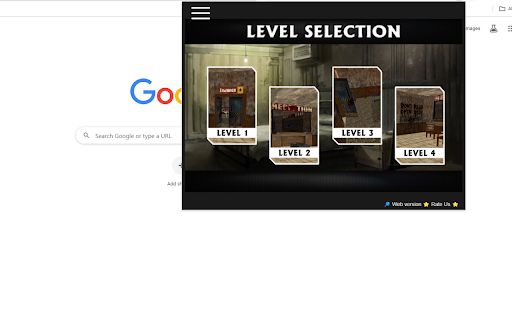
Play Granny Unblocked as a Chrome extension - Try it now! Granny Unblocked plunges players into a nightmarish escape scenario. This horror game challenges you to navigate through a decrepit house, solving puzzles, avoiding Granny’s pursuit, and uncovering the secrets that shroud your captivity. Game Controls Master the controls to survive Granny’s sinister presence: Swipe or Arrow Keys: Navigate through the house silently. Tap or Click: Interact with objects, pick up items, and solve puzzles. How to Play Escape Granny’s Clutches: Stealthily move through the house to avoid Granny and her traps. Solve Puzzles: Uncover clues and solve puzzles to progress through the eerie house. Collect Items: Gather essential items to aid your escape, but be cautious not to make noise. Survive Multiple Days: Endure Granny’s pursuit for multiple days, each growing progressively challenging. Play more game on the top-left menu. Play on website by clicking on web version button.

Snow Rider 3D Unblocked
Play Snow Rider 3D Unblocked as a Chrome extension - Get ready for an exhilarating ride! Jump straight into the fun with Snow Rider 3D Unblocked, now available through the Chrome Web Store so you can play effortlessly at school or anywhere else. This extension lets you access the popular snow-boarding arcade runner instantly, even on networks that normally block gaming sites. Whether you’ve looked for snow rider 3d unblocked 66 or 67, snow rider 3d unblocked games, or versions for Google classroom, this extension brings them all together in one easy click; no setup needed. Designed for classrooms and restricted networks, our optimized launcher works seamlessly with snow rider 3d unblocked classroom and classroom 6x,. Powered by lightweight, fast-loading tech, it functions similarly to github io builds, 66 ez, freezenova, Google Sites, and html5 mobile world playgrounds, without needing to visit any external pages. Prefer fullscreen gameplay? This extension includes direct, uninterrupted snow rider 3d unblocked 66 full screen style access so you can enjoy smooth performance whether you’re using a Chromebook, desktop, or school device. Perfect for quick breaks, classroom downtime, math periods using platforms like hooda math, or anyone who wants easy access to their favorite runner game. 🚀 Instant play, even on restricted networks 🏂 Works with classroom environments like Google classroom and at school games 🔒 No external site visits required: stable, secure, and fast 🖥️ Built-in fullscreen mode for immersive gameplay 🕹️ Supports all major unblocked mirrors: 67 games, 76 games, 66 games, 6x, github io, freezenova, Google sites, 6x ez, and more Q: Where to play Snow Rider 3D unblocked for school? A: Right here! Install the extension and launch it from your browser—no blocked URLs, no hassle. Q: Does this work on school Chromebooks? A: Yes. It is designed for at school games environments and works through the Chrome Web Store launcher. Q: How to play Snow Rider 3D unblocked? A: Click the icon in the toolbar → Press “Play” → Enjoy fullscreen, fast HTML5 gameplay.

Stickman for Chrome
Play Free Stickman for Chrome as a Chrome extension - Also can Play without Internet, try it now!! Introducing Stickman for Chrome! 🕹️🏌️♂️It is a free game. Click to Swing your way through the Stickman adventure in this exciting Chrome extension game! 🚀 Unleash your precision and timing as you control Stickman's epic swings with just a click. 🖱️💨 Master the art of swinging and navigate through challenging obstacles. How far can you go? Test your skills and challenge your friends in Stickman for Chrome! 🌟👾 Let the swinging fun begin!

Helix Fruit Jump Arcade Game
Play Helix Fruit Jump Arcade Game as a Chrome extension - Also can Play without Internet, try it now! Helix Fruit Jump is a casual arcade game where you control a ball that bounces through a platform made of fruit and cake slices. The goal is to reach the bottom of the platform without falling into the gaps or touching the blue areas. The game is played with the mouse. To move the ball, click and drag the mouse left or right. The ball will bounce off the walls of the platform. Be careful not to fall into the gaps or touch the blue areas, or you will lose the game. Try to stay in the center of the platform as much as possible. Be careful not to bounce too high, or you might fall into a gap. Use the blue areas to your advantage. They can help you bounce to higher platforms. - Play others games on the top-left menu

Duck Clicker
Duck Clicker - Chrome Extension Welcome to the whimsical world of Duck Clicker Game, where fun and laughter await at every click! This delightful extension invites you to embark on a quirky adventure, where your goal is to click on adorable ducks to earn coins and unlock exciting upgrades. With each click, you’ll watch your duck population grow and your coins multiply, making every moment rewarding. The charming graphics and engaging gameplay create a lighthearted atmosphere that keeps you entertained for hours. Upgrade your ducks and discover various new species as you progress, each with its own unique abilities. The simple yet addictive mechanics make this game perfect for players of all ages, whether you’re looking for a quick distraction or a lengthy gaming session. Are you ready to become the ultimate duck tycoon? Download the Duck Clicker Game extension now and start your quacking adventure today! Note: If you want to find more games, we have a link for quick access to our website. Have fun!
