
okbncahhjihmnjpiadepoioodfnfanjk
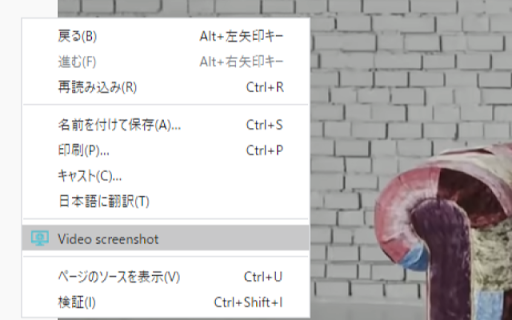
Take screenshots of videos such as YouTube and other video sites

SponsorBlock for YouTube - Skip Sponsorships
Skip sponsorships, subscription begging and more on YouTube videos. Report sponsors on videos you watch to save others' time. SponsorBlock lets you skip over sponsors, intros, outros, subscription reminders, and other annoying parts of YouTube videos. SponsorBlock is a crowdsourced browser extension that lets anyone submit the start and end times of sponsored segments and other segments of YouTube videos. Once one person submits this information, everyone else with this extension will skip right over the sponsored segment. You can also skip over non music sections of music videos. This is open source and the entire database is public. Access your data for youtube.com, www.youtube-nocookie.com: - Used to modify the YouTube webpage "Authentication Information": When you install the extension, it will generate a random "userID" that is used when submitting or voting. This allows you to appear on the leaderboard and helps determine reputation of submissions. With this extension, you will automatically skip YouTube sponsors.

ReClipped: YouTube Notes & Screenshots
Take timestamped notes and screenshots from videos on YouTube and many other platforms 🚀🚀🚀 Harness the full potential of videos to learn, to analyse, and to improve ❤️❤️❤️ Loved by Students, Teachers and Professionals around the globe 📝 Learn from online videos Take timestamped notes, screenshots and transcripts (YouTube only) from videos on large number of online platforms to elevate your productivity and enhance your knowledge retention. Now, you can just highlight the transcripts to generate video segments and create a video summary or slideshow from your clips. 🔎 Analyse and review videos Analyse own videos for skill improvement, or provide specific and actionable feedback, or share important moments with the team members. Keep the conversations on videos private, contextual and reference-able 📌 Tag, search, color code and organise ReClipped gives you the power to organise and connect the knowledge in your own ways. Search not just videos but specific snippets in them, use colored markers to visually code the importance and collect similar ideas in one Board 🤝 Export notes as PDF/Markdown or Sync to your favourite productivity apps Simply export notes in a pdf or markdown formats or Connect ReClipped with your favourite note-taking and productivity apps such as Obsidian, Evernote, Notion, Readwise. So that your video notes automatically sync into the productivity system of your choice. 🤷 CANNOT INSTALL THE BROWSER EXTENSION? NO PROBLEM Use the ReClipped web app at reclipped.com. This method works for web browsers on Desktop as well as Mobile 💻 📱 1️⃣ Copy the share link of the video 2️⃣ Log on to reclipped.com and click on Add Video 3️⃣ Paste the share link 4️⃣ Start taking notes ⭐⭐⭐⭐⭐ Please rate us on the webstore and leave your comments, ideas & feedback to help us make ReClipped the best productivity tool for all things related to videos

Screenshot for Youtube & Other Video Services
Take a screenshot of any YouTube & other video services video with one click. Want to take a screenshot of the video playing when you're on Youtube/Vimeo? You can do so today when you install this extension. This software allows you to take a screenshot of the Youtube video/Vimeo video which is on your current tab. As the screenshot functionality needs to work on both Youtube.com and Vimeo.com, that is why the host permissions is needed for both of these domains. Take a screenshot of your favorite videos today which are playing. Its extremely simple to use. After you install the software, refresh any current tabs which were open before. When you wish to take a screenshot, click on the screenshot button/icon which is located at the bottom right corner of the Youtube video screen. Please note this extension is made by an independent developer and is NOT an official extension of Google/Vimeo. We hope you enjoy using this software to take screenshots of your favorite epic youtube videos.

Youtube-shorts block
Play the Youtube shorts video as if it were a normal video. A extension allows youtube shorts videos to play on a regular page. Features - Redirect shorts - Hide "shorts" tab - Hide shorts - Extended GUI for shorts player *** "Hide shorts video" is now enabled by default!!!! If you don't want to do that, please disable in option page! *** The UI of Youtube-shorts is not very well optimized for PCs and has poor functionality. This extension aims to improve the user experience by displaying short videos in the regular video player. ...utube.com/shorts/"video-id" ↓↓ ...utube.com/watch?v="video-id" Change the URL to something like. v1.5.5 features - Fix: Extension Breaks YouTube's New Replies UI #64 v1.5.2 features # Changed - Fix block the entire News(and other) page v1.5.1 features # Changed - Fix where opening in a new tab redirected to the wrong video v1.5.0 features # Changed - refactoring codebase - Fixed an issue where the hide shorts feature might not work depending on the environment (specifications). - Fixed the "open in new tab" feature on the shorts screen. - Updated to comply with YouTube's latest specifications (blocking ytd-rich-shelf-renderer). v1.4.2 features # Added - Russian translation from @jooblex # Changed - Support for Youtube specification changes v1.4.1 features # Added - German translation from @golgorath # Changed - Support new subscription page(Hide shorts video) v1.3.1 features # Changed - Fixed a bug that redirected links that were not short videos containing the string "shorts" v1.3.0 features # Added - Added "Open in regular player" button in the Shorts player - Block Shorts-related feeds (if Hide shorts video is enabled) - Add a Release notes # Changed - Fixed the problem that the load spinner does not disappear when "Hide Shorts video" is selected - Optimize "hide shorts video" v1.5.4 features - Additional selector for Shorts shelf elements by @HardyHeron2008 in #62 - Fix timing issue for richShelfFilter by @seporterfield in #63
