
ojeklbemjjglhffombiogeabanjkofhl
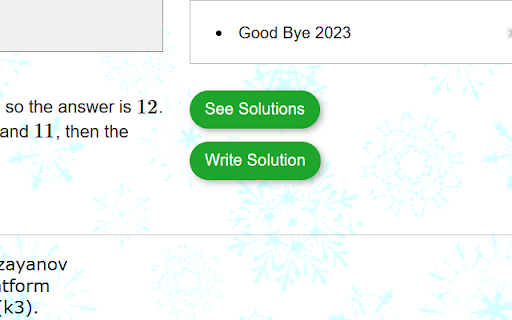
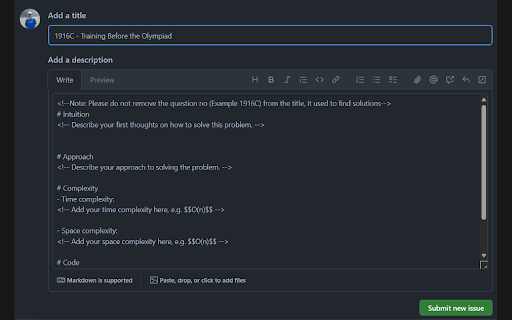

Want to post your solution and read others solution like in LeetCode? This extension is all you need. Have you ever felt the need of solutions features in codeforces like we have in leetcode? This extension is all you need. * You can post your own solution. * You can read others best rated solution. * Comment on others solution. * Get Solution right after contest ends. How to use it? * After installing it, it will place two buttons on every codeforces problem page. One for "see solutions" and other "write solution". * If you are stuck in a problem and you want to see the best solution, click on "see solution" and it would take you to the solution which is there in github issues. * If you want to post your solution (please do so), click on "write solution", it would take you to github with new issue tab, template would be already provided to you. Just paste your solution there and put some explanation and thus help others. Privacy Don't worry, it will only access codeforces website, also extension code is open source. Hope you enjoy it.

Codeforces Ratings
A browser extension used to know your friends' ratings on Codeforces Stay on top of your competitive programming game with the Codeforces Rating Extension! This powerful tool allows you to monitor your and your friends' current and maximum ratings on Codeforces without the need to visit the website. ->Instant Rating: Easily check your current and maximum ratings on Codeforces at any time. ->Friend Tracking: Add friends by simply entering their Codeforces username and track their ratings effortlessly. Whether you’re a seasoned competitive programmer or just starting out, this extension is designed to help you track progress, set goals, and enhance your competitive programming skills. Stay connected, stay informed, and stay ahead with the Codeforces Rating Tracker Extension! Note: When any contest is going on, we are unable to fetch data so extension might not work at that time.

Competitive Companion
Parses competitive programming problems and sends them to various tools like CP Editor and CPH. Competitive Companion parses competitive programming problems and contests and sends the parsed data to various tools like CP Editor and CPH. At the moment it supports 117 online judges, including most major ones like AtCoder and Codeforces. Using it is very simple. Just install the extension, make sure you got one of the supported tools open, navigate to a problem page and click on the green plus icon in the top-left of your browser. On websites where Competitive Companion is able to parse contests, navigating to the page with all the problems and clicking on the green plus icon will download and parse all problems in the contest at once. You can also use the Ctrl+Shift+U shortcut instead of the green plus icon (configurable on chrome://extensions/shortcuts).

Codeforces Notes
Codeforces Notes allows you to take notes on the problem page. You can take notes while solving the problem, or after you’ve solved it. Simple, but powerful! - The idea: Writing “what you learned” once you’ve solved a problem helps you retain the learnings for a long time. This method of practice is used by countless competitive programmers. - Notes are safe: The notes are attached to your email address, this allows them to be retained across machines and codeforces accounts. - “Export to CSV” will be added ASAP. - “All notes” option on your codeforces profile page

CF Analytics
CF Analytics Chrome extension improves the Codeforces profile webpage to include statistics of problems solved by the user. The ‘Problem Rating’ graph is a bar chart showing problems solved for each problem rating. The ‘Tags Solved’ graph is a doughnut chart displaying tags solved across any problem and also lists a count for each tag. The ‘Unsolved Problems’ shows a count of all problems attempted with not correct verdict and also lists them. The extension communicates only with the Codeforces API and runs entirely on the browser.
