
ojdilldnionjonggnjekmnjaaofkpcje

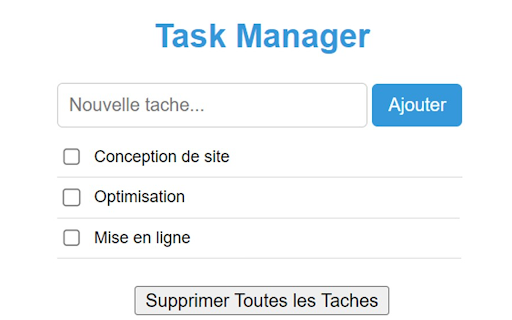
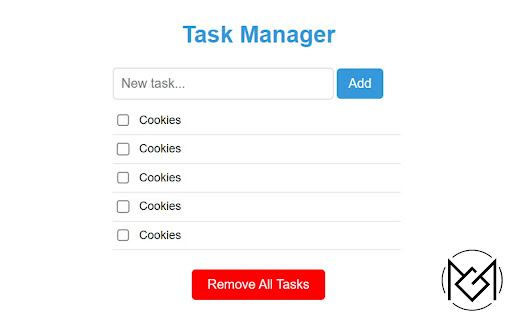
An extension to manage tasks and improve productivity. ✅ Découvrez la Révolution de la Gestion des Tâches avec l'Extension Task Manager 🚀 Plongez dans une nouvelle ère de gestion des tâches et d'optimisation de la productivité avec notre extension exceptionnelle, Task Manager. ➡️ Dépassez vos Limites : Libérez tout votre potentiel en adoptant l'extension Task Manager, conçue pour amplifier votre productivité de manière exceptionnelle. Transformez chaque journée en une symphonie de réussites en optimisant la gestion de vos tâches. ➡️ Finissez avec le Chaos des Tâches Non Gérées : L'extension Task Manager vous aide à garder le contrôle et à éviter l'accumulation paralysante. Votre vision reste claire, votre attention sans faille, et vos objectifs toujours à portée de main. Thanks you ! ❤️

Get Google Tag Manager Size
What does this extension do? This extension provides complete… What does this extension do? This extension provides complete real-time monitoring of Google Tag Manager containers in your browser. Much more than just showing the size in KB, it delivers deep and detailed analysis of how GTM is impacting your website's performance. Key Features Smart Monitoring The extension automatically detects all GTM containers on the page, showing exact size in KB and percentage of Google's 200KB limit. Works with both official implementations and custom proxies, providing accurate data on compression and loading times. Detailed Tag Analysis Goes beyond basic numbers by categorizing all tags by type - Google Analytics, advertising, social media, custom tags and more. You can see exactly how many tags of each category are active and how they're distributed in your container. Performance Metrics Measures individual loading time for each container and total impact on page performance. Color-coded visual indicators (green/yellow/red) instantly show whether your container is within recommended parameters. Modern Interface Uses Chrome's modern side panel with dark/light theme support, intelligent caching for fast data access, and real-time updates without needing to reload the page. Who is it ideal for? Digital Marketing Professionals can monitor tag implementations and identify potential container bloat. Web Developers can optimize GTM's impact on site speed. SEO Specialists can ensure GTM doesn't hurt performance. Analytics Teams have a complete tool for implementation auditing. The difference This isn't just an extension that shows sizes - it's a professional analysis tool that provides detailed insights into the structure, performance, and optimization of your GTM containers, all in an elegant and user-friendly interface.RetryClaude can make mistakes. Please double-check responses.

Crawler SEO Gtool Projects
A crawler to technically and semantically analyze your websites 🤖 Discover Our Extension : A Crawler to Analyze Your Websites Technically and Semantically 🚀 Transform your web presence with our game-changing plugin, “A Crawler to Technically and Semantically Analyze Your Websites” ! This ultimate tool is designed for anyone serious about supercharging their website’s performance and optimization. Whether you’re a web developer, an SEO specialist, or a dedicated website owner, our extension empowers you to pinpoint areas needing improvement and elevate your online presence to new heights. ➡️ Dive deep into your site’s structure, loading speed, HTML tags, and much more. ➡️ Uncover hidden issues affecting your site’s technical health. ➡️ Evaluate the quality of your content, keyword density, and the semantic optimization of your pages. ➡️ Ensure your content aligns perfectly with search engine expectations. ➡️ Receive comprehensive and insightful reports on both the technical and semantic aspects of your site. ➡️ Benefit from actionable insights that guide you in making effective optimizations. ➡️ Experience an easy-to-use, friendly, and clear interface designed for seamless navigation and operation. ➡️ Focus on what matters without getting bogged down by complexity. Benefits: ➡️ Identify and correct technical and semantic issues to significantly boost your SEO rankings. ➡️ Stay ahead of the competition by ensuring your site is optimized for search engines. ➡️ Guarantee your site is performing at its peak, providing an unparalleled user experience. ➡️ Reduce bounce rates and increase visitor retention with a well-optimized site. ➡️ Optimize your content to ensure it’s relevant, well-structured, and engaging, thereby attracting more visitors. ➡️ Enhance your site’s credibility and authority with high-quality, well-optimized content. Harness the power of our “A Crawler to Technically and Semantically Analyze Your Websites” plugin today and give your website the competitive edge it needs to stand out in search results. Don’t settle for mediocrity when excellence is just a click away. Try it now and transform your web presence with unparalleled ease and efficiency ! Thanks you ! ❤️

Balises Hn Check Reviews, Filtering ✅
Transform Your Browsing Experience with the Hn Tag Highlighter Extension The Hn Tag Highlighter is a powerful Google Chrome extension designed to fundamentally improve the way you analyze and understand the structure of web pages. Whether you are a developer, SEO specialist, designer, content strategist, or simply someone who wants a clearer view of how content is organized online, this extension gives you instant structural visibility with precision and simplicity. Headings are the backbone of web content. H1, H2, H3, H4, H5, and H6 tags define hierarchy, structure, semantic clarity, and accessibility. They guide both users and search engines through the logical flow of information. Yet identifying and analyzing them often requires inspecting source code or manually scanning layouts. The Hn Tag Highlighter eliminates that friction by instantly revealing heading tags directly on the page. Instead of digging through HTML or using developer tools, you get immediate visual feedback that highlights each heading level clearly and consistently. This allows you to understand content hierarchy in seconds. Instant Hn Tag Highlighting The extension automatically detects and highlights all H1, H2, H3, H4, H5, and H6 tags present on a webpage. Each heading is visually emphasized in bright yellow, ensuring it stands out clearly from the rest of the content. This immediate visibility allows you to analyze structure without switching tabs or opening source code. Clear and Distinct Tag Identification Every highlighted heading includes a clear label indicating its tag type (H1, H2, H3, and so on). This eliminates ambiguity and allows for rapid differentiation between levels. You can instantly assess whether a page respects structural hierarchy best practices or if improvements are needed. Simple and Intuitive Operation The extension is designed for efficiency. With a single click on the Chrome toolbar icon, you can activate or deactivate the highlighting feature. This toggle functionality allows you to seamlessly switch between analysis mode and normal browsing mode without disrupting your workflow. Search engine optimization and semantic clarity Content hierarchy and logical flow Accessibility for screen readers User experience and readability Technical audits and content quality checks A well-structured heading system improves crawlability, comprehension, and engagement. Conversely, poorly structured headings can harm both user experience and SEO performance. The Hn Tag Highlighter provides an immediate visual audit of these elements, allowing you to identify issues such as: Designed for Professionals For Web Developers The extension allows developers to quickly assess structural integrity without manually inspecting HTML. It significantly reduces the time required for audits, debugging, or structural validation. Instead of searching through source code, you see the hierarchy directly on the rendered page. For Designers Designers can instantly visualize content hierarchy, making it easier to evaluate layout logic and visual balance. Understanding heading distribution helps refine spacing, typography, and section flow. For SEO Specialists SEO professionals can immediately verify whether heading usage aligns with best practices. Structural clarity is a key ranking factor, and being able to audit it visually enhances both speed and accuracy. For Content Creators and Editors Writers and editors can evaluate how their content is structured once published. This ensures that key sections are properly emphasized and that the content hierarchy supports readability and navigation. Enhance Your Reading and Analysis Experience Beyond professional use cases, the extension improves everyday browsing. When reading long articles, blog posts, or technical documentation, you can quickly identify major sections and subsections. This enhances comprehension and makes navigation through complex content far more efficient. Instead of scrolling aimlessly, you immediately understand the structure and importance of each section. Lightweight and Efficient The Hn Tag Highlighter is optimized for performance. It runs directly in your browser and applies visual highlighting without significantly impacting page speed or responsiveness. The clean interface ensures that the added labels remain clear without overwhelming the page design. Privacy and Permissions The extension requires permission to access the content of the websites you visit in order to detect and highlight heading tags. This access is strictly necessary for functionality. The analysis is performed locally within your browser environment. Upgrade the Way You Analyze the Web Stop manually scanning source code to understand page structure. The Hn Tag Highlighter provides instant structural clarity with a single click. It streamlines audits, improves efficiency, and enhances your understanding of web content architecture. Install the Hn Tag Highlighter now and transform the way you navigate, analyze, and structure web content. Thank you. Transformez votre expérience de navigation avec l’extension Hn Tag Highlighter Hn Tag Highlighter est une extension Google Chrome conçue pour améliorer radicalement votre manière d’analyser la structure des pages web. Que vous soyez développeur, spécialiste SEO, designer, rédacteur ou simplement curieux de comprendre l’organisation d’un site, cette extension vous offre une visibilité immédiate et précise sur la hiérarchie des contenus. Les balises H1, H2, H3, H4, H5 et H6 constituent l’ossature d’une page web. Elles définissent la hiérarchie, la logique de lecture, la sémantique et l’accessibilité. Pourtant, leur analyse nécessite souvent l’inspection du code source ou l’utilisation d’outils développeur. Hn Tag Highlighter simplifie totalement ce processus en mettant en évidence ces balises directement sur la page. Activation et désactivation en un clic Un simple clic sur l’icône de l’extension permet d’activer ou de désactiver l’affichage. Vous passez instantanément du mode navigation classique au mode analyse structurelle. Une mauvaise hiérarchie peut nuire à la lisibilité et aux performances SEO. Grâce à cette extension, vous identifiez immédiatement les erreurs structurelles telles que des niveaux sautés, des H1 multiples ou une organisation incohérente. Développeurs Analysez la structure d’une page sans parcourir le code source. Designers Visualisez instantanément la hiérarchie pour ajuster la mise en page et l’équilibre visuel. L’extension fonctionne directement dans votre navigateur et applique les surlignages sans ralentir la navigation. Elle nécessite l’accès aux pages visitées afin de détecter les balises Hn. L’analyse s’effectue localement dans l’environnement du navigateur.

DevBooster - Your AI Coding Buddy
Use DevBooster as your coding buddy: grab any code online, let AI tweak it, and seamlessly integrate it into your project. Have a piece of code you want to use but aren’t sure if it’ll work for your project? With DevBooster, your AI coding buddy, you can grab any code snippet from the web, and let AI help you make it work perfectly for your needs. DevBooster is a free and easy-to-use browser extension that offers real-time support to validate, optimize, and customize code without needing advanced technical knowledge. Perfect for junior developers, self-learners, and coding enthusiasts, DevBooster is here to make coding smoother and more accessible. With DevBooster, you can: ✅ Validate Code — Quickly check for errors and ensure the code is solid. 🔄 Optimize Performance — Get AI-driven suggestions to make your code run efficiently. 🌐 Translate Between Languages — Seamlessly convert code snippets from one language to another. 📄 Auto-Document Code — Generate clear, easy-to-read documentation for any code. 📘 Access Sample Code — Discover best practices and examples tailored to your needs. Unlock Advanced Features: While the free version of DevBooster is packed with robust functionality, the paid Pro and Ultimate plans are available for users seeking advanced features such as AI Code Composition, reusable code templates, and enhanced customization tools. These premium options are designed to empower developers who need additional flexibility and power for their projects. Start coding with confidence and take your development to the next level—DevBooster has you covered, from grabbing code to making it shine. No sign-up needed, just install and start coding better today!
