
oilacejfpoonhegdhlhklckannjhmdgk
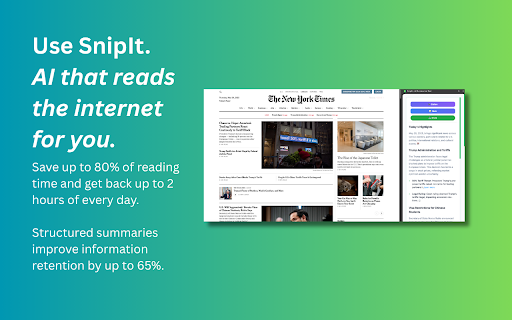


Automatically summarize articles, blogs, emails, and YouTube videos instantly with AI. SnipIt – AI That Reads the Internet for You SnipIt is your AI reading assistant and productivity browser extension. It helps you read faster, learn smarter, and save time on web content—right from your browser’s sidebar. – AI Summarizer – Instantly generate concise summaries of web pages, articles, research papers, and emails. – PDF Summaries – Instantly generate concise summaries of PDFs. – YouTube Video Summary – Quickly extract key points from videos without watching them in full. – Text-to-Speech (TTS) – Listen to summaries for multitasking or accessibility support. – Quiz Mode & Flashcards – Reinforce learning with AI-generated quizzes and study tools. – Multi-Language Support – Summarize content in your preferred language. – Explain Like I’m 5 – Get simplified explanations for complex topics. – Easy Sharing – Share summaries via email, social media, or copy with one click. – Personal Stats – Track summaries created and time saved. – Accessibility First – Designed for inclusivity with TTS and simplified content features. – Boost Productivity – Learn more in less time and improve content retention. – 30 Monthly Summaries – Basic AI Summarization for web pages, research, and emails – Language Selection for multilingual users – Usage Stats and History – Getting Started Guide with step-by-step onboarding Pro Features (Upgrade for Full Access) – Unlimited Summaries – PDF Summaries – Faster AI Processing – Smarter, More Contextual Summarization – Advanced Text-to-Speech Functionality – AI-Generated Quiz Mode & Flashcards – Priority Customer Support and Early Access to New Features – Click the SnipIt icon in your browser to launch the sidebar. – Select "Summarize This Page" to generate instant insights. – Customize results with language options, TTS, and simplified explanations. – Learn, review, and share—all from one tool. Ideal For – Students & Researchers – Summarize academic content and enhance learning. – Professionals – Process reports, emails, and news more efficiently. – Lifelong Learners – Stay informed and improve comprehension. – Anyone Reading Online – Save time and retain more from digital content.

TLDR - Summarize webpages, YouTube videos and PDFs instantly
Summarize webpages, YouTube videos and PDFs instantly Quickly understand any YouTube video, webpages and PDFs - with instant summaries. Works with content in 40 languages, automatically translated for you. • Zip through long articles in seconds - get the good stuff without the fluff • See the important moments in YouTube videos at a glance, skip the rest • Get through lengthy PDFs fast - get key insights from documents and research papers • Break language barriers - understand any content in your preferred language • No tab-switching headaches - everything appears in a sleek sidebar • Stay informed without getting overwhelmed Try TLDR for free! If you love it, continue with a small monthly subscription that you can cancel anytime. Ready to save hours of your time? Install now and see the difference!

keyNote - web, PDF & youtube AI summary
Summarize webpage, youtube and PDF with 8 AI bots e.g ChatGPT, Copilot, Gemini,Claude. Create mindmap & highlights. Export to notion 🪄 Summarize webpage, Youtube and PDF using 8 AI Bots e.g ChatGPT, Claude, Gemini. 📢 Top Features ✪ Summarize webpage, Youtube and PDF by using 8 AI bots ✪ Webpage Summary, Mindmap & Highlight ✪ Free and unlimited usage. (no feature behind Paywall) ✪ No Signup required ✪ Don't ask permission: "Read and change all your data on all websites" ✪ Summarized content is editable. Edit content in markdown format before export. ✪ Live preview markdown editor with syntax highlight ✪ Copy or download summarized content ✪ Export summarized content to notion, Obsidian ✪ Lightweight 100KB only ✪ No tracking & no Ads. ✅ Summary, mindMap and highlight with 8 AI Bots keyNote is a free Chrome Extension that lets you quickly access the summary of the YouTube videos you are watching or any articles with 8 AI Bots. Use this extension to save time and learn quickly. 8 AI Bots: The ultimate tool for easy and efficient web page summarization! With just a few clicks, you can now summarize any web page, Youtube video or PDF document . ✅ Auto Organize notes keyNote auto-organizes your saved summarized content in 3 different ways: 1. Domain-wise 2. Date-wise 3. Folder-wise -> Unlimited sub-folders Right-click on extension's icon then click on "noteboard" icon to open noteboard ℹ️ Support For contact, Please mail us on 📧 noterailhelp@gmail.com Join keyNote on Google Groups: https://groups.google.com/g/keynote You can change side panel position from settings -> appearance ⚠️ This extension is still in beta

Summarize: AI-Powered Text Summary Tool
Instantly summarize any webpage with a sleek, modern AI tool. Get concise summaries in seconds and even listen to them! Unlock the power of AI with our cutting-edge Chrome Extension Webpage Text Summarizer. Using advanced large language models (LLMs) like ChatGPT, our extension effortlessly transforms long and complex web content into concise, readable summaries. Whether you're a student, professional, or just someone who loves to stay informed, our summarizer will save you time and enhance your productivity. * AI-Powered Summarization: Leverage the power of AI to generate accurate and coherent summaries of any webpage content. * Large Language Models: Utilizes state-of-the-art LLMs, including ChatGPT, to ensure high-quality text summarization. * User-Friendly Interface: Easy to use with a clean, intuitive interface designed for a seamless user experience. * Versatile Usage: Ideal for summarizing articles, research papers, news stories, blogs, and more. * Customizable Settings: Adjust summarization length and other parameters to suit your specific needs. Efficiency: Save time by quickly understanding the main points of lengthy articles and documents. Accuracy: Depend on AI and ML technologies to deliver precise summaries that capture the essence of the original text. Convenience: Summarize text with just a few clicks directly from your Chrome browser. Innovation: Stay ahead with a tool that uses the latest advancements in AI and machine learning. Perfect For: Students and Researchers: Quickly summarize academic papers and research articles. Professionals: Digest lengthy reports and industry news faster. Content Creators: Extract key information for content curation and creation. Avid Readers: Stay updated with quick summaries of your favorite blogs and news sites. Install the Extension: Add the Webpage Text Summarizer to your Chrome browser. Navigate to Any Webpage: Open the webpage you want to summarize. Click to Summarize: Click the extension icon and let the AI do the rest. Read Your Summary: Instantly receive a concise summary that highlights the main points. Transform how you read and digest web content with our Chrome Extension Webpage Text Summarizer. Experience the future of text summarization with AI and LLM technology today. Install now and start summarizing smarter!

Daily Intel Extension
Daily Intel – the smarter queue, reader, and research assistant (with YouTube super-powers) A modern Pocket alternative for articles • PDFs • videos Turn every link you save—web page, scholarly PDF, or YouTube video—into an organised, searchable library, while surfacing bite-size takeaways whenever you’re short on time. • Smart Queue, not a static list Everything you capture is auto-ranked by freshness, length, and your interests, so the most relevant pieces greet you first. • Quick Peek Grabs the two-sentence gist, key facts, and next-step actions before you commit to reading—or watching. • “Must-Read” Alerts When nuance matters, Daily Intel flags the item so you know it deserves a full read instead of a skim. • YouTube Insight Mode – Full transcript, auto-timestamps, and an instant highlight reel – Topic tags for one-click navigation to the part you need – Video + transcript stored alongside your articles and PDFs • One-tap Pocket import Bring your entire backlog with you before Pocket shuts down. Core workflow 1. Save anything—article, PDF, newsletter, YouTube link—with one click. 2. Smart Queue shows you the 3–5 items that matter now. 3. Quick Peek or Deep-Dive—skim, archive, or open for richer insights. 4. Daily Digest sends an overnight digest of saved content. • Cross-device sync with a full web dashboard at DailyIntel.co • Privacy-first: original content is processed securely, and can never be sold Install Daily Intel and experience a calmer, smarter way to stay informed and build a personal research library—no endless scrolling, no guilt-inducing backlog. Your reading—and watching—prioritised, distilled, and always under your control.
