
oibbmficmjolhikcolbbioeahogjmlce
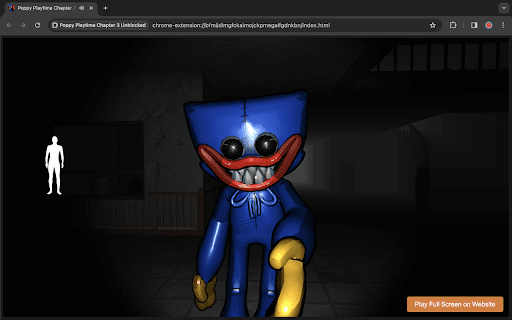
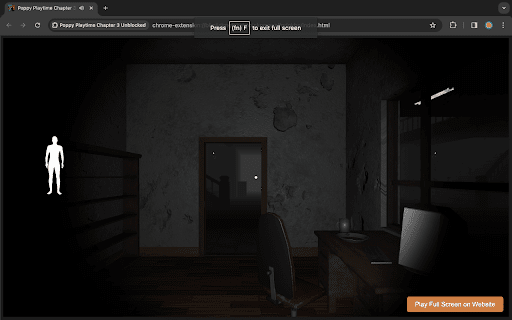

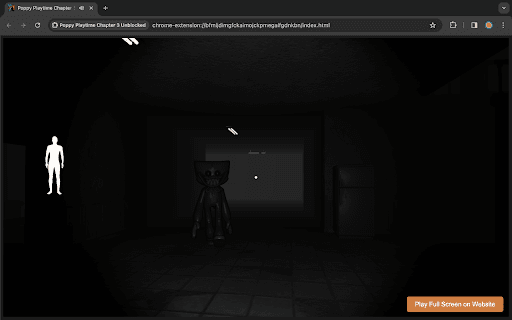

Explore the haunted world of Huggy Wuggy in Poppy Playtime Chapter 3. Outsmart the sinister toy and escape its grasp! Prepare yourself for the thrilling conclusion to the Poppy Playtime saga with Chapter 3: Huggy Wuggy. Delve deeper into the twisted world of Playtime Co. as you uncover the dark secrets hidden within its walls. In this heart-pounding installment, players will once again step into the shoes of [Main Character], who is determined to confront the malevolent force behind the haunting toys of Playtime Co. Armed with only your wits and a handful of makeshift tools, you must navigate through treacherous corridors and solve intricate puzzles to unravel the mysteries that lie ahead. But beware, for the malevolent Poppy Playtime dolls are more cunning and relentless than ever before. Prepare to face new challenges and adversaries as you inch closer to the heart of the factory. Will you uncover the truth behind Poppy's sinister designs, or will you become just another plaything in her twisted game? Immerse yourself in a chilling atmosphere brought to life by stunning visuals and spine-tingling sound design. Explore meticulously crafted environments filled with secrets waiting to be unearthed. With each step forward, the tension mounts, leading to a climactic showdown that will test your courage and determination. Poppy Playtime Chapter 3: The Final Showdown is a gripping conclusion to an unforgettable horror experience. Are you ready to confront your fears and discover the truth lurking within the shadows? The fate of Playtime Co. rests in your hands. HOW TO PLAY You can play with W-A-S-D, arrow keys and mouse or trackpad. HOW TO INSTALL Click download this Extension using the "Add to Chrome" button. Once the game has finished loading, simply select the "Extensions Icon" button. After clicking this, you'll be directed to the playground area, where the game "Poppy Playtime Chapter 3 - Huggy Wuggy" will launch automatically. All that's left is to press the play button and start enjoying the game.

Five Nights at Freddy's Unblocked Game
Play Five Nights at Freddy's unblocked game on chrome. FNaF 1 online game. Created for FNaF unblocked fans. Five Nights at Freddy's (FNAF) is a survival horror video game series created by Scott Cawthon. The games take place in a fictional pizza restaurant called Freddy Fazbear's Pizza, where a team of anthropomorphic animals, Freddy Fazbear, Bonnie, Chica, and Foxy, entertain children during the day. However, at night, the animatronics become active and attempt to kill anyone in the building. The player takes on the role of a security guard working the night shift at the restaurant, and must use security cameras and limited power to survive the animatronics' attacks. The series has spawned several sequels and spin-offs, as well as merchandise and adaptations in other media. If you have any questions about our Five Nights at Freddy's game extension or just want to give us some feedback, feel free to send us a message or write a review! We'd love to hear from you. You can mouse over to Support tab on the extension, then click on "visit the developer's support site" to contact us. If you wish to remove this extension, follow this steps: 1. Click the 3-dot icon at the top-right corner of your screen. 2. Hover your mouse on More tools then click Extensions. 3. Find the FNaF game extension. 4. Press "Remove"

FNaF 3 Unblocked Game
Survive haunted animatronics in an eerie attraction, uncover secrets, and escape the nightmare in this tense FNaF 3 horror game. Get ready for a heart-pounding, spine-tingling experience like no other in "Five Nights at Freddy's 3"! The third installment of this iconic horror game series takes you back to Freddy Fazbear's Pizza, but this time, the terror is more intense, and the mysteries are even darker. You play as a brave night security guard tasked with surviving five horrifying nights in this abandoned and decaying establishment. Your only tools are a monitor system, limited power supply, and your wits. Can you survive the onslaught of vengeful animatronic monsters that lurk in the shadows? Phantom Animatronics: Beware of the eerie and ghostly appearances of the Phantom animatronics, who will jump-scare you when you least expect it. Keep your nerves steady as you try to fend them off while conserving your precious power. Springtrap: The nightmarish animatronic, Springtrap, is on the loose, and he's out for revenge. He's a cunning adversary, and you must use your skills to avoid his deadly traps while keeping an eye on him through the cameras. The Horror Attraction: Experience a brand new setting in the form of "Fazbear's Fright: The Horror Attraction." Traverse its eerie corridors and terrifying rooms, each harboring its own secrets and dangers. Minigames: Dive deeper into the lore of the Fazbear franchise by uncovering hidden mini-games that shed light on the dark history of Freddy Fazbear's Pizza. "Five Nights at Freddy's 3" pushes the boundaries of fear, immersing you in a nightmarish world filled with tension, anxiety, and terror. The game's chilling atmosphere, haunting soundtrack, and jump-scare moments will keep you on the edge of your seat. Can You Survive? As the story unravels and the horrors intensify, can you endure the relentless onslaught of the animatronics and survive until the morning light? "Five Nights at Freddy's 3" will test your nerves, your strategy, and your will to live. Can you conquer your fears and make it through the five nights? Get ready for a gaming experience that will haunt your dreams and challenge your courage. Face your fears and dive into the madness of "Five Nights at Freddy's 3." Can you survive the night? HOW TO PLAY You can play with mouse. HOW TO INSTALL Click download this Extension using the "Add to Chrome" button. Once the game has finished loading, simply select the "Extensions Icon" button. After clicking this, you'll be directed to the playground area, where the game "Five Nights at Freddy's 3 - FNAF 3" will launch automatically. All that's left is to press the play button and start enjoying the game.

Poppy Playtime Cursor ★ Custom Cursor for Chrome™
Browse with 100+ Poppy Playtime cursors Huggy Wuggy, Kissy Missy, Mommy Long Legs & more! Step into the eerie world of Playtime Co. and bring the toys to life on your screen! 🧸👁️ Enjoy over 100+ custom cursors featuring Huggy Wuggy, Kissy Missy, Mommy Long Legs, and more — all in vibrant, creepy, and playful designs inspired by the hit horror-puzzle game. 🧸 100+ Unique Cursors – Iconic characters, toys, and props from Poppy Playtime. ⭐ Favorites System – Save and switch your top cursors instantly. 📏 Adjustable Size – Resize your cursor between 16px and 128px. ⚡ One-Click Swap – Change cursors instantly with one click. 🔘 Toggle Button – Easily enable or disable anytime. 🚀 Lightweight & Fast – Smooth performance without lag. 🎮 Horror & Fun – Add a mix of scares and charm to your browser. 👾 Fan Favorites – From Huggy Wuggy to the latest toy monsters. 🖥️ Simple Interface – Easy navigation and quick access. 🎨 Fan-Made – Created by fans for fans of Poppy Playtime. 📌 Note: This extension is not affiliated with MOB Games or the official Poppy Playtime franchise. All content is fan-made and unofficial.

FNF Test | Friday Night Funkin'
Test your favorite FNF characters in a single extension, online! Choose one from Whitty, Agoti, Tricky and many more! The Friday Night Funkin' phenomenon is growing each day with new mods to play and discover. Like you may know, the majority of the mods are posted on GameBanana from where you can download them. Besides the official game and the mods, a new trend was rising - testing games. They are simple games where you can test your favorite character from Friday Night Funkin. One of the first creators of this sort of game is Bot Randomness and MadManToss with FNF Test Playground Remake. In this chrome extension, you can play 4 different FNF test games online with characters like Agoti, Garcello, Ruv, and Tricky. In each game you will find different animations and character states. Besides these 4 characters to choose from, the extension can be played in popup form or full-screen. If you like our FNF Test game collection, please don't forget to rate it. 1. There are any ads in the game? No. We don't have any ads in the Chrome extension. 2. It is free? Yes, the extension is free to use how much you want. No cost of installing or playing it. 3. How to start the game? Simple, just click or press one of the game from the top. Choose one between Agoti, Whitty, Ruv or Tricky. After that, the game will load. 4. I pressed outside the extension, and it closed. Yes, if you press outside the popup it will close the extension. To solve this, press the Full-screen button from the bottom of the popup. 5. This extension have viruses? No. All the Chrome extension are inspected.
