
ohhblkgfjjbjcaddddgooclkoeiiklgk
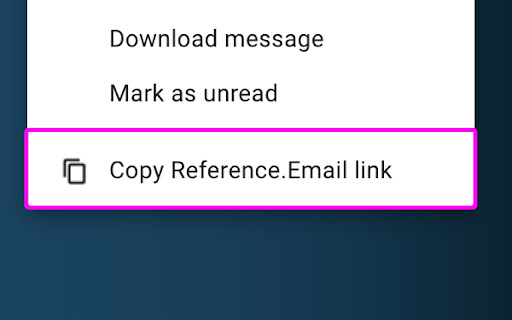

Reference.Email gives your emails a URL that all recipients can use to find that specific message. This extension adds a button in your Gmail messages' context menu to generate a search URL unique to this message and copy it to your clipboard. You can paste this link anywhere and give other recipients a breadcrumb to reference that specific email by. How? Using the "rfc822msgid" that each email has in its metadata. The Reference.Email link auto-searches for this value and surfaces the one message that matches.

Batch Cache
The Batch Cache allows you to organise your extensions in a neat dashboard. You can create lists for different use cases and edit the names of the lists and listed extensions. The next feature we added was the ability to append URLs. This is really helpful and saves time by taking a URL you are visiting and by clicking the extension and one of your saved sites you can open in a new tab and run the URL through a scan like a website page speed loading test as an example. Some use cases: Ahrefs Wayback Machine Google Page speed Insights and many more. This extension was designed to keep your browser clean and organised and to save you time. Enjoy using the Batch Cache. We dont capture any personal information, we do bookmark your saved URL addresses to your account for quick reference as is the nature of this extension.

Boss Hub | Card
Boss Hub Card | Your Business Card Generator Boss Hub | Card is a multi-user digital business card generator system that allows many users to create business cards containing a large amount of information that can be shared with clients. Create your business digital card with lots of information. Make Your Own Smart business Card with us and grow your business easily.

GPTPrompt
You can define your own prompts for GPT and use them in the browser. The "GPT Prompts" Chrome extension is your all-in-one content companion, designed to simplify your online experience, boost your creativity, and enhance your productivity. Whether you're a writer, researcher, or just a curious learner, this powerful tool is here to help you unlock the full potential of the web. With a single click, effortlessly condense lengthy articles and web content into concise and digestible summaries. Save time by quickly extracting the most important information. Effortless Explanations: Highlight any text on a web page, and "GPT Prompts" provides clear and easy-to-understand explanations. No more struggling to grasp complex concepts or jargon. Creative Content Generation: Stuck in a creative rut? Generate prompts and text variations to spark your imagination. Perfect for writers, bloggers, and content creators looking to expand their horizons. Enhanced Research: Seamlessly gather information from multiple sources while researching online. Transform articles into insightful snippets and organize your findings effortlessly. Tailored to Your Needs: Customize the extension to suit your preferences, whether it's fine-tuning summarization length or adjusting explanation styles. Make "GPT Prompts" work the way you want it to. Why Choose GPT Prompts: Efficiency: Save time by quickly summarizing and understanding content. Creativity: Overcome writer's block with creative prompts and text variations. Productivity: Streamline your research process and stay organized. Customization: Tailor the extension to your specific needs and workflow. Unlock the power of GPT-3 with "GPT Prompts" and revolutionize the way you consume, understand, and create content online. Whether you're a student, professional, or content enthusiast, this extension is your indispensable companion for a smarter and more creative web experience. Install "GPT Prompts" now and take your online journey to the next level!

TweakSync
TweakSync lets you style web elements in real-time from Chrome and sync changes with VS Code for a smooth development experience. TweakSync is a powerful tool designed for front-end developers and web designers who want to streamline their styling workflow. This Chrome extension enables real-time styling of web elements directly within Chrome, allowing you to see changes instantly as you tweak styles. Real-Time Styling: Easily select any element on a webpage and adjust its styles on the fly. With live previews, you can see the impact of your changes immediately, making the styling process more efficient and intuitive. Seamless Integration with VS Code: TweakSync syncs your style changes directly with your VS Code environment. This integration allows you to apply and save your CSS changes effortlessly, ensuring that your development process remains smooth and uninterrupted. Efficient Workflow: By bridging the gap between your browser and your code editor, TweakSync eliminates the need to switch back and forth between tools. This results in a more streamlined workflow, saving you time and effort. Boost Your Efficiency: Save time with instant style updates and seamless integration with VS Code. TweakSync helps you make changes faster and more accurately. Improve Your Design Process: Experience a smoother design workflow with live previews and direct synchronization between Chrome and VS Code. Streamline Your Development: Minimize context-switching and keep your development process focused with TweakSync is real-time styling and VS Code integration.
