
ogiicndknmineciifimlnpmoeknfegdm
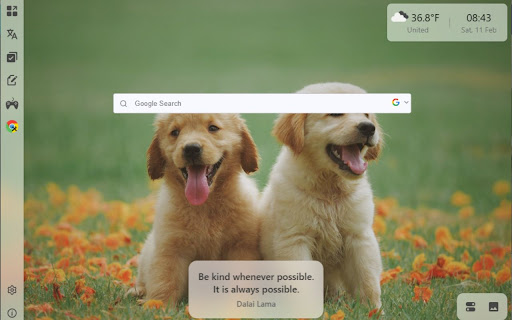
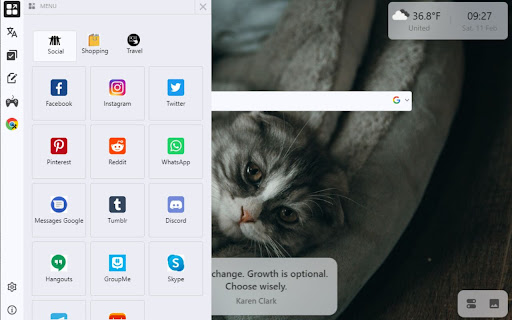

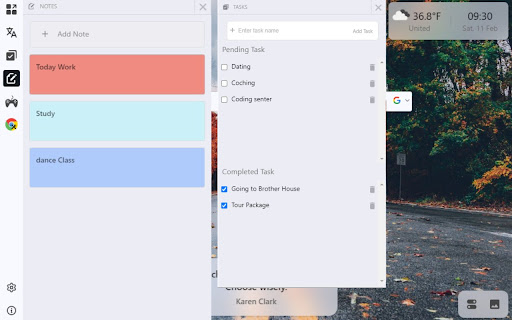
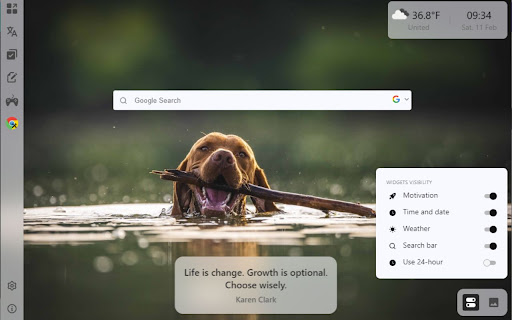
Apply a large collection of Free HD wallpapers in your Chrome and also change the default layout of chrome with Custom Tab Theme. Install a very amazing chrome extension where you have to just add whatever you want. All the wallpaper are unique, Good quality and open in every tab. Customize all things properly with the option in it. There is a collection of layouts in which you have to just select one i.e Your Favorite. you can also record your activity by using the to do list. and when if you feel bored you have to just open the game tab in which you see all the lists of the game You have to just click one game that is your favorite And boom your game will start soon In same tab. All the social, ecommerce and travelling site are available the the Menu tab. and you can also use translator for the better communication. 1. Every time Change Wallpaper when you click on New Tab. 2. Different - Different layouts. 3. Web Games. 4. Social Menu 5. Google translate 6. Tasks & To-Do list 7. Chrome Tools 8. Weather 9. Time & date 10. Motivation Quotes 11. Search Bar 12. Bookmarks, Etc. Note:- Some URL are affiliated URL, and user will not have any problem with this.

Chrome Custom Interface
Change your Google Chrome new tab interface logo and shortcuts. === Description === Chrome Custom Interface is a Google Chrome extension that allows you to personalize your new tab interface. With this extension, you can change the default Google Chrome logo on the new tab page to your own custom logo and add shortcuts to your favorite websites for quick access. Customize the background and text color to match your preferences. === Features === • Replace the default Google Chrome logo with your custom logo. • Customize the new tab interface with a logo of your choice. • Add and manage shortcuts to your favorite websites. • Import and export your shortcut data. • Quickly access your preferred websites directly from the new tab page. • Customize the background and text color to match your preferences. • Choose between uploading a logo image or providing a URL for the logo. • Simple and user-friendly interface for customization. === Installation === 1. Download the extension from the Chrome Web Store. 2. Click the "Add to Chrome" button to install the extension. 3. Once installed, the extension will appear in your Chrome extensions bar, if not then pin it. === Usage === To personalize your Chrome browsing experience, start by uploading your custom logo or specifying a logo URL via the extension's settings. You can manage your favorite website shortcuts. Import or export shortcut data as needed, and easily access your preferred websites from the new tab page. Tailor the new tab interface with your logo and customize the background and text colors to create a browser environment that suits your preferences. This extension provides a user-friendly interface for effortless customization and browsing. === Support === For any questions, issues, or feedback, please contact us at extensions@mdmarufadnansami.com. === Donations === If you find this extension helpful and would like to support its development, consider making a donation at https://www.buymeacoffee.com/RealboyAdnan.

Honkai Impact 3rd Ai Li Xi Ya HomePage
Honkai Impact 3rd Ai Lixia is a browser plugin that provides 4K wallpapers, supports daily updates, and has no advertisements. Honkai Impact 3rd Himeko Theme high-definition Wallpaper HomePage is a browser extension that features Himeko as its theme. It offers a collection of exquisite 4K high-definition wallpapers, allowing users to quickly find their desired high-definition wallpapers and set them as their browser backgrounds. This browser extension has the following features: - Massive high-definition Wallpapers: The extension collects a large number of high-definition wallpapers of Himeko, covering different resolutions and sizes to meet the needs of users on various devices. - Easy Setup: With just a few clicks, users can set their desired wallpapers as their browser backgrounds. They can also adjust the size and position of the wallpapers and set the frequency of wallpaper rotation. - Automatic Adaptation: The extension supports automatic adaptation to different browsers and devices, ensuring that users do not encounter compatibility issues during use. - No Ads: The extension does not have any intrusive ads and does not affect the user's browsing experience. - Personalized Search: Users can choose their preferred search engine for convenient information searching. - Calendar Function: The date and time are displayed on the homepage, allowing users to easily view them. Users can choose whether or not to display the current time. If this feature is enabled, users can choose between the 12-hour or 24-hour format to display the current time. - Real-Time Weather: The weather conditions are updated in real-time. Users can choose whether or not to enable the display of the current time and weather. - To-Do List Function: Users can easily keep track of their daily tasks and no longer forget important matters. This product will earn revenue through Amazon affiliate, Ebay affiliate, Booking affiliate, and will also earn revenue from Bing search and Baidu search.

Custom Chrome Tab
Allows you to customize the chrome new tab! This is a simple extension that allows the you to heavily customize the default new tab. It comes with several background modes, and even lets you upload your own custom images. In addition you are able to change the tab icon, and tab name.

Custom New Tab Background
Set a custom new tab background or wallpaper. Just that, nothing else. Make sure the image is smaller than 5 MB Set a custom background image or wallpaper on new tab page. Icon by lexacahyani from the Noun Project
