
offnedcbhjldheanlbojaefbfbllddna
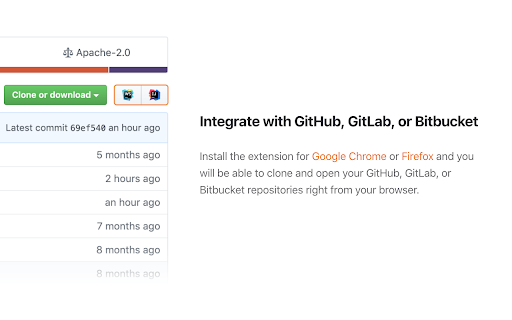

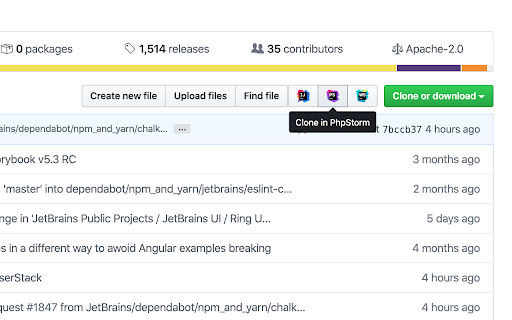
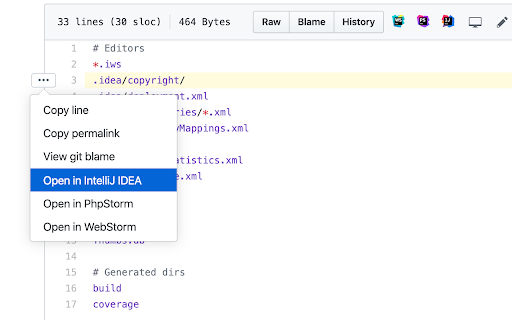
Clone and open projects from GitHub, GitLab, Gitee, and Bitbucket in JetBrains IDEs right from your browser The extension adds buttons that allow you to clone and open projects from GitHub, GitLab, Gitee, and Bitbucket in IntelliJ-based IDEs. Note: The Toolbox App must be installed on your computer to make the extension work. Download the Toolbox App from https://www.jetbrains.com/toolbox-app. To open the projects from self-hosted GitHub, GitLab, and Bitbucket instances, make sure to enable the extension for your website by ticking “Enable on this domain” in the extension settings menu. If you encounter any problem using the extension, please create an issue request at our tracker: https://youtrack.jetbrains.com/issues/TBX Would you like to collaborate on the extension? Because you can! It's an open-source project. Here is the repository address: https://github.com/JetBrains/toolbox-browser-extension

Octotree - GitHub code tree
Browser extension that enhances GitHub code review and exploration. Features * Fast IDE-like code tree * Quick search in tree format * Bookmark repos, issues, PRs, files * Support GitHub themes * Support private repositories * High performance, working with repositories of any size NO BS POLICY: Octotree doesn't track you or share/care about your data at all. GitHub tokens are only needed when you want to access private repositories or exceed GitHub API rate limit. Octotree stores tokens in your browser storage and only uses them to authenticate with GitHub.

Sourcegraph
Connect Sourcegraph to GitHub. Open repos, compare revisions and search code directly from Chrome's Omnibox for faster development. Make it work on your code host • GitHub: No action required. Your extension works here by default. • GitHub Enterprise: click the extension icon and update the "Sourcegraph URL" Make it work for private code To use the browser extension with your private repositories, you must set up a private Sourcegraph instance and connect it to the extension.

Vue.js devtools (beta)
DevTools browser extension for Vue.js Chrome DevTools extension for debugging Vue.js applications. Thank you for trying the Vue.js devtools Beta! If you have any issue, please report them on the GitHub repository. This is the beta channel with a brand-new re-implementation, built with Vue 3. Note the beta channel may cause conflict with the stable version of Vue devtools. If the Vue icon is lit but the Vue tab doesn't show up in devtools, please temporarily disable the stable version and re-open the page.

Ona
Ona is your mission control for serious software projects and parallel coding agents. This extension adds a button to your GitLab, GitHub, Bitbucket and Azure DevOps projects to easily spin up a dev environment with a single click. How it works: 1. Install the browser extension 2. Go to one of your projects at GitLab, GitHub, Bitbucket or Azure DevOps 3. Click on the Ona button and start a dev environment for your project Would you like to collaborate on the extension? You can, it's open source: https://github.com/gitpod-io/browser-extension
