
ofceicgpilfcjbkkbbjfpemjnibcojam
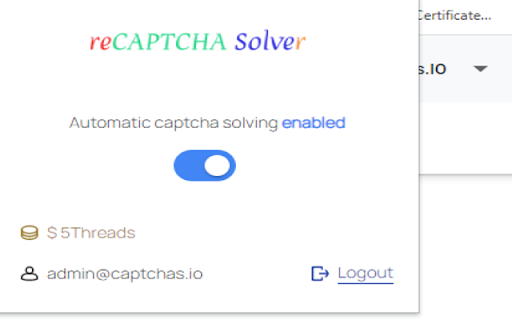
reCAPTCHA Automated Solving Extension This extension solves any type reCAPTCHA anywhere in the page. An extension to automatically solve any type reCAPTCHAs. Supports reCAPTCHA v2, v3 and Enterprise... Well it works quite simple... It will detect and solve automatically to any found reCAPTCHAs in your current working tab. To get an API key you can go to https://captchas.io

NTHU portal captcha solver
This chrome extension solves the captcha on https://www.ccxp.nthu.edu.tw/ccxp/INQUIRE/ and auto fills. Source: https://github.com/danielpclin/nthu-portal-captcha-solver-extension

Captcha Solver: Auto captcha solving service
AI-powered CAPTCHA solver solution designed for Web Scraping. Captcha Solver Extension This extension allows you to automatically solve CAPTCHAs. CapSolver extension - best and fastest browser captcha solver(based on AI) 1. Official CapSolver browser extension for Chrome, which automatically solves any CAPTCHAs in the background using artificial intelligence algorithms is the best quality captcha solver extension worldwide. 2. Browser extensions can also assist people in need, such as those with disabilities, by automatically recognizing and clicking on captcha verifications. 3. Browser extension is supported in Chrome, with Firefox, Opera, and Edge planning support in the near future. How to use: 1. Add extension to Chrome. 2. Sign up and add funds on CapSolver. 3. Add an API key to the extension. How to use in Puppeteer: 1. Extract the compressed file "CapSolver Browser Extension.zip". 2. Navigate to the extracted folder and find "/assets/config.js". 3. Edit "config.js", input your API key, save it, and then open the Chrome browser. Go to the Extensions management page and enable Developer mode. 4. Remove the existing CapSolver Extension. If it wasn't previously installed, you can proceed to the next step. 5. Click "Load unpacked", and select the folder you just extracted. 2025-10-17 v1.16.5 1. Fixed the issue with Cloudflare Challenge triggering. 2025-09-28 v1.16.4 1. Fixed the issue where enabling Manual Solving failed to trigger the Solver. 2025-09-19 v1.16.3 1. Fixed compatibility issues and resolved image recognition failures. 2025-09-18 v1.16.2 1. Optimized recognition errors for improved accuracy. 2025-05-22 v1.16.0 1. Improved integration settings to make it easier to integrate with various tools such as Browser. 2025-02-13 v1.15.4 1. Fixed the issue of reCAPTCHA v3 not being solved automatically. 2025-01-02 v1.15.2 1. Fixed the issue with the Text Captcha feature. 2024-9-14 v1.14.4 1. Optimized the stability of certain services to enhance user experience. 2024-8-19 v1.14.3 1. Fixed known issues and enhanced user experience. 2024-6-18 v1.14.0 1. Added the "textCaptchaModule" field in the config.js. 2024-5-31 v1.12.2 1. Cancel the task type selection function for reCAPTCHA v3. 2024-3-29 v1.12.0 1. Added the "pageAction" parameter to reCAPTCHA v2 token mode. 2024-2-18 v1.10.5 1. Fixed the issue of ineffective config settings. 2024-2-1 v1.10.3 1. Fixed the issue where the proxy set by the user through config.js is not taking effect.

Anti-Captcha Blocker Extension
Anti-Captcha Blocker Extension plugin allows you to automatically solve CAPTCHAs found on any webpage. An extension to automatically solve any type CAPTCHA. Supported: - reCAPTCHA: V2 / V2 Invisible / V3 / Enterprise - hCaptcha - Pictures with any symbols - GeeTestdd - Arkose Labs Captcha FunCaptcha - KeyCaptcha How does it work? User must register for a Solving account in order to receive your API key. The resolution of problems is not always assured. It is necessary to take into account the technology's limits. By making solutions that are already employed by automated systems simple to access, the initiative aims to enhance our experience with captchas. With regard to physical and cognitive capabilities, social and cultural background, and the devices or networks from which they are connected, CAPTCHA obstacles continue to be a substantial burden on the internet, slowing and restricting access to services and information.

CaptchaAI - Captcha Solver
Solve CAPTCHAs on any webpage with CaptchaAI — AI-powered reCAPTCHA, Turnstile, Geetest & image captcha solver. CaptchaAI Solver helps you handle supported CAPTCHA challenges directly in Chrome. Connect your CaptchaAI account, enter your API key, and use active threads to process supported CAPTCHA types from one extension interface. Why users choose CaptchaAI Solver: - Supports multiple CAPTCHA types in one extension - Works with your CaptchaAI account and API key - Built for faster handling of supported CAPTCHA flows - Simple setup for users who already use CaptchaAI - One subscription for multiple supported CAPTCHA types How to get started: 1. Add the extension to Chrome 2. Create or sign in to your CaptchaAI account 3. Enter your API key in the extension 4. Make sure your account has an active plan or active threads Important: - A CaptchaAI account is required - An API key is required - Active threads are required for solving - Trial access may be available through CaptchaAI support Use the extension settings to control supported CAPTCHA types and configure how the extension behaves during solving.
