
oebdflcjlggijfonbhnoliacddjgkjna
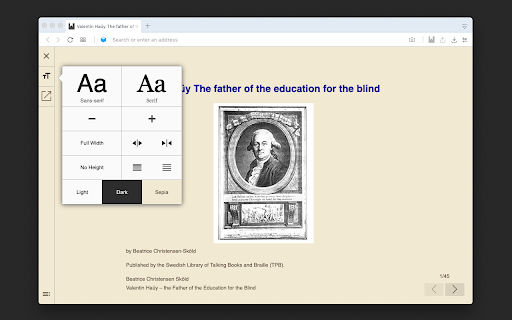
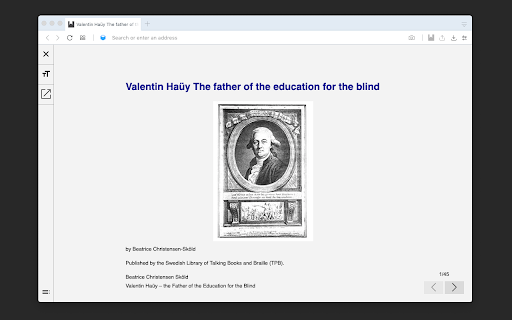

ePub Reader extension adds a context menu item to the browser link context to open and render *.epub and *.opf files in a browser tab for easy access without the need to install a native software. This extension uses the "Reader View" interface which offers three color schemes (light, dark and sepia). The user can change font size and family from the left side panel. It is also possible to view the eBook in full-screen mode. Table of Content is also displayed to let the user jump to a chapter easily. Notes: 1. This extension stores the current page number and the book URL in the address bar, so if this address is opened in a new tab, the book at the current position will be opened. This is useful to continue reading a book later. Change Log: 0.1.3: Load from local *.epub and *.opf files Display loading percentage.

ePub Reader for Google Chrome™
View ePUB files right in your browser. View ePUB files right in your browser. Begin to open epub file today. Our FREE ePUB Reader for Google Chrome™ allows you to view ePUB files instantly. This is a free software to open epub online. ePub Reader for Google Chrome™ is a simple and powerful add-on that can open any document with ".epub" file extension. Please note our software works well for epub open source and can allow you to view epub files instantly. ================================================== ePub is a new e-book file format for viewing online or offline documents. Please read this (https://en.wikipedia.org/wiki/EPUB) Wikipedia page to get more info about ePub file format. You can choose a ePUB file from your computer or from Google Drive to begin reading. Our tool allows you to choose whether you want to view ePub files from Google Drive/ePub files from your desktop computer. ================================================== Disclaimer: Please note this extension is NOT made by Google and is made by an independent development team. All copyrights belong to their respective owners. Google doesn’t endorse or sponsor this Chrome extension. ePub Reader for Google Chrome™ is not owned by, is not licensed by and is not a subsidiary of Google Inc.

HuaSheng Epub Reader
The best Epub-Reader extension of Chrome. Introducing Huasheng Epub Reader, your powerful tool for every ePub document. With a simply designed interface, you can dive into the immersive experience of reading ePub books effortlessly.

Andromeda: EPUB Reader for Chrome
A free, open-source EPUB reader for Chrome. Andromeda is an extension for Chrome that allows you to read and manage EPUB files in your browser. Some of its features include: * A clean, distraction-free reading interface * Add bookmarks and annotations * Keep track of how much time you spend reading and set reading goals * Integration with Project Gutenberg's library of free EPUB books * Five different color themes to choose from * A built-in library to manage your EPUB files * Completely free and open-source

Accessible EPUB Viewer
독서 장애인을 위한 읽어주는 전자책 뷰어 독서 장애인을 위해 출판한 접근성 전자책을 손쉽게 읽을 수 있습니다. ——— 전자책(EPUB)을 볼 수 있으며, TTS를 지원합니다. 독서 장애인을 위하여 접근성이 향상된 전자책 서비스를 지원하며, Accessible EPUB의 표준을 수용합니다. 브라우저에서 바로 전자책을 볼 수 있습니다. 전자책 샘플은 다음의 경로(https://github.com/IDPF/epub3-samples/releases/download/20170606/accessible_epub_3.epub)에서 다운로드 가능합니다. 뷰어를 실행한 후 파일 선택을 통해 사용자의 PC에 있는 EPUB 파일을 엽니다. TTS를 통해 재생/정지할 수 있습니다. epub:type 및 ARIA role 읽기를 통해 표지, 목차, 주석 등을 구분하여 안내합니다. 전자책에 포함된 이미지, 표, 주석, 수식, 유니코드, 한자, Audio, Video, SVG, MedioOverlay 등의 콘텐츠를 확인할 수 있습니다. 목차 및 객체 목록, 검색, 단위 이동 기능을 제공하여 원하는 내용을 손쉽게 탐색할 수 있습니다. 설정을 통해 음성 속도, 피치, 볼륨 등을 사용자에게 맞게 조정할 수 있습니다. 한 번 읽었던 전자책은 위치를 기억하여 열 수 있습니다. 브라우저를 종료하면 뷰어도 함께 종료됩니다.
