
odlepnglbgnjpgalmgnlfbmjpfcbcjdb
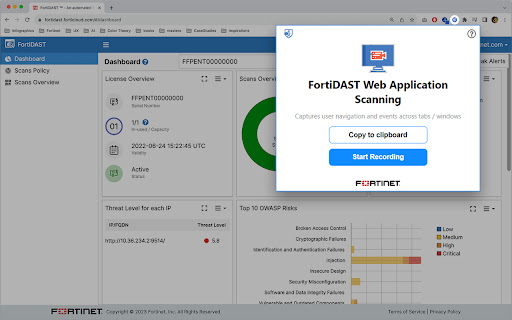
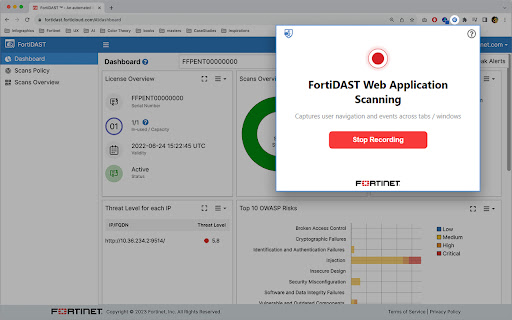
Captures user navigation and events across tabs / windows. This Chrome extension provides a unique feature that allows you to record user activities, which can then be used to improve vulnerability scanning in FortiDAST. FortiDAST Web Application Scanning enables you to capture complex login sequences, including multi-form and multi-factor authentication (One-Time Passwords or Tokens), for vulnerability scans by capturing page-loads, click-events, keypress-events, visibility-change, submit-events, and input-events. The extension will automatically download the JSON with action contents for further processing in FortiDAST. Once you have captured a login sequence, FortiDAST combines advanced crawling technology and performs automated black-box dynamic application security testing of web applications to identify vulnerabilities that actors may exploit. ***To perform scans, you will need an active subscription to FortiDAST (https://fortidast.forticloud.com).***

CyberPad
CyberPad: Your Ultimate Security, Development & Pen-testing Notepad A secure, distraction-free notepad for your security assessments, coding, or penetration testing. Perfect for quickly documenting findings, writing and formatting code, and keeping all your notes organized—right in your browser. 🆕 What's New in v2.2.1 - Live Markdown Preview: Instantly see your formatted notes as professional HTML documents - Settings Dashboard: Customize your exports with company logos, custom footers, and confidentiality levels - Document Branding: Upload your logo and add custom footers for client-ready reports - Confidentiality Markings: Label documents as Public, Private, or Confidential with color-coded headers - Enhanced Export Options: Choose which elements (logo, footer, classification) to include in each preview - Fixed path issues for Linux systems ✨ What CyberPad Does - Keeps Your Notes Private: Everything stays local in your browser—no cloud sync, no external connections. - Preview Your Work: Instantly preview Markdown as formatted HTML with custom branding. - Professional Export Ready: Add company logos, footers, and confidentiality markings for polished reports. - Simplifies Security Work: Effortlessly capture vulnerabilities, bugs, or configuration changes during assessments and bug hunts. - Supports Multiple Languages: Highlight syntax for HTML, JavaScript, Python, PHP, CSS, and many more. - Dark & Minimalist Theme: Less strain on your eyes, more focus on your work. - Easy Saving & Organization: Save multiple findings with timestamps, quickly download notes as Markdown, and stay on top of your work. - Emoji Integration: Add 🛠️, ✅, or ⚠️ as quick status indicators. ⚡ Why You Should Install It - Local-Only Storage: No one sees your notes. Perfect for pen-testing or handling sensitive info. - Live Preview: See your formatted notes instantly before exporting. - Custom Branding: Upload your company logo and add custom footers for professional documentation. - Confidentiality Controls: Mark documents as Public, Private, or Confidential with visual indicators. - Effortless Reporting: Export Markdown files in one click for easy integration into your final reports. - Developer-Friendly: Write code, format it with built-in tools, and reference it later without leaving the browser. - Bug Bounty & Research: Keep track of new vulnerabilities or findings in real time. - Minimal Permissions: Only needs storage, contextMenus, and activeTab—ensuring your system stays secure. 🚀 Built For - Security Assessments: Document each step and vulnerability with professional formatting - Penetration Testing: Quick note-taking during engagements with instant preview - Bug Bounty Hunting: Organized approach to discoveries with branded exports - Development: Syntax highlighting and code snippets - System Administration: Document configurations and updates - Security Research: Compile and structure research data with custom templates ⚙️ Key Features - Live Markdown Preview: See formatted HTML output instantly - Custom Document Branding: Upload logos and add custom footers - Confidentiality Markings: Label documents as Public, Private, or Confidential - Multiple Language Support: HTML, JavaScript, Python, PHP, CSS, and more - Markdown Capabilities: Format your notes for professional reporting - Instant Export: One-click download of notes - Timestamped Entries: Keep track of when you made each discovery - Easy Copy/Paste: Works smoothly for code or text snippets - Bug Reporting System: Quickly log and manage software bugs - Settings Dashboard: Customize your export templates and preferences - Clean Interface: Avoid distractions and focus on your work 🔒 Privacy & Security - Stores notes only in your browser - No external servers or cloud databases - Minimal permissions, strict content security policy - Manifest V3 compliance Install CyberPad and get a lightweight, secure space for all your security findings and development notes—with professional export capabilities right at your fingertips.

NavSec Vulnerability Scanner
Comprehensive security scanner with advanced XSS detection, API security analysis, and authentication testing NavSec Security Scanner v2.0 - Executive Summary 🚀 Overview NavSec is the world's most comprehensive passive web vulnerability scanner, now with international regional compliance capabilities. It performs real-time security analysis directly in your browser, detecting 80+ types of vulnerabilities across 15+ countries with 140+ automated tests. Market Innovation • First and only scanner with multi-regional identity detection • 15 countries covered with proper validation algorithms • 10 major privacy laws compliance (LGPD, GDPR, CCPA, PIPEDA, etc.) • Automatic locale detection for region-specific scanning ________________________________________ Comprehensive Security Analysis • Transport Security - HTTPS, WebSocket, Mixed Content • Headers & CSP - X-Frame-Options, HSTS, SRI • SQL Injection - 10 detection methods • XSS Protection - Reflected, Stored, DOM-based • Authentication - JWT, CSRF, Session Management • Data Privacy - Credit Cards, API Keys, Passwords • Form Security - File Upload, CAPTCHA, Autocomplete • Comments & Metadata - TODOs, Dev URLs, Credentials • Iframe Security - Sandbox, External Sources Unique Advantages • ✅ 100% Passive - No data modification • ✅ 100% Local - Complete privacy • ✅ Zero Configuration - Works instantly • ✅ Professional Reports - Export detailed dashboards • ✅ Free Forever - No premium tiers ________________________________________ Technical Specifications • Technology: Chrome Extension (Manifest V3) • Language: JavaScript ES6+ • Performance:

LPR - Ultimate Recon & Bug Hunting Tool
LPR (Live Params & Redirects) is an all-in-one reconnaissance and… LPR (Live Params & Redirects) is an all-in-one reconnaissance and vulnerability scanning assistant designed for Bug Bounty Hunters, Penetration Testers, and Web Developers. Instead of wasting time inspecting elements and grepping through minified JavaScript files, LPR automatically extracts and categorizes every potential injection point and hidden asset on the page. 🕵️♂️ Deep Parameter Extraction: Automatically scrapes parameters from HTML forms, DOM inputs, and JavaScript variables (var, let, const). 🔗 Advanced Asset Discovery: Digs into external .js files to find full URLs (S3 buckets, API endpoints) and hidden Routes (e.g., /api/v1/admin) that are invisible in the UI. ⚔️ XSS & Security Scanner: proactively hunts for Dangerous Sinks (innerHTML, eval), React/Vue bypass patterns, and javascript: URIs to speed up your XSS discovery. 🆔 IDOR Hunting: Instantly lists all ID-related patterns (e.g., user_id, order_uuid, account_id) found in the source code with line numbers. 🔀 Redirect Analysis: Detects potential Open Redirect vulnerabilities by scanning for window.location, meta refresh, and navigation sinks. 💾 Accumulative Scanning: Data is saved as you browse. The extension prevents accidental tab closing to ensure you never lose your reconnaissance data during a session. Why LPR? Whether you are looking for hidden API endpoints, testing for IDORs, or hunting for DOM-based XSS, LPR gives you a bird's-eye view of the target's attack surface in seconds.

VAPT Assistant Pro+
Advanced VAPT toolkit with AI, security headers, WAF detection, DNS/WHOIS tools, subdomain scanner, and VirusTotal integration. Unlock powerful web security and penetration testing capabilities with VAPT Assistant Pro+, the ultimate Chrome extension for pentesters, ethical hackers, and cyber security professionals. This all-in-one pentest tool and penetration testing toolkit provides everything you need for efficient vulnerability assessment, ethical hacking, and security testing directly in your browser. VAPT Assistant Pro+ offers a wide range of pentesting tools for comprehensive vulnerability assessment and penetration testing (VAPT), making it an essential tool for security analysts, bug bounty hunters, and IT professionals. Conduct advanced penetration testing, automate vulnerability scanning, analyze web application security, and strengthen your cyber security posture—all with an intuitive, user-friendly interface. Key features include web application pentesting, automated VAPT scans, cyber security analysis, ethical hacking tools, and real-time security monitoring. Whether you are performing manual security audits or automated tests, this extension simplifies your workflow and boosts your productivity. This extension helps you during a web application penetration testing and report writing so it was a checklist management tool pentester can also add custom bug bounty checklist also this extension is secure using MPIN pentest tool, pentesting tool, penetration testing tool, pentest toolkit, cyber security tool, ethical hacking tool, VAPT, vulnerability assessment, security testing, web application security, bug bounty, security analyst, IT security, browser extension, web security tool, automated pentest. Take your penetration testing and cyber security efforts to the next level with VAPT Assistant Pro+, the best Chrome extension for ethical hackers and penetration testers!
