
odbchhfjamikjjbcbmkcloopaigdbjci
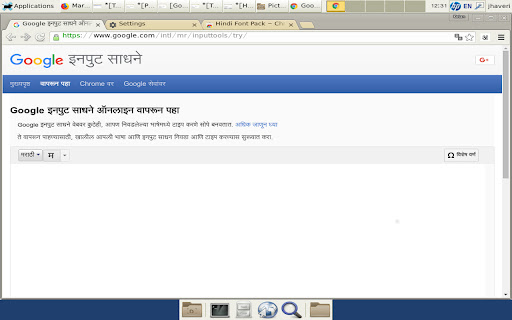
This extension allows the user to see the unicode fonts in Marathi even if their system does not support it. This extension allows the user to see the unicode fonts in Marathi even if their system does not support it. -Marathi script fallback fonts installs Marathi font (Lohit-Marathi.ttf / woff under SIL OFL 1.1 license) that enables proper rendering of Marathi script on all sites (Facebook, Twitter, Google, etc.), even if their system does not support it.

Hindi Dictionary — English Hindi Translator
English-Hindi-English Dictionary with AI translations. Get word meanings instantly with examples & pronunciation. Look up any English or Hindi word instantly — right on the webpage you're reading. No new tabs, no copy-pasting. Just double-click a word and get its meaning in a clean popup. Hindi Dictionary by Kodand is the fastest way to translate between English and Hindi while browsing the web. Whether you're reading news, studying, or working — get accurate word meanings, examples, and pronunciation without leaving the page. Powered by Chrome's built-in on-device AI (Gemini Nano), Kodand delivers smarter, context-aware translations — privately, with no data leaving your browser. ● Sentence & Phrase Translation — Select any sentence or paragraph on a webpage, and get a full AI-powered translation right in the tooltip. Also available in the dedicated Translate tab inside the popup. ● English to Hindi & Hindi to English — Full bidirectional dictionary with auto-detection. Type in English to get Hindi meanings (अर्थ), or type in Hindi to get English definitions. The extension detects the language automatically. ● AI-Powered Contextual Translations — Get smarter, context-aware translations using Chrome's built-in on-device AI (Gemini Nano). Contextual meanings, usage examples, synonyms, and part of speech — all processed privately on your device. ● AI-Enhanced Results on Kodand.com — Visit any word page on kodand.com and see an additional AI-Enhanced Results panel with deeper meanings, examples, and synonyms powered by on-device AI. ● Right-Click to Translate — Select any text on a webpage, right-click, and choose "Hindi Dictionary" to look it up instantly in a popup window. ● Word of the Day — Learn a new Hindi or English word every day with a daily notification at 9 AM. Build your vocabulary effortlessly over time. ● Vocabulary Quiz — Test and strengthen your Hindi-English vocabulary with built-in quizzes inside the extension popup. ● Text-to-Speech Pronunciation — Click the speaker icon to hear the correct pronunciation of any word or meaning. Supports both Hindi and English voices with automatic language detection. ● Copy & Share — Quickly copy translations to your clipboard or share them using your device's native share menu. ● Dark Mode Support — The on-page tooltip automatically adapts to dark mode based on your system preferences. ● Works on Every Website — News sites, blogs, social media, Google Docs, PDFs — the dictionary works everywhere in your browser. ● Customizable Settings — Disable the tooltip on specific websites, pause it temporarily (1 minute to 24 hours), set your preferred translation direction (English → Hindi, Hindi → English, or Auto-detect), toggle AI translations, and control daily notifications. ● Lightweight & Private — No tracking, no bloat, no account required. AI translations run entirely on your device. Kodand runs only when you need it. ★ WHO IS THIS FOR? • Students learning Hindi or English • Hindi speakers improving their English vocabulary • Translators, writers, and content creators • Anyone reading Hindi or English content online • Professionals working with bilingual documents • UPSC, SSC, and competitive exam aspirants building vocabulary Install the extension and click its icon in the toolbar. Type any word in the search bar to see its meaning — results from the server and on-device AI appear together. Switch to the Translate tab to translate full sentences between English and Hindi. Double-click any word on any webpage for an instant popup definition. Select a sentence or phrase on any webpage to get an AI translation in the tooltip. Right-click selected text and choose "Hindi Dictionary" to open a full lookup. Check the "Daily Word" tab to learn a new word every day. Take vocabulary quizzes in the "Quiz" tab to test your knowledge. ★ WHAT'S NEW IN V2.3 • Sentence & phrase translation in tooltip — select multiple words for full translation • Dedicated Translate tab in popup with language swap • AI-Enhanced Results panel on kodand.com word pages • Copy & Share actions on translations • Dark mode tooltip support • Improved AI context with examples and synonyms • Smarter language auto-detection • English to Hindi (अंग्रेजी से हिंदी) • Hindi to English (हिंदी से अंग्रेजी) • Interface available in English, Hindi (हिंदी), and Gujarati (ગુજરાતી) Kodand (कोदंड) is a free Hindi-English dictionary platform at kodand.com with over 1,70,000+ words. This extension brings the full power of Kodand dictionary to your browser, enhanced with on-device AI.

Indic Type
Have you ever faced the issue when you want to type in a regional language but all you have is a standard English keyboard? Indic Type solves this problem for you by enabling transliteration for your standard English keyboard. Now type in more languages without having to worry about learning to type on a non english keyboard Indic Type enables you to type in 30+ supported languages anywhere! You words get automatically replaced with the words from selected language. It's not simple translation. Instead, Indic Type does something referred to as transliteration which uses the phonetic sound of the word rather and changes the script in which it is written This extension is still in beta! Report any bugs or suggestions to the open source GitHub repo: https://github.com/burhanuday/indic-type-chrome-extension

Fonts in Marathi – मराठी Font Style
Type Marathi text, generate stylish Marathi font styles, copy instantly, and download Marathi TTF fonts. Fonts in Marathi – मराठी Font Style is a powerful Marathi font generator that lets you type text and instantly preview it in multiple stylish Marathi fonts. Create beautiful Marathi text, generate stylish fonts, copy them easily, and download Marathi fonts (TTF) for personal use — all in one place. 🔤 Live Marathi Text Input Type your text and see results instantly in different Marathi font styles 🎨 Multiple Marathi Font Styles Explore 10–30 stylish Marathi fonts including modern, decorative, and classic Devanagari styles 📋 One-Click Copy Copy stylish Marathi text instantly for use anywhere ⬇️ Download Marathi Fonts (TTF) Download high-quality Marathi fonts for offline use and design projects ⚡ Fast & Lightweight Smooth performance with instant font preview 🌙 Clean & Simple UI Easy-to-use interface designed for quick font generation - Make fancy Marathi text for social media - Design creative Marathi captions and posts - Download Marathi fonts for graphic design and personal use 🚀 Why Choose This Extension? Unlike basic Marathi font tools, this extension allows you to generate, preview, copy, and download Marathi fonts in one place. No need to install multiple tools — everything works instantly inside your browser. All fonts provided are free and safe to use. Make sure to check individual font licenses before using them in commercial projects.

Gujarati Font Pack
This extension allows the user to see the unicode fonts in Gujarati even if their system does not support it. This extension allows the user to see the unicode fonts in Gujarati even if their system does not support it. -Gujarati script fallback fonts installs Gujarati font (Lohit-Gujarati.ttf / woff under SIL OFL 1.1 license) that enables proper rendering of Gujarati script on all sites (Facebook, Twitter, Google, etc.), even if their system does not support it.
