
ocmmbfdhomnkljmjkmafegefcgcfkefo

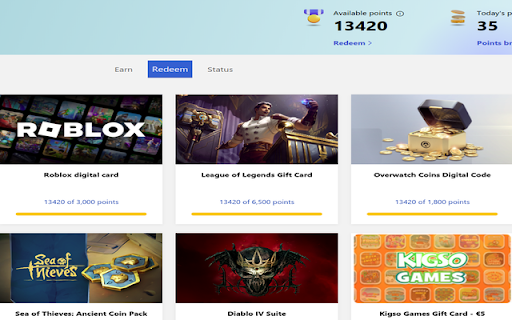
Script that gives you maximum amount of microsoft rewards points every day automatically or by a click of a button. Tab with random searches will open automatically when browser is opened. Extension can also do daily tasks for extra points. Extension gives you at least 100 Microsoft points every day. Points can be redeemed for different game currency or donated to charity. Need to be logged in with Microsoft rewards to work: https://www.microsoft.com/rewards Also need to be logged in at bing.com to get your points

Rewards Search Automator
Rewards Search Automator - Automate daily Bing searches for Microsoft Rewards and mobile points with device simulation. 🚀 Automate Bing Rewards searches across desktop and mobile—realistically, securely, and fully humanized. 🚀 User Manual available in Settings Tab! Now available with Dark Mode! Rewards Search Automator is your smart, customizable companion to supercharge your Microsoft Rewards journey. Automate daily searches hands-free on both desktop and mobile, while keeping your activity natural, consistent, and account-safe with advanced behavior humanization. ✨ Core Features (Free) ✨ 💻 Desktop Search Automation – Automatically performs your daily Bing searches using your own browser/device. 📱 Mobile Search Simulation – Simulates over 60 real-world devices via the Chrome Debugger API for mobile points. ⏱️ Realistic Delays – Mimics human-like browsing behavior with adjustable delays (15–90 seconds). 🔀 Auto Device Assignment – A mobile device is auto-assigned at install, with easy reshuffle support. 🧹 Enhanced Patch – Safely clears partial Bing storage for seamless mobile simulation without logging you out. 🪵 Debug Logs Toggle – Enable verbose logging to better understand automation behavior and troubleshoot easily. 🔓 Pro-Only Features (with Gumroad License – usable on 2 local browser profiles) 📅 Search Scheduling • Browser Startup • Every 5 Minutes • Every 15 Minutes 🎯 Niche Search Selection – Choose from curated categories like Anime, Tech, Travel, Music, Education, Movies—or go fully random. 🌐 Multi-Tab Simulation – Simulate any tab as a mobile device. Run multiple mobile tabs simultaneously, limited only by your system. 🧭 Auto Activity Execution – Automatically visits Bing Rewards dashboard activities after searches complete. 🚫 Activity Toggle – Disable direct activity tab opening to avoid focus interruptions. 🧼 Manual Clear Patch – Run the Enhanced Patch any time to clean stored Bing data without logout. 📥 Search History Export – Download the past 24h of search history in JSON format. 🗑️ Delete Search History – Wipe out the last 24h of search records in one click. 🔁 Reset Options • Reset Runtime – Clear current automation state • Reset Extension – Wipe all extension settings (fresh install state) 🛠️ Built-In Tools & Trust Signals ✅ Gumroad Integration – Easily manage your license. 💬 Discord Community Support – Get help, tips, or connect with other users. ▶️ Curated YouTube Tutorials – Quick guides to help you get started. 🔒 Privacy-First – Consent prompt shown on install/reset with full policy details. 📈 Proven Performance – Over 75 million+ searches processed monthly by 150k+ users. 🌟 What’s New in v1.6.5 – Advanced Humanization & Anti-Detection • Anti-Fingerprinting Protection – WebDriver masking, navigator spoofing, and stable WebGL identity • Canvas Fingerprint Noise – Subtle pixel randomization for realistic rendering behavior • Humanized Typing Engine – Bigram-aware typing delays with natural “thinking” pauses • Smart Mouse Movement – Bezier-curve paths with jitter and randomized starting positions • Click Accuracy Variance – ±20% offset from center for natural targeting • Bell-Curve Search Timing – Normal distribution delays for realistic pacing • Smooth Scrolling – Native scrollIntoView behavior for organic page navigation • Mobile Touch Realism – Dynamic touch radius, force, and platform-accurate touch points • Dynamic Browser Branding – Chrome/Edge detection via real UA parsing • iOS Client Hint Fixes – Prevents fingerprint leaks on Safari-based environments ⚠️ Disclaimer: This extension is for educational and personal use only. Please use it responsibly. Some extension pages may display affiliate or sponsored content to support development—without affecting your experience.

Rewards Search Automator
With this extension, you can automate searches on the Bing search engine to earn points for Microsoft Rewards. With this extension, you can automate searches on the Bing search engine to earn points for Microsoft Rewards. This extension allows you to perform searches on both Desktop and Mobile devices. You can customize both the time intervals between each search and the number of searches you want to perform. It's completely free and without ads.

Rewards Auto Search: Automate searches with 1-Click
Automatically earn Bing search reward points with just 1 click for both PC & Mobile. Run everyday in background and tackle COOLDOWN 🔥 Earn Microsoft Bing Search Rewards effortlessly for PC and Mobile! This extension automates Bing searches, helping you maximize points without extra effort. Just install & let it work for you! Schedule searches daily and run in Background. 🛠 How to Use: 1️⃣ Log in to your Microsoft Account in your browser. 2️⃣ Open the Bing Rewards Auto Search extension. 3️⃣ Enter the total number of PC and Mobile searches you want. 🎯 4️⃣ You can enter a maximum of 100 searches. 5️⃣ Click ‘Start’ 🚀 6️⃣ The extension will automatically search with Bing 🖥️, opening a new tab, typing keywords, and closing it. 7️⃣ Stop anytime ⏹️ by clicking the ‘Stop’ button. 8️⃣ Check your points 🏆 in the top-right corner of Bing. (Earning starts after your 3rd search of the day! 🎉) New in 1.3.7 1. Select your mobile device 2. Choose your search categories. 3. New Icon just for PRO members. 4. Over 30k+ Search keywords. 5. Mimic Bing as default Search Engine 6. Earn Referrals by simply featuring your referral link for 1 Week for every new user that signs up for our Extension. 🚀 PRO Benefits (Unlock More Rewards!) 📱Unlock unlimited Mobile searches everyday 🔥 Automate daily searches based on your search numbers. 🎯 Auto-collect daily activity points when you click Start or as per a daily schedule. ⏳ Tackle COOLDOWN by scheduling searches every 15 minutes. Maximize your Microsoft Rewards effortlessly! 🏆✨ Disclaimer: This extension does its best to simulate genuine searches and human like typings. Please use this extension at your own risk in case Microsoft flags certain reward accounts. Warning: YOU WILL BE BANNED FROM USING THIS EXTENSION IF WE DETECT YOU ARE USING MULTIPLE ACCOUNTS FOR THE REWARDS SEARCH PROGRAM, this extension does not promote abuse of microsoft rewards program

Bing Search Automator | BiClick
Simple Search for Bing. You can click button then random search key. It replaces the default search page with Bing, so you can earn Microsoft rewards from normal searches.
