
ocgghcnnjekfpbmafindjmijdpopafoe
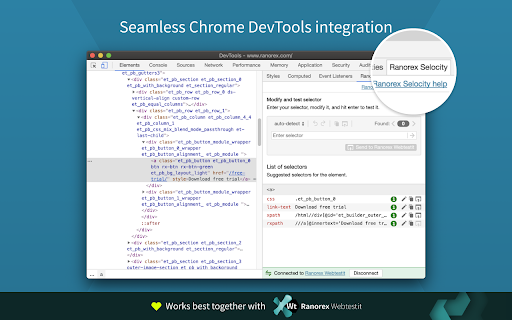
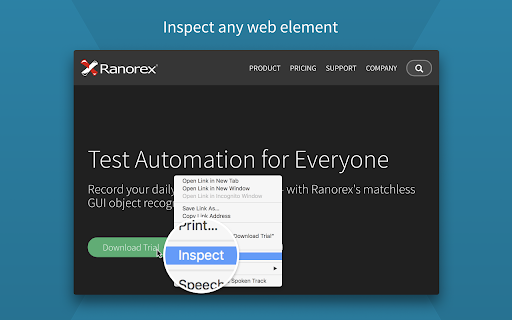


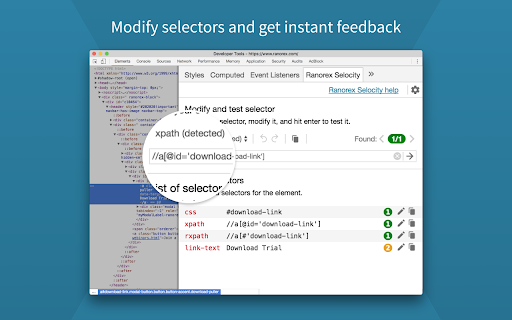

Auto-generate robust XPath, link text, RanoreXPath, and CSS selectors for use with Selenium. * Rapidly generate selectors with one click directly in the DevTools sidebar panel. The smart selector generator automatically detects and ignores dynamically generated IDs. * Manual selection: Ranorex Selocity generates XPath, link text, RanoreXPath, and CSS selectors. Because only you know which selector fits your needs the best. * Instantly generate selectors for elements within iframes, both same-origin and cross-origin. * Exploratory selector creation: If you choose to modify a selector yourself, Ranorex Selocity provides instant feedback to ensure the selector is useful. * Automatic escaping of selectors: If desired, quotes and escape characters are automatically added to your selector, ready for instant use in locators in Selenium tests. * Unique RanoreXPath selector: The generated RanoreXPath (RxPath) simplifies the XPath and provides additional attributes and operators, making the resulting selector shorter and more robust against changes. * Dark theme and light theme

CSS Selector Capture Pro
Generate a copiable CSS Selector with a mouseover without Devtool Clean, simple and intuitive to use, accompanied with these exclusive features. ✓ Copiable and tweak-able Selector ready to use in CSS/JavaScript ✓ Highlights of elements which match the Selector ✓ Total matches based on the Selector within Viewport context ✓ The choice of Concise or Verbose selector ✓ Minimal interference with the page * Short version: - Enable the App, Use "CTRL" Key to lock/unlock the selector highlight in position and click the Copy button to copy the selector. - If needed, click on the selector path to tweak the selector before copying. - Use "ESC" key to exit the App * Beware the extension does not support the following contexts: - shadow DOM (suggestion: use chrome devtool since you will be traversing down the shadow root anyway) - iframe (suggestion: to open the iframe URL in new tab and use the extension) ≡ Where would this extension be useful * The extension would typically suit the use of Front End Development, End to End testing such as Selenium as well as Data Scraping where visually identifying a target, matches and getting the CSS selector are needed. * If you do find this extension useful, please support it by simply giving it a good review and that will help others find it. * The extension does NOT collect any data or send data to third party. * 2.4.0 (2024.06.06) - Optimization for highlights, scroll and resize * 2.3.0 (2021.07.15) - Optimization for concise selector * 2.2.0 (2019.03.23) - Added a User Guide Link in Extension Icon Popup * 2.1.0 (2019.03.21) - Added a shortcut hotkey (CTRL) for locking toggle of the overlays * 2.0.0 (2019.02.25) - Optimization for concise selector (i.e. shorter) - Adjustment of selector background opacity when trigger button for Settings Dialog is on top and user hovers it * 1.0.3 (2018.10.15) - Optimization for selector retrieval

Bug Magnet
Right-click context menu to help with exploratory testing Exploratory testing assistant for Chrome. Adds common problematic values and edge cases to the context menu (right-click) for editable elements, so you can keep them handy and access them easily during exploratory testing sessions. - Convenient access to common boundaries and edge cases for exploratory testing - Extend easily with your own config files - Works on input fields, text areas, content editable DIVs - Works on multi-frame pages, but only if they are from the same domain - Tiny overhead per page (

Selenium Object Finder
Find Selenium Objects - id, name and custom attributes highlighted in different colors for easier test automation Spot all the available id, name and custom attributes- highlighted in different colors for web automation using Selenium WebDriver. This chrome extension - SOF, helps to find all the objects without searching through the DOM. And the id,name and custom attribute values are displayed while hovering on the colored fields. This way you can see the availability of Selenium objects in every page and you can ask the application developer to add the attributes right away for building robust automation test code when you are running fast in Agile.

Page Modeller (Selenium, Robot Framework etc)
Browser DevTools extension for modelling web pages for automation. The Page Modeller extension enables developers to scan a web page and generate page object style code for various tools, languages and frameworks and test the UI locators in the browser. Currently supported tools and languages are: Feel free to propose new functionality and additional frameworks here: https://github.com/danhumphrey/page-modeller/issues This extension is being actively developed and is considered a beta release.
