
ocefhcjjlkojiclabfigeidnlechikic


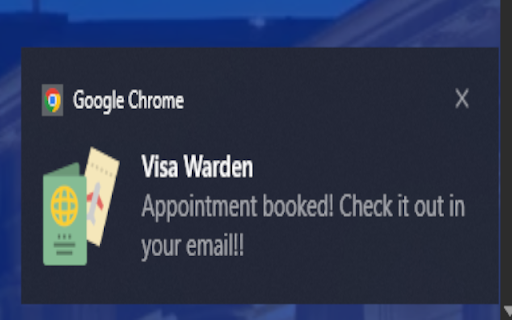
This is an extension that enables you to automatically get notifications for TLS Contact Schengen Visa Appointments, and enables the automatic booking with no additional user input. Checks are done on a modifiable delay and can include advanced filtering such as day of the week, date, and times!

Easy Slot Booking - USA (CGI)
Easy Slot booking is a chrome extension helps you to book your USA visa slot by automating the process. A faster way to get your USA VISA slot. WARNING: Using this extension for monetary gains is neither encouraged nor permitted. People misusing this extension will be solely liable for legal consequences. Using the extension, you agree to the terms and conditions listed here: https://www.easyslotbooking.com/tnc. Request: If you find this extension helpful, please consider volunteering to help at least two other people who are in urgent need of getting a slot and do not have the technical know-how or means (access to mobile devices, laptops, or stable internet connection) to get a place. Use this extension to look for and book slots on CGI federal. Steps: 1. Install the extension 2. Go to https://cgifederal.secure.force.com/applicanthome/ or https://www.usvisascheduling.com/ and log in with captcha 3. you can start from the login page, or else on the dashboard, click on Start to move to the search page 4. This extension will automate the booking process. You can do it on the options page if you need some cities except for booking. You get all the controls on how frequently you want to run and for what criteria - use it wisely! If the bot is stuck or behaves unexpectedly, refresh the page or restart the BOT.

VFS Appointment Booker for Schengen Visa
Automatically books Schengen visa appointments on VFS Global when they become available, for Italy Netherlands Portual and France Secure your visa appointment faster via auto-login, auto-OTP and auto-filling. Support Italy visa, Netherlands visa and all other Schengen visa supported by VFS Global. Max your chance of securing visa appointment slot against other visa appointment bot. VFS Visa Appointment Accelerator helps you compete with other visa bot by helping you go to application details form directly. No more wasting precious seconds — be ready to submit your information the moment slots appear. Perfect for: Applicants frustrated by the long, repetitive booking process Auto-login and auto-filling of form. One-Click Access: Skip the initial visa category selection page instantly. Time-Saver: Go directly to your application form and fill in details before slots open. Boost Your Chances: Be ready to confirm as soon as an appointment slot becomes available. Safe & Simple: Does not book automatically — you stay in control. Log in to your VFS Global account. Click the VFS icon in your Chrome toolbar. Select visa type and instantly land on the application details page. Fill in your form and wait for available slots. Disclaimer: VFS Visa Appointment Accelerator is not affiliated with VFS Global. This tool book appointments automatically.

Captcha Solver: Auto captcha solving service
AI-powered CAPTCHA solver solution designed for Web Scraping. Captcha Solver Extension This extension allows you to automatically solve CAPTCHAs. CapSolver extension - best and fastest browser captcha solver(based on AI) 1. Official CapSolver browser extension for Chrome, which automatically solves any CAPTCHAs in the background using artificial intelligence algorithms is the best quality captcha solver extension worldwide. 2. Browser extensions can also assist people in need, such as those with disabilities, by automatically recognizing and clicking on captcha verifications. 3. Browser extension is supported in Chrome, with Firefox, Opera, and Edge planning support in the near future. How to use: 1. Add extension to Chrome. 2. Sign up and add funds on CapSolver. 3. Add an API key to the extension. How to use in Puppeteer: 1. Extract the compressed file "CapSolver Browser Extension.zip". 2. Navigate to the extracted folder and find "/assets/config.js". 3. Edit "config.js", input your API key, save it, and then open the Chrome browser. Go to the Extensions management page and enable Developer mode. 4. Remove the existing CapSolver Extension. If it wasn't previously installed, you can proceed to the next step. 5. Click "Load unpacked", and select the folder you just extracted. 2025-10-17 v1.16.5 1. Fixed the issue with Cloudflare Challenge triggering. 2025-09-28 v1.16.4 1. Fixed the issue where enabling Manual Solving failed to trigger the Solver. 2025-09-19 v1.16.3 1. Fixed compatibility issues and resolved image recognition failures. 2025-09-18 v1.16.2 1. Optimized recognition errors for improved accuracy. 2025-05-22 v1.16.0 1. Improved integration settings to make it easier to integrate with various tools such as Browser. 2025-02-13 v1.15.4 1. Fixed the issue of reCAPTCHA v3 not being solved automatically. 2025-01-02 v1.15.2 1. Fixed the issue with the Text Captcha feature. 2024-9-14 v1.14.4 1. Optimized the stability of certain services to enhance user experience. 2024-8-19 v1.14.3 1. Fixed known issues and enhanced user experience. 2024-6-18 v1.14.0 1. Added the "textCaptchaModule" field in the config.js. 2024-5-31 v1.12.2 1. Cancel the task type selection function for reCAPTCHA v3. 2024-3-29 v1.12.0 1. Added the "pageAction" parameter to reCAPTCHA v2 token mode. 2024-2-18 v1.10.5 1. Fixed the issue of ineffective config settings. 2024-2-1 v1.10.3 1. Fixed the issue where the proxy set by the user through config.js is not taking effect.

TLSContact Appointment Booker for Schengen Visa
Automatically books Schengen visa appointments on TLSContact when they become available, for French Germany Morocco and Beyound No more staring at your screen for TLSContact visa slots! This extension auto-refreshes and books appointments for you when slots open for France, Switzerland, or Germany. How to use: 1. Visit the TLSContact Appointment Page (e.g., https://visas-fr.tlscontact.com/20252340/workflow/appointment-booking). 2. Set your preferred date range. Uncheck "include prime slot" to skip premium slots and save money. 3. Choose a refresh interval above 300 seconds to avoid blocks. For Germany visa, it can be 60+ seconds 4. Click "Start Monitoring" in the extension popup. 5. Enable email notifications on your phone to know when a slot is booked. 6. Pay within 30 minutes of the email, or the slot will be released. Get your visa appointment hassle-free!
