
oagblhpbgnhimeimlbgfipmgninifjpe
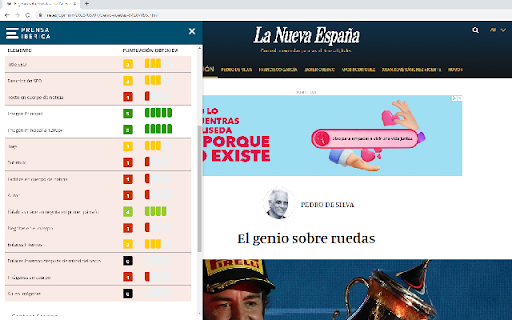
Visor de datos de un artículo de Prensa Ibérica Herramienta para facilitar la labor del redactor en Prensa Iberica

Smart Story AI - SEO tool
With our predictive artificial intelligence models we can help content creators and publishers generate content that works.

View Image Info (properties)
Get properties(including dimensions, URL, file size, file type info) of the image your cursor is pointing to via context menu. @updated on 2010/12/06 *add an 'ALT' field *you could now press ESC key to close the popup window @updated on 2010/11/23: *now getting info async, the info window will appear more quickly *can handle base64 data correctly @updated on 2010/10/25: *To mac users, you could see the action now *Little change made to improve the file size info *The size of the popup window may look better now Get information of the image your cursor is pointing to, including image dimensions, file size, url, file type and preview. *Known Issue: Sometimes the file size can not be shown.

AMP Validator
Automatically checks each page for AMP validation. The AMP Validator will check the current page to see if it is an AMP page and then run it through the AMP validator and report if the page passes (green) or fails (red) via the extension icon. If there are any warnings or errors it'll list the number underneath the extension icon and clicking the icon will display the warnings and/or errors. If the current page is not an AMP page and one is available via the extension icon turns blue and clicking it will load the AMP version of that page. By installing this item, you agree to the Google Terms of Service and Privacy Policy at https://policies.google.com/.

Realtime Content Insights Chrome Extension
The RCI Chrome Extension allows you to understand how your readers are interacting with your content, in realtime. The Google News Initiative, in partnership with Use All Five, is excited to introduce the Realtime Content Insights extension. It will allow you to quickly identify how many readers are interacting with your content as you browse your website, in realtime. • Install the extension • Make sure you are logged into the Google account on Chrome that is associated with the Google Analytics account you are seeking data from. • Click on the extension’s “Google sign-in” button and login to authorize access. • Your data will appear automatically, but you should always click on the extension and make sure the correct “Google Analytics View” is selected. • If your account doesn’t appear/isn’t the right one, go to your website’s Google Analytics account: Admin > Property settings, and make sure the “Default URL” field matches your main URL/primary domain. • Number of realtime readers on the page/article that you’re currently viewing • Page/article rank compared to the rest of your content • Top geographies and referrals (Search, Social …) per article • Bookmark articles to quickly see how they’re performing throughout the day thanks to our “Saved Articles” tab. You can find and use all the free Google News Initiative data tools here: https://goo.gle/datatools To use the extension, you’ll need to provide READ access only to your Google Analytics account for data visualization purposes. Your data is never collected, stored, or shared.
