
oafhfcmdpfenofnihjpfagmnndplifpk
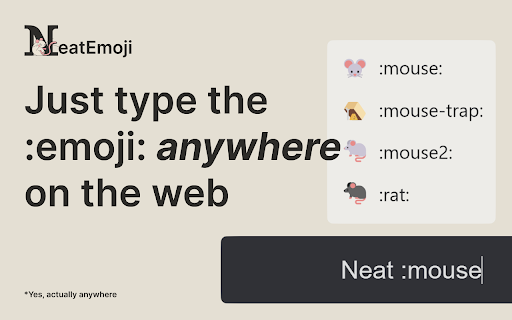


No more copy pasting emojis, just type :emoji: and it will be replaced with the emoji anywhere on the web. No more copy & pasting emojis, just type :emoji: and it will be replaced with the emoji anywhere on the web. Experience AI-powered text-to-emoji conversion! Just type :describe-your-emoji: and see the magic unfold. Create your custom emoji codes effortlessly! Personalize your emojis with your unique codes in just 3 clicks.

EmojAI
AI-powered emoji picker with smart, context-aware suggestions Turn your emotions into emoji - without stopping writing. ⚠️ The OpenAI API key is required for the AI integration - pass it in the Options page and start writing! ⚠️ ✅ FREE - without ads 🔥 3,000+ latest emojis - Unicode 15.0 compatible 🌐 Simple, but efficient ":" trigger ✨ AI autosuggestions - available wherever you're writing ⚡ Instant picker in every input you’re typing in 🌙 Light and dark mode support 🗒️ Compatible with EVERY platform, including Twitter, LinkedIn, Reddit and many more 🔍 Easy search - misspelling a word would still show what you’re looking for 🚀 Performant - the extension isn't impacting website performance EmojAI is a fully FREE extension! Just install it and it'll be with you whenever you want to write. You have an issue or want to give a feedback / suggestion? Drop me an email 📬 The extension doesn't collect any data.

InfoSE
Quickly access relevant information for selected word Introducing "InfoSE," the ultimate extension for lightning-fast access to relevant information right at your fingertips. With InfoSE, effortlessly explore top relevant results for selected word, neatly organized within accordion-style panels, each offering a concise summary for quick insights. Key Features: Effortless Access: Simply highlight any word or phrase on your browser, and InfoSE springs into action, fetching relevant information instantaneously. Accordion Interface: InfoSE presents search results in a sleek accordion format, allowing you to expand and collapse each panel effortlessly. This intuitive design enables efficient browsing without cluttering your screen. Comprehensive Summaries: Dive into succinct summaries within each accordion panel, providing essential details without overwhelming you with excessive information. Whether it's definitions, explanations, or background context, InfoSE delivers the highlights at a glance. Wikipedia Integration: Seamlessly explore Wikipedia entries directly within InfoSE. With a single click, delve into comprehensive articles, gaining in-depth understanding on your chosen topic without leaving your browsing session.

Typemoji
An emoji typing tool to make emoji inputs faster and easier. Typemoji is a tool that makes it easier to type emojis on PCs and Desktops, using the popular discord style :emoji: format for typing. Currently, typing emojis is a long task on chrome other than on specific messaging sites. Typemoji removes this extra effort. Simply type :sob: for 😭 and so on. Go on and have fun!

Emoji Type
Allows you to type emojis in any text field by replacing specific text with emojis. EmojiType lets you type emojis in any text field by using a delimiter and keyword. No menus, no copy-paste. • Use your delimiter (default : ) plus a keyword plus the delimiter again — e.g. :smile: — and it becomes the emoji. • Or type delimiter + keyword and press Tab to autocomplete. • Turn on Suggestions in Options to see matches as you type. Customize everything: • Dictionary — Add, edit, and remove keyword→emoji pairs. Export/import your list; merge imports with your current dictionary. • Options — Set the delimiter, suggestion box opacity, and light/dark theme. • Sites — Whitelist or blacklist URLs so the extension runs only where you want (e.g. on social media, off work tools). Install, set a keyboard shortcut in chrome://extensions/shortcuts, and start typing.
