
oadkgbgppkhoaaoepjbcnjejmkknaobg

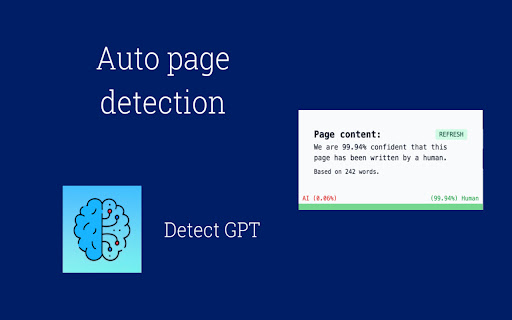

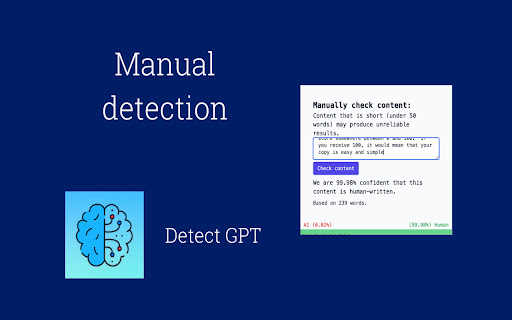
DetectGPT - Detect Chat GPT Generated Writing. Identify AI-generated content while browsing the web. AI Content detection: Utilize AI technology to determine if content on your screen was generated using an AI writing tool. Detects ChatGPT and Other Widely Used AI Content detection. Harness the power of AI to determine if content on your screen was created with an AI writing tool such as ChatGPT. Install Chrome Extension Copy the text you want to verify for AI generation and either: Right Click and select “Scan with DetectGPT” Copy the text and paste it into the manual check area in the extension and click “Check Content” Alternatively, for a page scan: Visit the page you would like to examine Open the extension Click refresh and view results ⚡️ Quickly and easily check for AI written content on a page: Upon visiting a website, just open up the extension and it will automatically scan the page and provide you with a result, this makes scanning for AI anywhere online a breeze. ✨ No account needed: There is no account or signup required, so you can install the extension and start scanning straight away! It has been proven accurate for the following NLP models: Some Limitations The detection of AI-generated content is not 100% accurate and may produce some false positives. With 94% accuracy on GPT-3 raw output, it will not always detect AI-generated content. However, over a large enough sample, the results can be trusted. Safeguard Your Search Rankings for the Future Google has explicitly stated that it does not want to rank AI-generated spam and has shared that it can detect such content. It is widely anticipated that Google will take or has already taken measures to prevent AI-generated spam content from inundating search results with inaccurate information. No inconsistencies in grammar and syntax: Modern AI-generated content is typically error-free, while human-generated content is more likely to contain grammatical inconsistencies. Absence of tone and style: AI-generated content might lack the nuances, personality, and style characteristic of human-written content. Unusual or repetitive word choice: AI-generated content may employ uncommon or repetitive words or phrases that do not naturally fit with the rest of the content. Repetitive structure: AI-generated content might have a repetitive structure or lack the variety and flow found in human-written content. Lack of context: AI-generated content may not have context or relevance to the topic or audience. Timely context or references are good indicators that content was not AI-produced. Factual errors: AI-generated content can be identified when it contains factual mistakes. Since AI writing tools might lack context, they may include factually inaccurate information, which can be helpful in determining if the content was generated by AI.

HyperWrite: AI Predictive Writing App
Predictive writing in Gmail, Google Docs, ChatGPT, and more. AI writing assistant that predicts words, sentences, or paragraphs. This is not just another autocomplete tool. It is predictive writing reimagined for the age of AI—and HyperWrite’s fastest-growing product. Get real-time, intelligent text suggestions as you write. HyperWrite autocompletes your sentences with subtle gray text, helping each suggestion feel natural to the way you write. Accept suggestions instantly by pressing “Tab” for a seamless writing flow. It works in your favorite apps: ChatGPT, Gemini, Gmail, Google Docs, and more. - Advanced AI for real writing and research - Seamless integration anywhere you work - Context-aware suggestions and personalized outputs - Tools for brainstorming, drafting, editing, and research—all in one place Focus on your ideas—HyperWrite takes care of the words. Try HyperWrite for free and experience what an AI writing and research partner can do. By installing or using the extension, you agree to and acknowledge: https://www.hyperwriteai.com/terms https://www.hyperwriteai.com/privacy

Superpower Chat
Superpower Chat is a browser extension trusted by over 400,000 people. Save and reuse your multi-step prompts, organize chats into folders and subfolders, search past conversations instantly, organize and search your images in the gallery, save notes for each conversation, bulk delete/export/archive your chats in a few clicks, and many more. It helps you keep ChatGPT organized, productive, and easier to use every day. ⭐️⭐️⭐️⭐️⭐️ New Pro Feature: ✨ Prompt Optimizer: Optimize your prompts with one click 📚 Advance Prompt Manager: Manage all your prompts in one place with NO LIMIT 📝 Notes: Save notes for each chat and access them later. Synced across devices and can be searched 🌉 Image Gallery: Now you can see all your images in one place. Read the prompt, search images, download all images, and more... 🔄 Automatic folder: Automatically create folders for conversations created with Custom GPTs 🔊 Side-by-side Voice mode: Use the Advanced Voice mode from ChatGPT in a side-by-side view while looking at the conversation. 🖱️ Right-click menu: Easily access and run all your custom prompts on any website from the right-click menu. 🌉 Send screenshot with right click: Use the right click menu on any page to quickly send the screenshot to ChatGPT 🤑 Enhanced GPT Store. Discover over 100,000 custom GPTs and try them with one click! 🔗 Reference Conversations: Easily reference one or more conversations from your history inside the current conversations 🔁 Auto Delete and Auto Archive: Option to automatically delete or archive old messages after a certain number of days 🎧 Download audio: Option to download the audio for ChatGPT responses 📥 Select and export individual messages from a conversation ⭐️⭐️⭐️⭐️⭐️ ★ Chat Management for ChatGPT: • 🗂 Folders and subfolders for your chats: Create folders easily and organize your chats in folders and subfolders. Assign different colors and images to each folder. Drag and drop conversations to add/remove them from folders. Favorite folder at the top. • 🗺️ Minimap. See a reduced overview of the entire conversation on the left edge of the screen • 📥 Export: Select and Export any number of your chats from ChatGPT into multiple formats (PDF, .txt, .json, .md) • 🔎 Search and Highlight: Search through all your previous chats on ChatGPT and highlight results for quick review • 📌 Pinned Messages: Pin important messages in each conversation and quickly access them using our quick navigation sidebar • 🗑️ Group Deletion: Select and delete a group of chats on ChatGPT • 🕰️ Timestamps: Timestamps for all chats and individual messages ★ Prompt Management for ChatGPT: • ⛓️ Prompt Chains: Save and run a series of prompts with one click. • ⚡️ Auto Complete Menu: Simply type / to open a menu of all your prompts right above the input box • 🔙 Recent Prompt: Your recent prompt saved privately on your computer. • 🔼🔽 Quick Access: Just use the Up/Down Arrow key in the input box to go through your previous prompts • ⭐ Favorite prompts: Mark your prompts as favorite in your prompt history • 📄 Prompt templates: Put words inside {{double curly brackets}} in your prompt to create variable in your prompts • 🔍 Search Function: Easily search through your prompt history and thousands of public prompt examples from the ChatGPT community • 📜 Public Prompts: Get inspiration from thousands of other prompts created by the community and share your prompts too. Upvote, downvote, and report prompts, and sort them by the most used or most upvoted. Filter prompts by category and language • 🔗 Prompt Sharing: Easily share a direct link to the community prompt on ChatGPT with a single click ★ Language and Style for ChatGPT: • 🌍 Language Selection: Change the response language with one click (Supports over 190 different languages) • 🎭 Tone and Writing Style: Change the Tone and the Writing style of the Response ★ Utilities for ChatGPT: • ❌ Block ads on ChatGPT • ⮐ Disable Enter to submit prompt. Instead, use CMD/CTRL + ⮐ to submit prompts. • 👥 Custom Instruction Profiles: Why create only one Custom Instruction on ChatGPT when you can easily create and save multiple profiles and quickly access them with a click of a button • ✂️ Auto Splitter: Automatically split your long input into smaller chunks and send them to ChatGPT individually. • 🗒 Auto summarize: Using the power of auto-splitter, your long text will be summarized into a shorter version so you can ask questions • 📏 Custom Conversation Width: Adjust the width of the conversation on ChatGPT to your liking • 🔄 Smart Replace: Automatically replace pre-defined phrases with longer text as you type prompts • 🖱️ Auto Click: Automatically click on the default favorite prompt button at the end of each response • 📊 Word and Character Count: Add the word and character counters to both the user input and the responses • 🎛 Model Switcher: Easily change the model (GPT-5.2, GPT-4, GPT-3.5, etc.) in the middle of the conversation. Simply hover over the avatar icon to see what model was used for each response • 📋 Copy and Paste: Easily copy each chat with a click of a button and keep the formatting (support plain text, markdown, and HTML format) • 🕶️ Copy Mode: Setting to copy either both user input and response or only the chat response • ⌨️ Short keys: Quickly access your most used features using our growing list of short keys • ⏫⏬ Scroll to the top/bottom or scroll one message at a time • 🗄️ Newsletter Archive: Access the newsletter archive and read all the previous versions ____________________________________________________________ ▶️ Watch our YouTube Channel for Tutorials and Tips https://youtube.com/@spchatgpt 🤑 Become an Affiliate (Link to our affiliate program is also provided in the extension) https://spchat.co/affiliate/ 📜 Try Snipman extension: https://chromewebstore.google.com/detail/snipman/obpihkiilednknalffilmhopfifnbbha

Suggesty
Get human-like answers powered by GPT-3 to your Google searches With Suggesty extension, there is no need to scroll through all results pages - you can get the answer straight away. How does it work? We send your anonymized Google request to GPT-3 and display its answers on the Google page. What can I do with that? - Grammar correction. Type “fix grammar” to correct your sentence. - Translation. You can easily translate your text into other languages. For example, type “translate to french my name is Nick” - Recipes. Create a cocktail recipe from the ingredients you have. - Any other request. Do you need a movie recommendation? Don’t you know how a refrigerator works? Do you need a step-by-step guide on how to achieve something? Just type that, and GPT-3 will cover you!

Perplexity - AI Companion
Ask anything while you browse Ever found yourself buried in browser tabs, trying to find that one answer or summary that makes everything clear? Perplexity is your go-to solution—a harmonious blend of ChatGPT and Google, designed to serve your curiosity instantly. Features You'll Love: 🔍 Instant Page Summaries: Make sense of any article or webpage at a glance. 🎙 Quick Queries: Ask any question directly from your toolbar—no need to jump between tabs. 🔗 Contextual Understanding: Get answers relevant to your current page or even specific to your current domain. 📬 Shareable Insights: Easily share your discoveries with a clickable link. 💬 Dynamic Conversations: Click to ask follow-up questions for deeper understanding.
